Ultra Fast Speed-to-Lead for New Leads in Kayse: Set Up Always On Campaigns
The first firm to respond wins. Always On Campaigns help make sure that firm is yours.
Most law firms are not losing leads because the lead was bad or the case was weak. They are losing leads because another firm picked up the phone first. When a new lead comes in, speed-to-lead is the difference between starting the conversation and watching that lead sign somewhere else.
Why Speed-to-Lead Matters
Fast response changes conversion rates:
- 78% of customers buy from the company that responds first.
- Calling a new lead in under 1 minute can dramatically outperform waiting even a few minutes.
- Reaching a lead within 5 minutes can make your team far more likely to qualify that lead than waiting 30 minutes.
- Law firms that respond quickly to new web leads can convert several times better than firms that wait.
Marketing already paid for the lead. Intake already built the process. Always On Campaigns help your team stop losing paid leads in the gap between form submission and first contact.
What Always On Campaigns Do
An Always On Campaign keeps a campaign run live and ready for new leads. When a new contact lands in Kayse from your CRM or webhook, Kayse can add that contact to the campaign and start outreach without someone manually launching a new run.
Always On Campaigns can use:
- Voice AI calls
- SMS text messages
- Mobile app chat
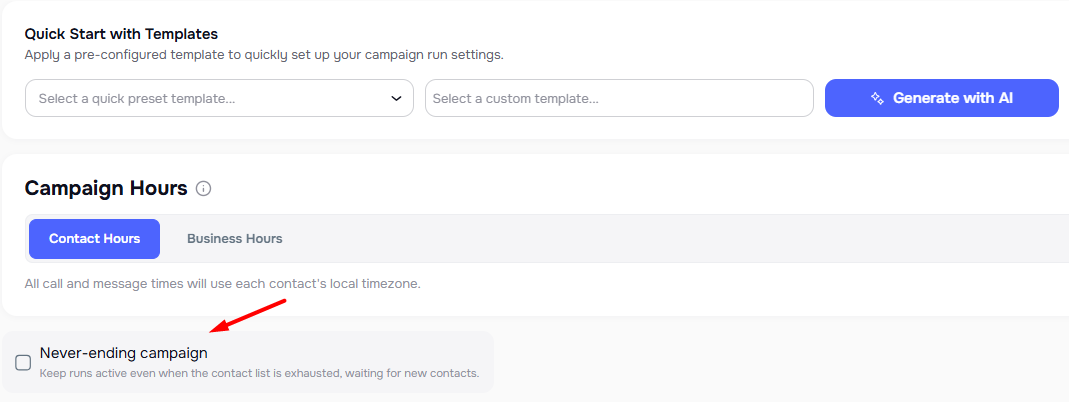
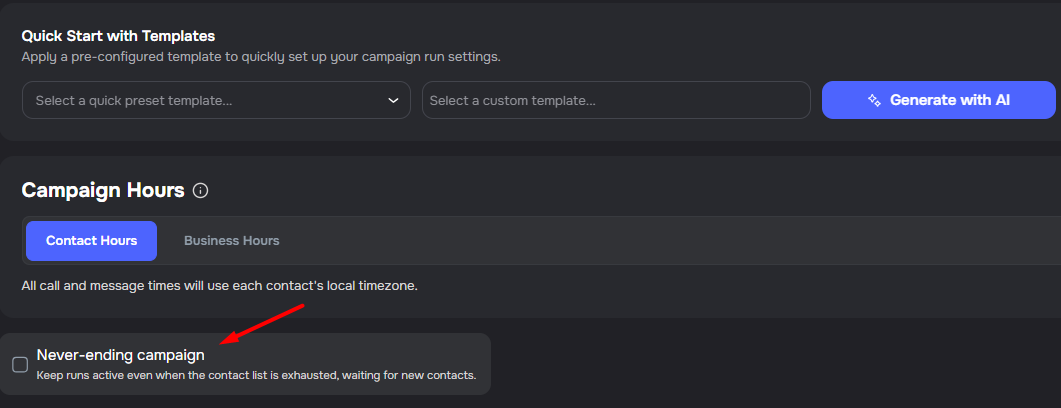
Use Always On Campaigns for rolling intake, new lead follow-up, evergreen nurture, reactivation campaigns, and any workflow where contacts are continuously added over time.
How the Data Flows
Your CRM should remain the source of truth. Kayse becomes the platform of action.
We recommend sending new leads to your CRM first, then posting them to Kayse through a direct integration or webhook. That keeps the matter, case data, and system of record in your CRM while letting Kayse respond immediately.
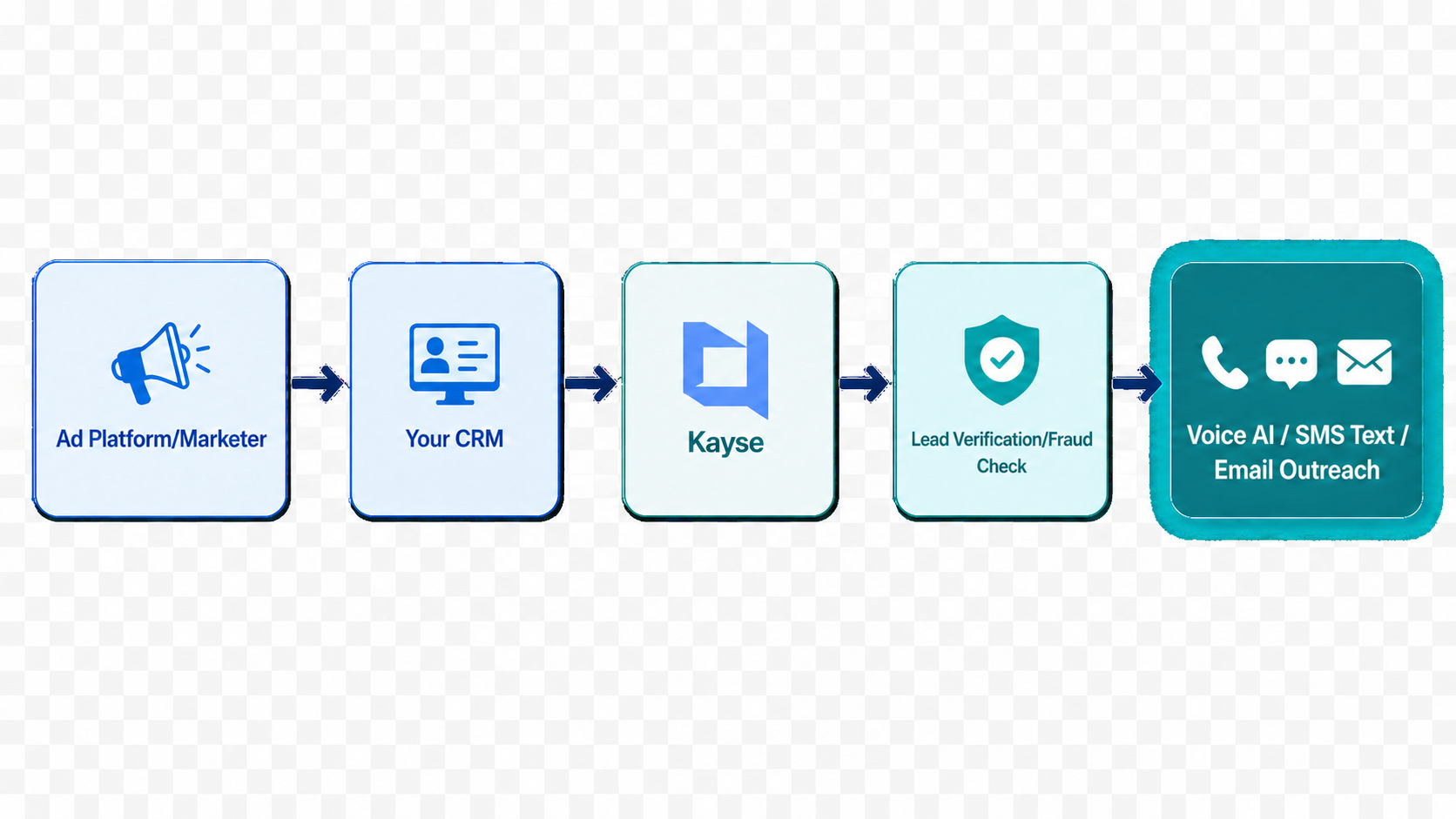
The flow usually looks like this:
- A new lead lands in your CRM.
- Your CRM posts the lead to Kayse.
- Kayse adds the lead to an Always On Campaign run.
- Voice AI, SMS text, and email outreach begin within seconds.
- Responses, form data, and notes route back to your team and CRM workflows.
Set Up an Always On Campaign
- Open Campaign Builder in Kayse and create a new campaign.
- Choose the outreach channels you want to use: Voice AI, SMS text, email, and/or mobile app chat.
- Build the campaign steps. Keep the first touch short, clear, and human.
- Enable the Always On Campaign option so the run stays open and waits for new leads.
- Connect your CRM with a direct integration or webhook so new leads post to Kayse automatically.
- Start the campaign.
Once the campaign is running, new leads can flow into the same campaign automatically instead of waiting for a team member to build or restart outreach.
Compliance Considerations
Always On Campaigns should be used with the same care as any other outbound communication workflow.
Kayse provides safeguards such as quiet hours, timezone handling, opt-out tracking, contact audit logs, and compliance screening options. Your firm still controls its policies, consent language, outreach cadence, case selection, and data quality.
Important: Kayse does not guarantee that any campaign is TCPA compliant or DNC compliant in every situation. Compliance depends on how your firm uses the platform, the data you load, and your own consent and opt-out practices. Work with your compliance team and counsel to confirm that your setup matches your obligations.
Best Practices
- Respond immediately, but keep first messages simple and relevant.
- Use your CRM as the system of record and Kayse as the action layer.
- Make sure lead sources, consent fields, and contact details are clean before outreach starts.
- Configure business hours, quiet hours, and opt-out handling before launching.
- Review campaign reports and CRM notes so your team can take over when a lead replies or requests a person.
The Outcome
Always On Campaigns move speed-to-lead from hours to seconds. A new lead lands, Kayse starts outreach, and your team has a better chance to start the conversation before another firm does.
Need help building your first Always On Campaign? Contact your Kayse representative or reach support inside the app.