App-Free Notifications, SMS Sync & AI Call Export
May 29, 2025
📨 1. Notifications for Clients Without the Mobile App Installed
📌 Overview:
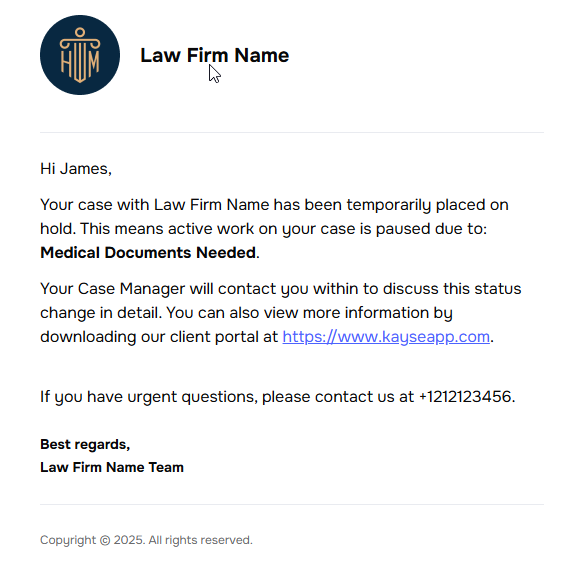
Automatically notify clients without the mobile app installed via Email/SMS when key tasks and case events occur. This ensures they remain informed and responsive, even if they're not using the app.
✅ Trigger Events:
New task assigned
Case status updated
Case was put on hold
Case resumed
Case closed
⚙️ Company Settings: Client Notifications Tab
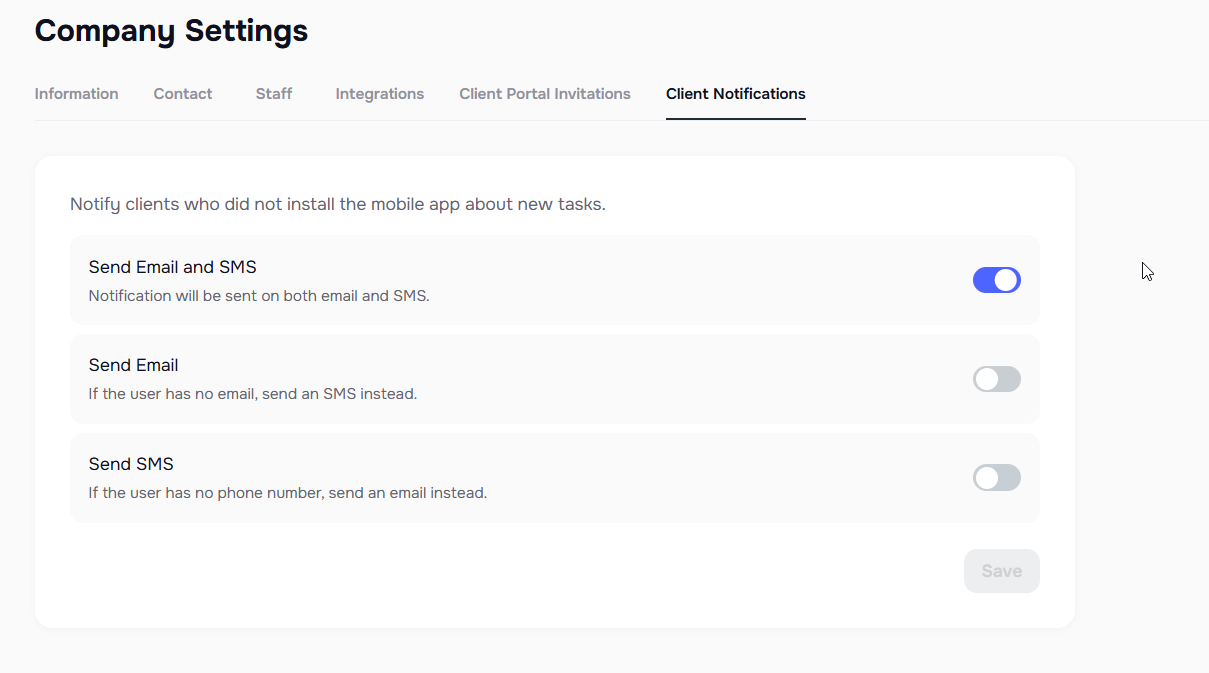
A new configuration tab is added to the Company Settings, titled Client Notifications.
This tab allows users to configure the fallback messaging method when clients don’t have the mobile app installed:
Send SMS if user has no email
Send Email if user has no phone number
Send both Email & SMS
🤖 2. SMS Integration in AI Campaigns
🎯 Goal:
Improve campaign conversion rates by adding pre-call and follow-up SMS texting to AI campaigns.
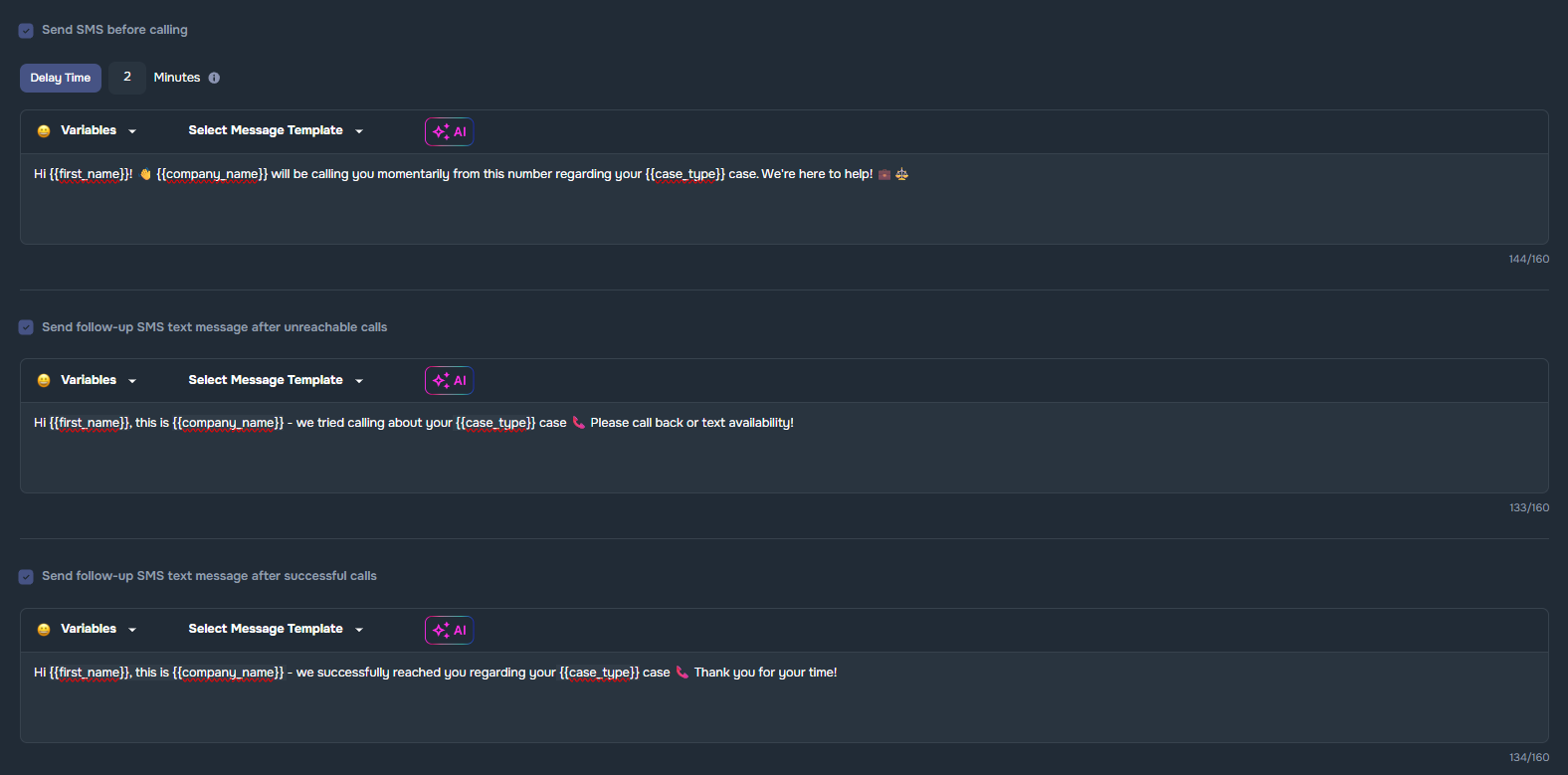
📈 Send an SMS **before calling to increase contact rates
📭 Send a follow-up SMS text message after unreachable calls (no answer, voicemail reached, keeps ringing)
✅ Send a follow-up SMS text message after successful calls
Message configuration:
- Choose a custom message or use our prebuilt templates for ease of use
**Delay timer (before each AI call)😗*📝 We recommend a delay of at least 2 minutes after SMS are sent. Each AI call will occur near your specified delay time, with small variations possible due to processing and wireless carrier ecosystem factors.
- Default = 2 minutes
- Fully customizable delay settings
Automatic SMS sync to third-party systems: All SMS texts that are sent are synced as notes to third-party systems (requires activation of integration in Company Settings such as Law Ruler legal CRM or SmartAdvocate legal practice management software.
Compliance Warning Regarding Mass Sending of SMS Text Messages: ⚠️When sending mass SMS messages, texts are delivered at a rate of 3 to 5 messages per second, depending on the type of phone number used. This pacing helps ensure compliance with carrier guidelines and industry best practices, reducing the risk of message blocking. Please be aware that larger batches may take a bit longer to send, as our system automatically manages delivery to support reliability and regulatory standards.
📊 3. AI Campaign: Export to File Feature
The AI Campaign Detail export improves post-campaign analysis and reporting.
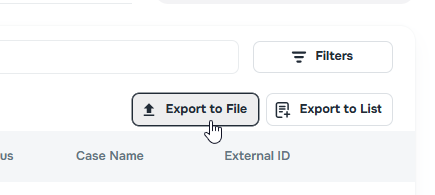
Inside of the Calls screen within each AI campaign, you are able to export the campaign details at any time with the Export to File button as shown here:
These are the available fields inside of the Export to File feature:
- Case ID
- External Case ID
- Client Name
- Case Name
- Timestamp
- Sentiment
- Duration
- Direction
- Result
- Phone
- Disconnection Reason
- Status
- Transferred To
- Timezone
- Summary
📞 4. "Calls" Tab in Messenger and Messages
🔍 New Tabs:
Messenger: New “Calls” tab alongside Email, SMS, In-App to see all communications through one single pane of glass, including imported third-party messages via API
Client profile > Messages tab: now includes Calls
Cases page > Messages tab: now includes Calls
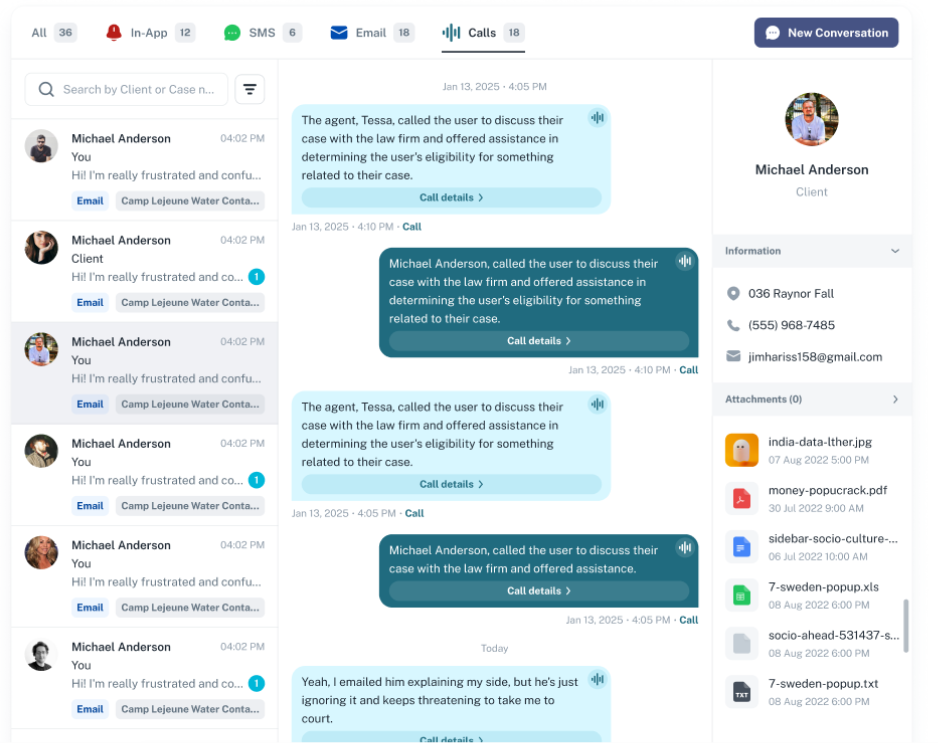
📋 Call Display:
Listed in All Conversations with:
- Contact name
- Time
- Campaign tag
- Call icon
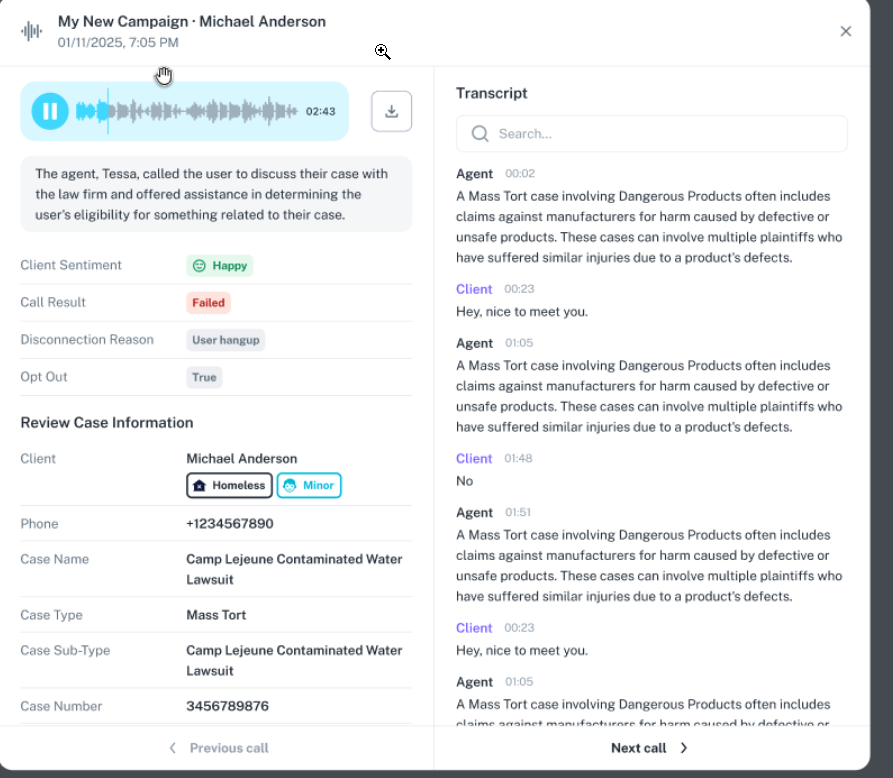
🔎 Click to View:
Transcript
Call metadata (sentiment, result, opt-out, etc.)
Case/client info
Playable audio with waveform
“Call details” button opens full view
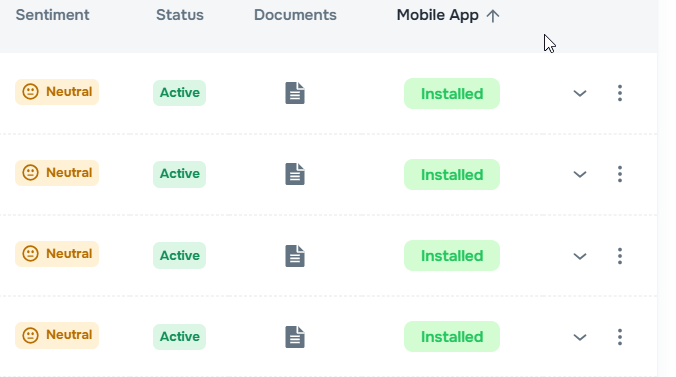
📱 5. Mobile App Status Sorting
Added sorting functionality to the Mobile App column on the Clients page, allowing users to quickly organize clients by installation status. It will help to quickly identify which clients have installed our mobile app and which haven’t.