New Message Filters, Smart Field Mapping & Campaign UX
July 30, 2025
This release helps your team track conversation status more clearly, import case data faster, and work more efficiently with filters — with less guesswork and more automation ⚙️
🎯 Improvements
💬 Smarter Message Filters in Messenger
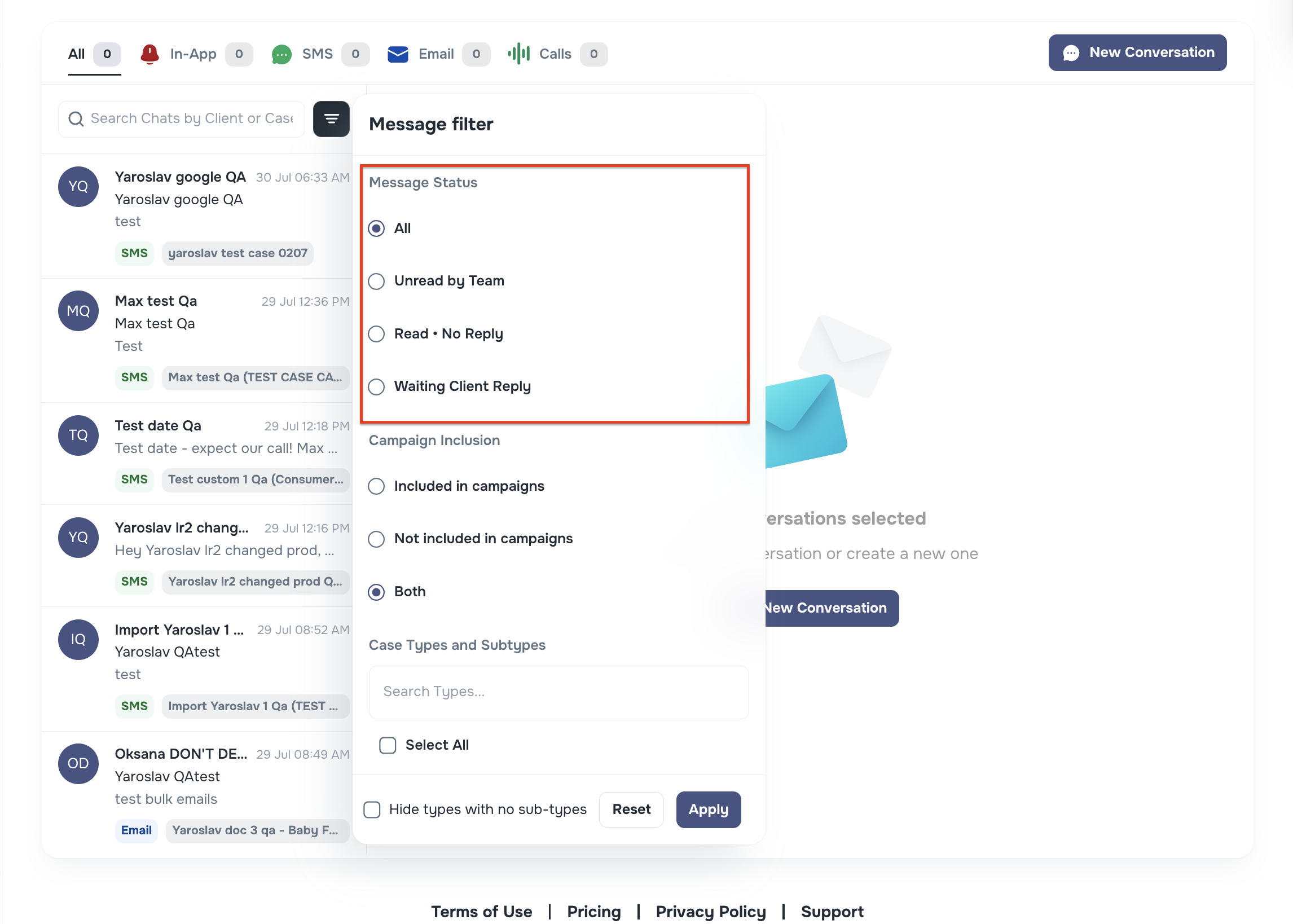
We’ve added three new filters to help your team quickly identify chats that need action. You’ll find them under Message Filters → Message Status in the left sidebar of Messenger:
- Unread by Team – shows chats where the client has sent a message, but no one on your team has read it yet.
- Read • No Reply – shows chats where the message was read by your team but not responded to.
- Waiting Client Reply – shows chats where your team sent the last message and is waiting for the client to respond.
🧭 Use these filters to quickly identify where follow-up is needed — whether it’s your turn to reply, or the client’s.
🧩 Add Unmapped Columns to Custom Fields During Import
When importing cases with large CSV files, it can be easy to miss unmapped columns.
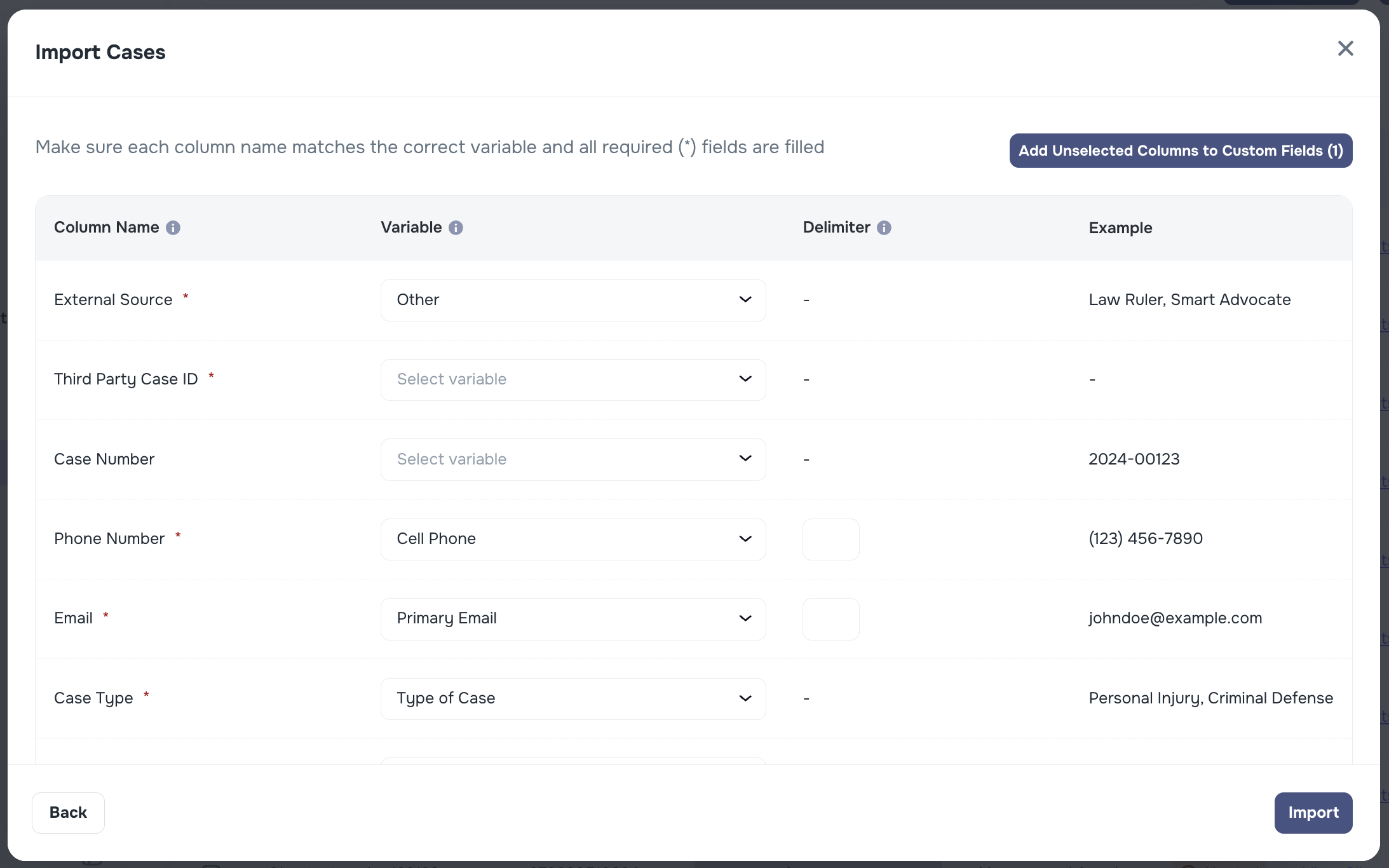
Now, during the “Import Cases” step, you’ll see a new button:
➕ Add Unselected Columns to Custom Fields
This lets you manually select any columns that were not matched to default fields and instantly add them as custom fields, making it easier to preserve important data.
✅ Especially helpful when importing large tables with 100+ columns — avoid rework and ensure nothing’s lost!
🛠️ Other Enhancements
We’ve made minor UI/UX improvements across the platform, including:
- Campaigns: Changed default sorting in “Talk Time” column to descending, so longest calls appear first
- Minor UI/UX tweaks to message templates and dropdown interactions
As always, feel free to reach out if you have questions — we’re here to help 💬