Getting to Know AI Campaigns in Kayse
AI Campaigns are a powerful way to deliver structured, automated messaging using AI-generated content. Whether you're onboarding users, re-engaging leads, or running lifecycle outreach, AI Campaigns help you scale engagement with personalization and precision—without having to write every message manually.
Here is a Demonstrational Video:
What Are AI Campaigns?
An AI Campaign is a multi-step, intelligent message flow built using large language models (LLMs). These campaigns are manually created and launched by your team, giving you full control over how, when, and to whom messages are sent.
Each step in a campaign dynamically generates messages based on user data, context, and your chosen AI Agent, making it feel personalized even at scale.
Use AI Campaigns for:
- Customer onboarding
- Lead nurturing and reactivation
- Product education
- Feedback collection
How to Create an AI Campaign
Creating an AI Campaign involves the following steps:
1. Define Your Campaign Goal and Create your Campaign
Determine what outcome you're driving:
- Increase onboarding completion
- Educate on underused features
- Reconnect with inactive users
2. Navigate to the AI Campaigns tab, and select "+ New Campaign" in the top right corner

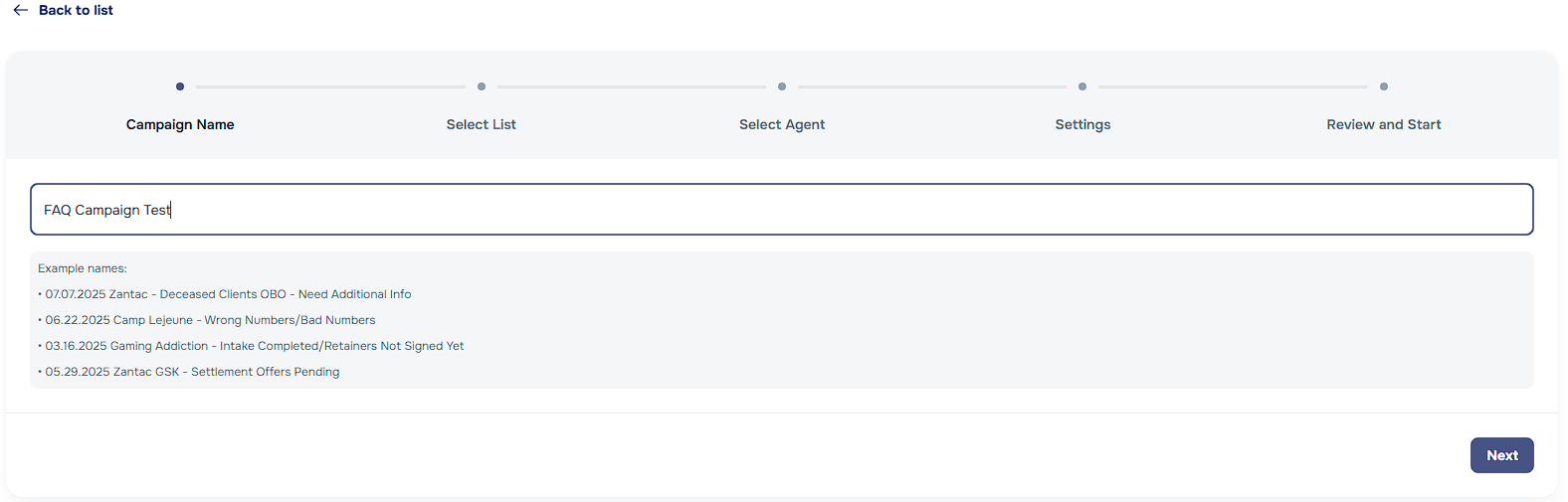
- Name your Campaign and Establish it's Users
Assign a meaningful campaign name and define a list of clients to reach out to:
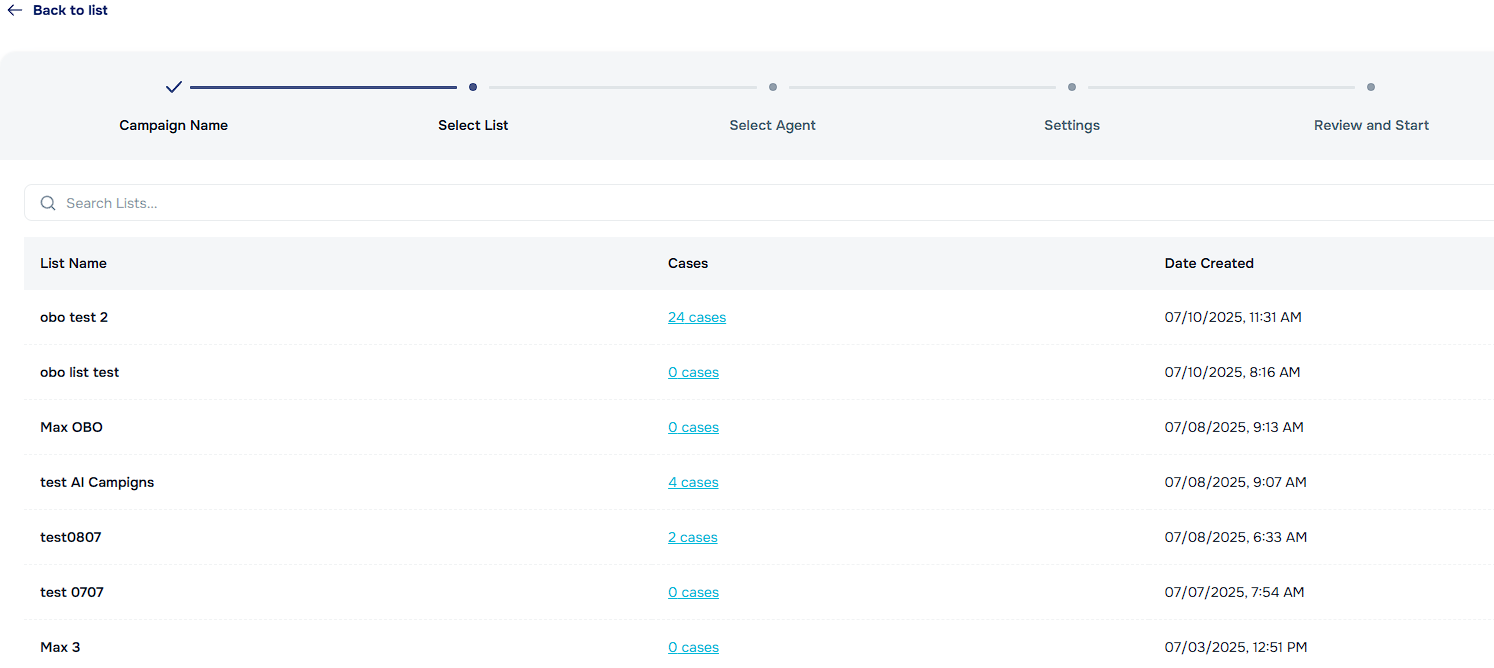
Lists – Pre-built segments of users or accounts; Learn more about lists here.
Clients – Individual users or customer profiles can be added to a list inside of the Kayse portal.
- Filters – Kayse offers the ability to filter clients by statuses, case type, and more!
Variable Overrides – Lists can optionally override the Company Name and Case Type used in campaign communications. If the selected list has overrides, they will appear on the campaign details page and apply to all outreach channels (calls, SMS, email).
4. Choose an AI Agent
Instead of building from scratch, you can select from a library of AI Agents, each designed for specific tones, use cases, and personas. For example:
A Sales Assistant Agent for outbound messaging and client intake
A Product Specialist Agent for outreach and onboarding
An On-Behalf of (OBO) Agent for sensitive cases
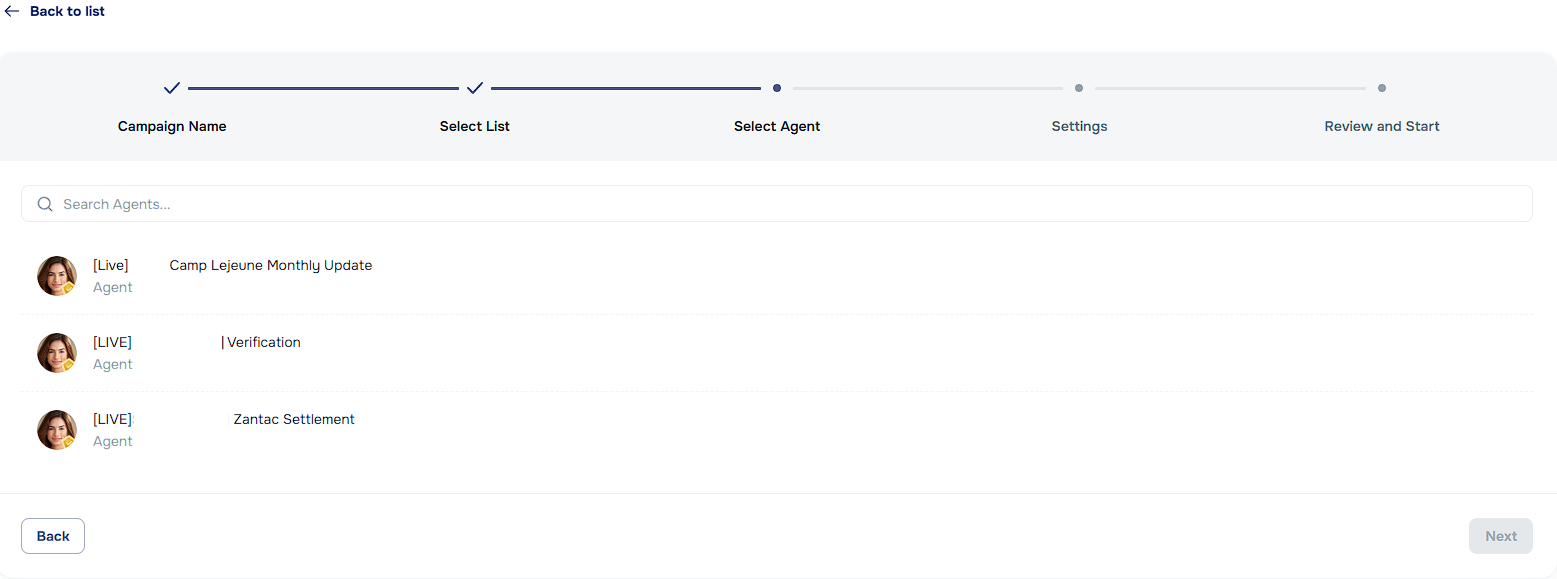
Each Agent has a distinct voice and intent, enabling consistent messaging aligned with your goal.
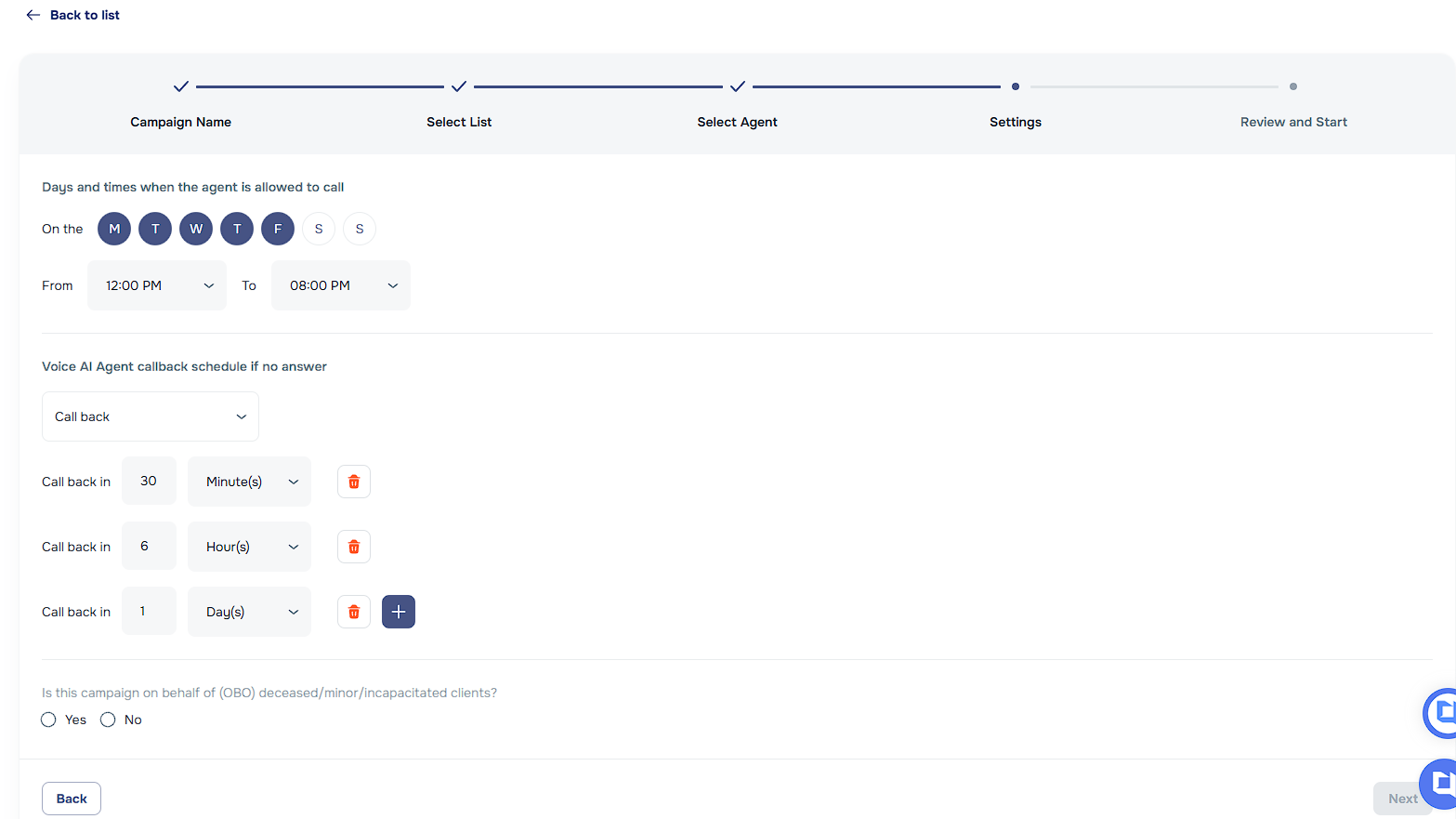
5. Design the Campaign Flow
Map out the steps of the campaign:
Number of calls/messages sent throughout the duration of the campaign
Time delays between steps
Conditional logic based on replies or actions Example: Step 1 on Day 1 → Step 2 after 3 days if no reply → End if user engages.
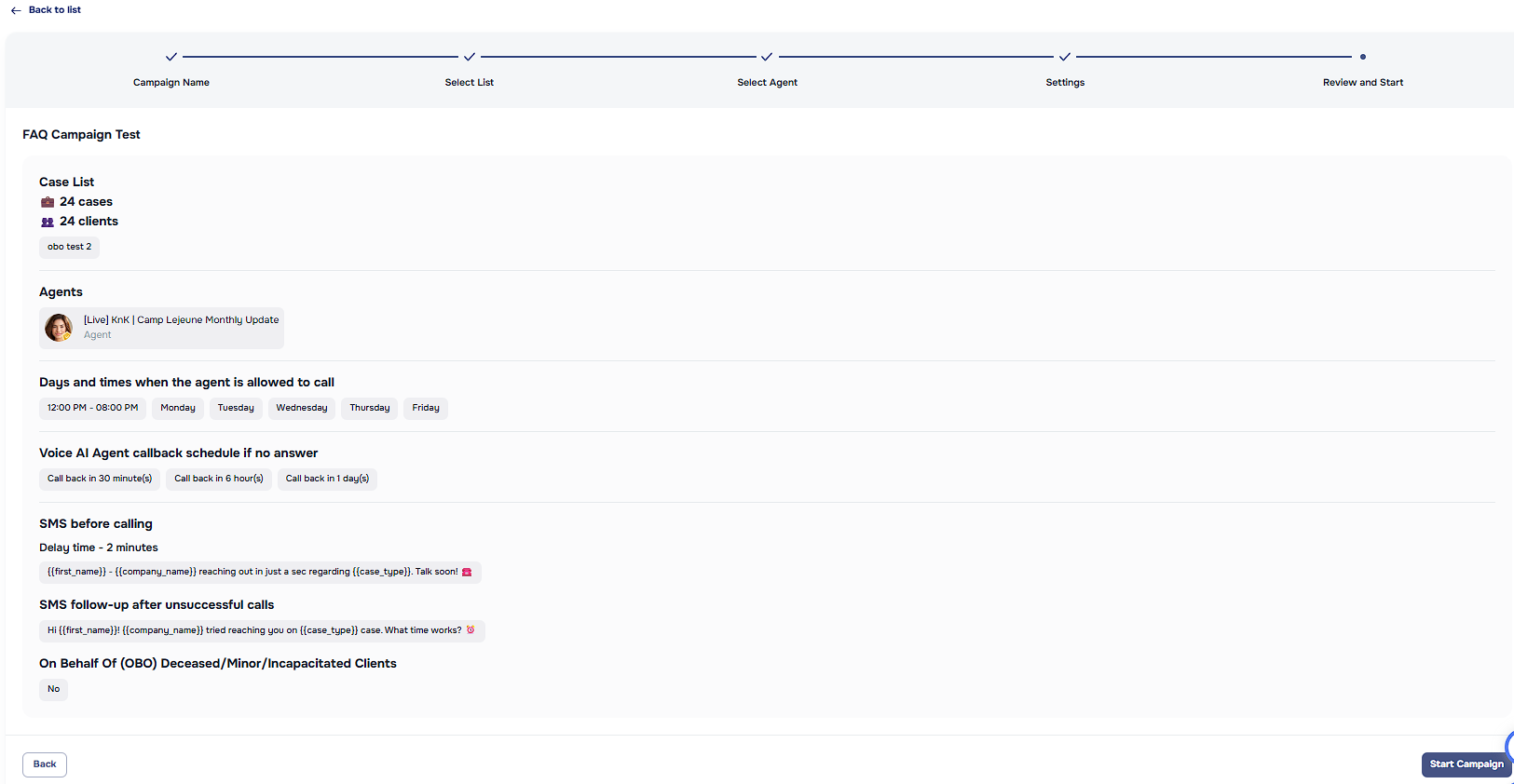
- Review, Test, and Launch
Review campaign details
Simulate campaign messages using test profiles
Preview how each message would appear to users
Once finalized, manually launch the campaign to begin sending
✨ Key Features of AI Campaigns
| Feature | Description |
|---|---|
| LLM-Powered Messages | Messages are dynamically created by large language models using your defined inputs. |
| AI Agents | Choose from a set of specialized AI Agents tailored to your campaign’s voice and purpose. |
| Multi-Step Logic | Campaigns support multiple steps with custom delays and branching logic. |
| Personalization at Scale | Easily include user- and account-level data for dynamic, tailored messaging. |
| Variable Overrides | Override the company name or case type per list so campaigns can send communications under the correct branding. |
| Variable Launch Times | You control exactly when each campaign goes live with manual or auto-triggered sends. |
| Testing Tools | Preview and simulate campaigns across different personas and user types. |
🧠 Best Practices
- Start with a single goal per campaign to stay focused.
- Use clean data—accuracy in inputs leads to more relevant outputs.
- Pair the right AI Agent to your use case—let tone and intent match the message’s purpose.
- Monitor performance and refine message flows based on engagement metrics.
- Iterate often: Campaigns improve significantly with a few rounds of tuning.
📩 Example Use Case
Goal: Encourage trial users to upgrade to a paid plan.
Audience: Users who signed up >7 days ago and haven’t converted.
Campaign:
- Step 1: “Thanks for exploring! Want to unlock unlimited features?”
- Step 2 (3 days later): “Here’s what our most successful teams do next...”
- Step 3: “Can I answer any questions about pricing or features?”
Messages are generated and sent using a Sales AI Agent, personalized with the user's usage history.
Need Help?
We’re here for you! If you have questions about how to use this feature or need help setting it up, contact our support team.