Smart Tasks, AI Campaign Redesign, AI Messaging Upgrades & More
December 6, 2025
This release brings some of the biggest improvements we’ve ever shipped to Kayse — making your workflows smoother, your outreach smarter, and your client communication easier than ever.
We’ve introduced Smart Tasks, a fully redesigned AI Campaign experience, major upgrades to AI Messaging, and several powerful enhancements across Dashboard, Messenger, Imports, Calls, and System Logs.
Below is an easy, client-friendly overview of everything that’s new. ✨
(Full step-by-step guides are linked throughout the article.)
🌱 Smart Tasks — A New Way to Guide Clients Step by Step
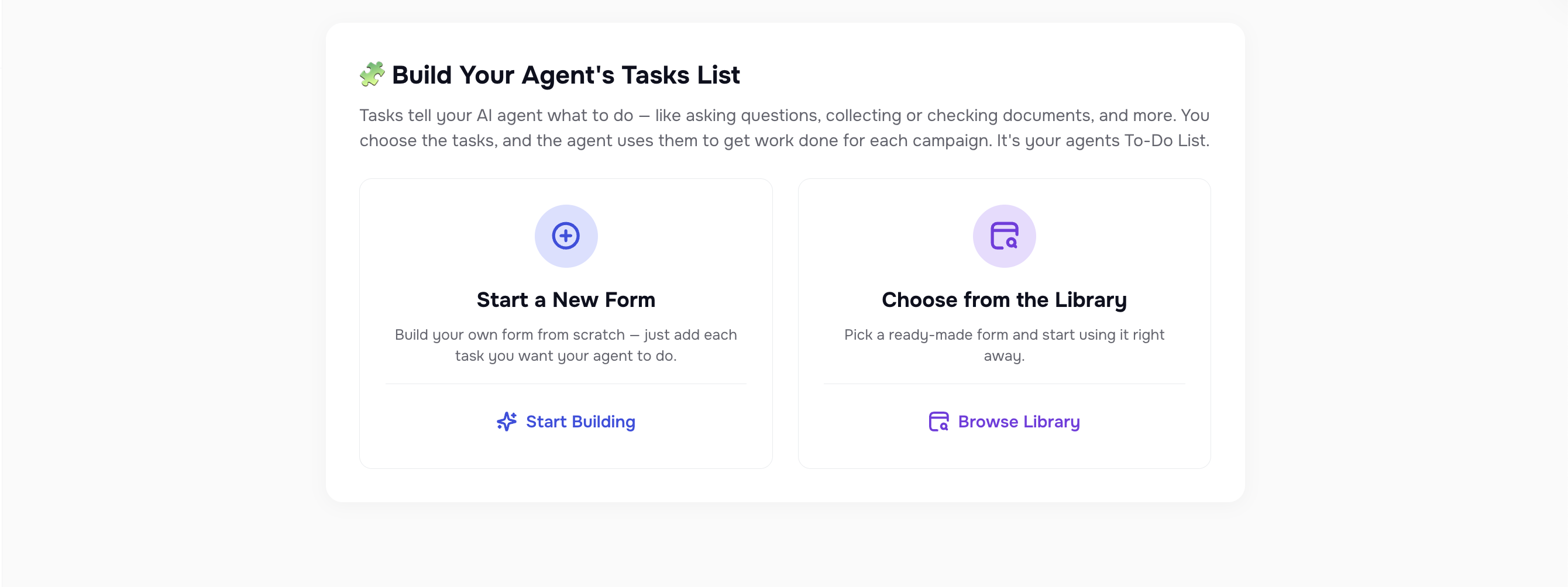
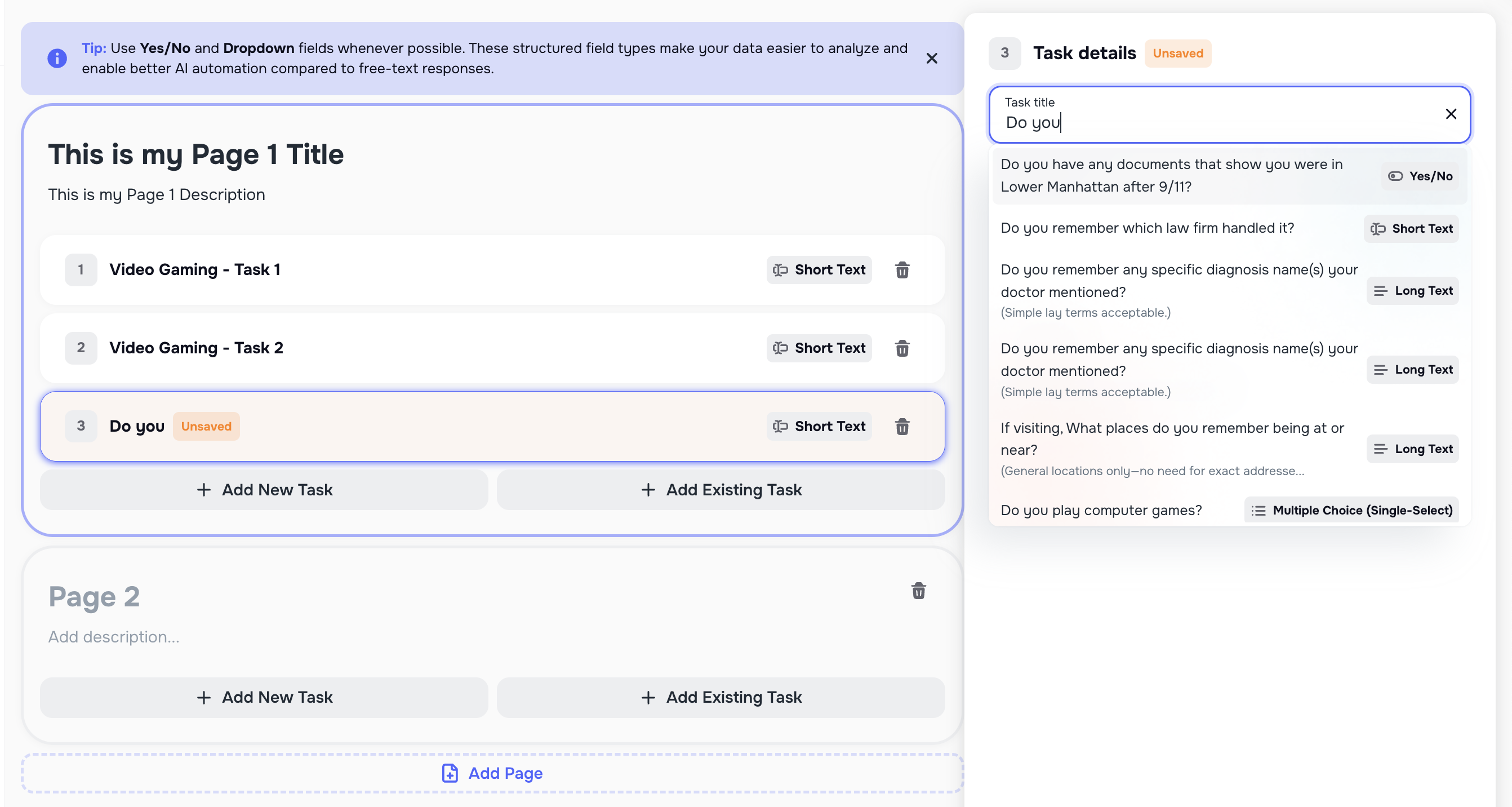
Smart Tasks is a brand-new experience inside Kayse that helps firms collect information, documents, confirmations, and updates from clients in a clear, structured way. Each client receives their own personalized list of tasks, which they can complete through AI calls, secure links, or the Client Portal App.
Smart Tasks allow your team to:
- track every required step for each client
- see which documents or questions are still pending
- reduce manual follow-ups and back-and-forth messages
- move cases forward faster with less effort
This new flow ensures clients always know what’s needed from them, and your team always knows what has been completed.
👉 Full Smart Tasks guide (with screenshots and examples) is available here - 🧩 Smart Tasks & Forms in Kayse
🤖 AI Campaigns — Fully Redesigned With Powerful New Controls
AI Campaigns now have an entirely new look and feel, along with deeper insights, clearer reporting, and more flexible automation. Campaigns also integrate seamlessly with Smart Tasks, allowing AI to help collect missing information and move cases forward automatically.
Inside each campaign, you’ll find updated tabs for Metrics, Calls, Contacts, Tasks, Runs, Reports, and Settings, all designed to give your team a complete picture of how outreach is performing.
Here are the biggest improvements:

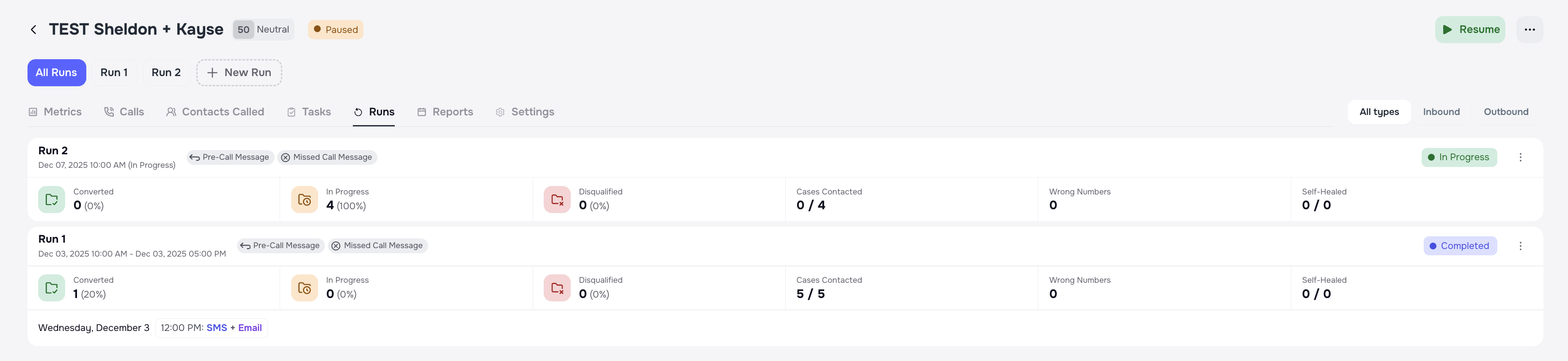
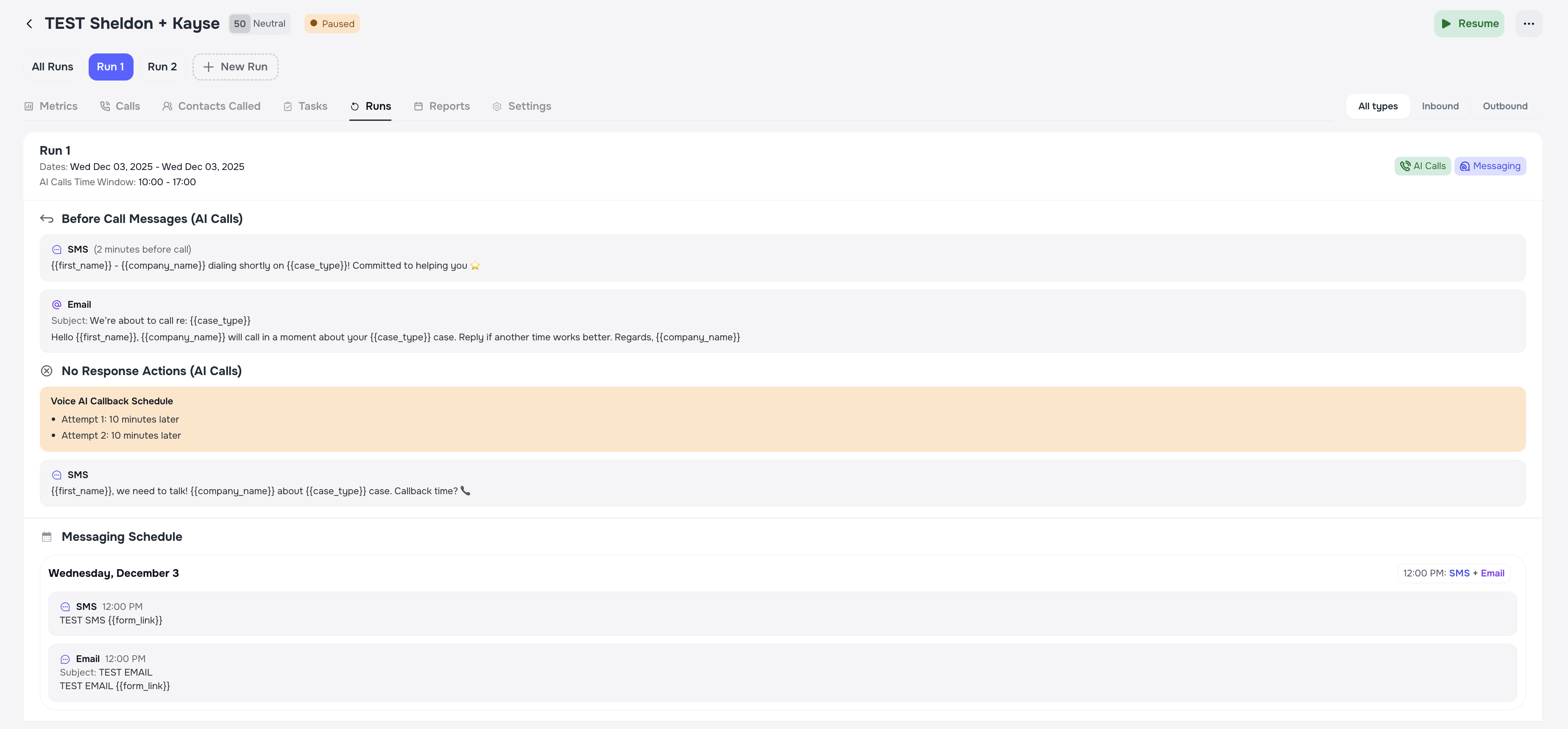
📅 Campaign Runs — Flexible SMS-Only & Email-Only Outreach
Campaign Runs can now work with or without calls.
Firms can launch SMS-only or Email-only campaigns for reminders, document collection, follow-ups, or non-urgent updates — perfect for clients who prefer text-based communication.
You can now:
- choose specific days of the week
- set time windows for each message
- send multiple messages per day (morning + evening, etc.)
- combine channels (ex: SMS-only Run + Call Run + Email Run)
This gives your team complete freedom to design the outreach that best fits your firm’s workflow.
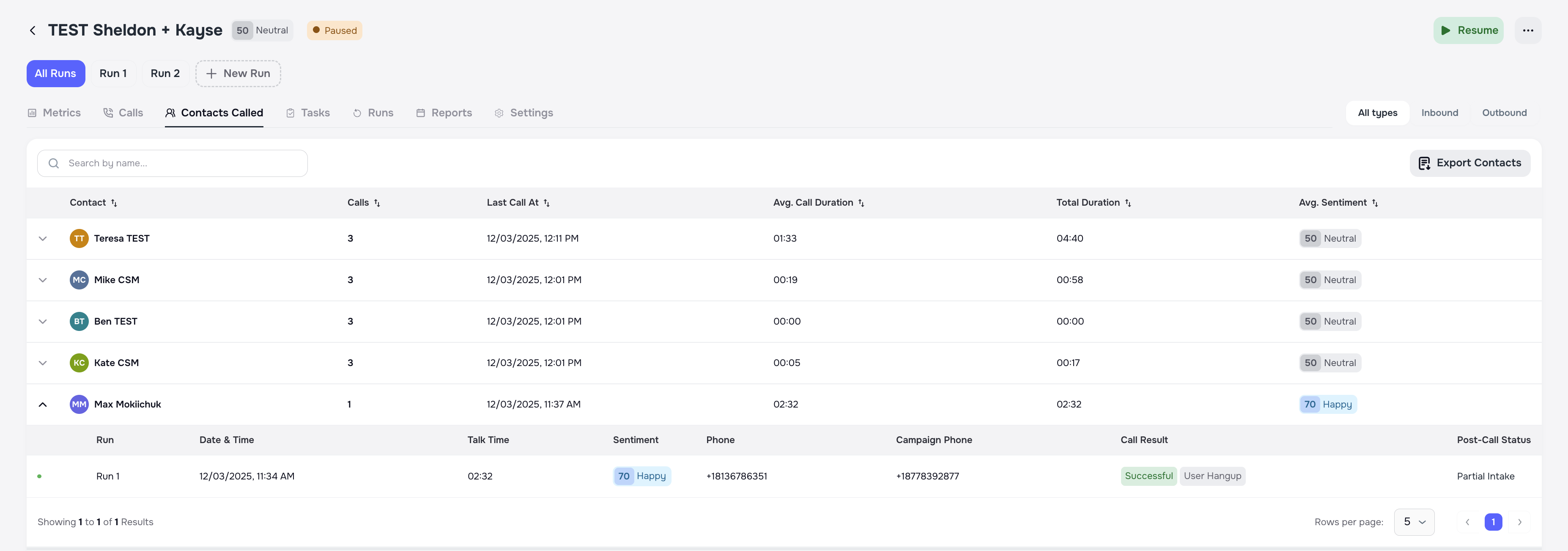
👥 New “Contacts Called” View — All Calls Grouped by Client
To make campaign results easier to understand, we’ve added a new client-level view.
Instead of seeing hundreds of calls listed separately, you can now view all campaign activity grouped by client, including:
- number of attempts
- call outcomes
- engagement history
- sentiment
- Run-by-Run behavior
Each client row can be expanded to instantly show detailed call history. This makes QA, reporting, and auditing dramatically simpler.
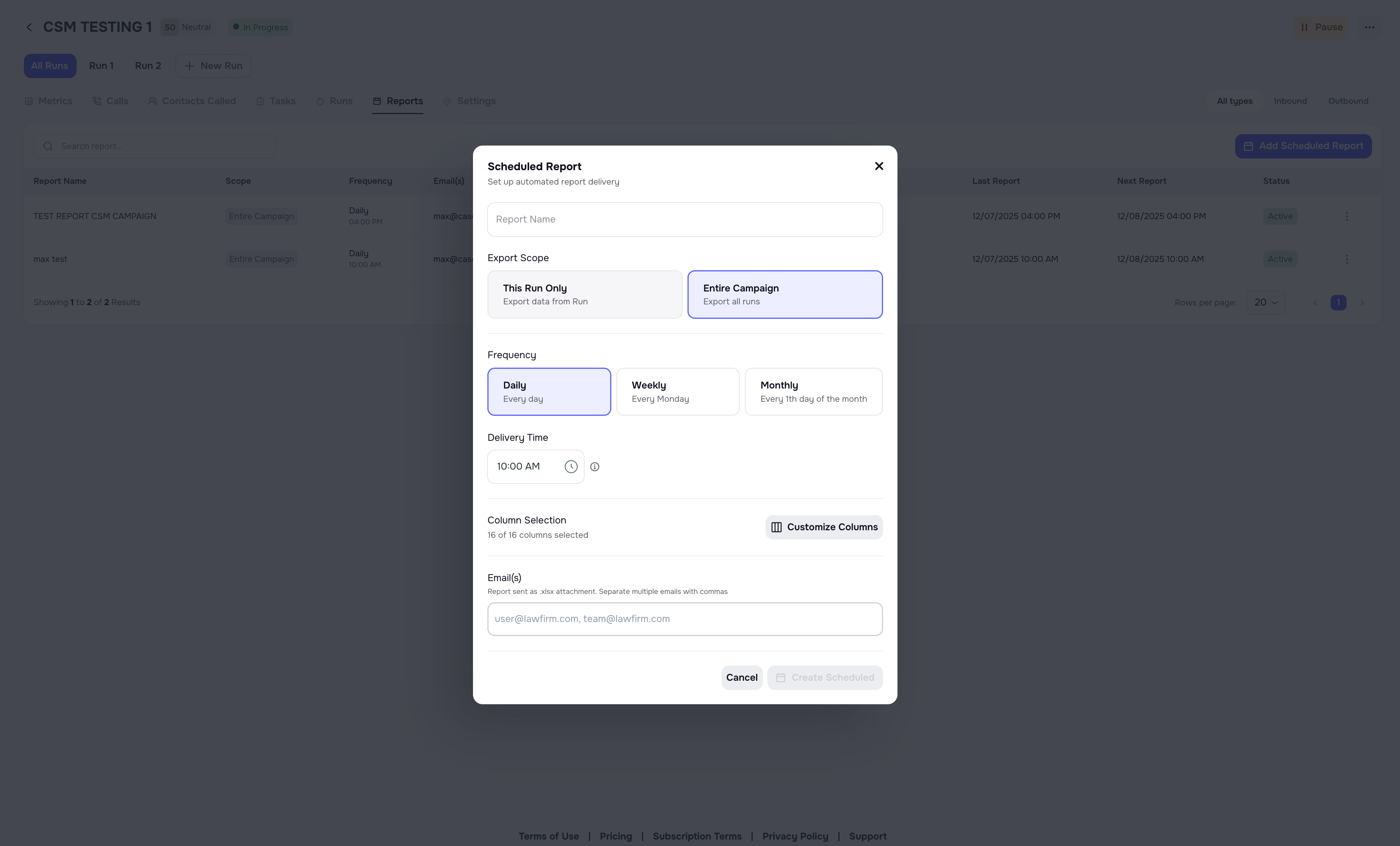
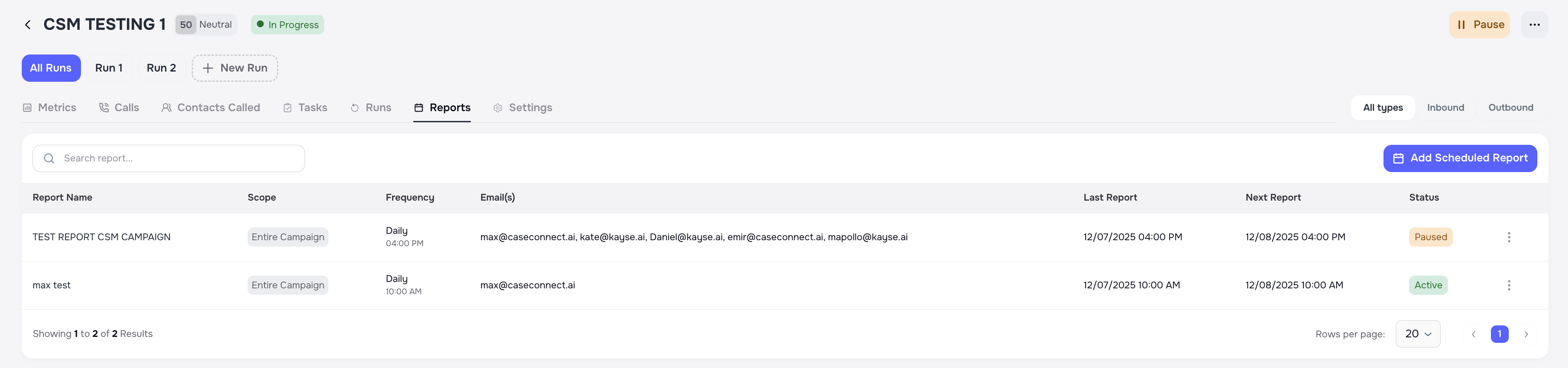
📊 Scheduled Reports — Automated Daily & Weekly Delivery
You can now schedule campaign reports to be delivered automatically — no exporting required.
Choose whether reports should be sent daily or weekly.
The scheduler respects all your selected filters, Runs, and custom columns, making reporting effortless and consistent.
🚫 Improved Wrong-Number Detection
When someone answers the phone and says we’ve reached the wrong person, the system now:
- marks the number as Wrong Number
- enriches the contact to find a better number
- does not mark the case as Call Opt-Out
This prevents unrelated people from accidentally opting out your real clients.
👉 Full AI Campaign guide with screenshots is available here - 🎯 What Are AI Campaigns?
💬 AI Messaging — Smarter, Clearer, More Helpful Conversations
We’ve upgraded the entire AI Messaging Engine to make replies more accurate, more natural, and more helpful for clients. Messages now better understand context, case data, and client intent — reducing repetitive questions and giving clients the information they need faster.
These improvements help firms spend less time answering routine questions and more time focused on meaningful work.
Here are the new intelligent behaviors now built into Messaging:
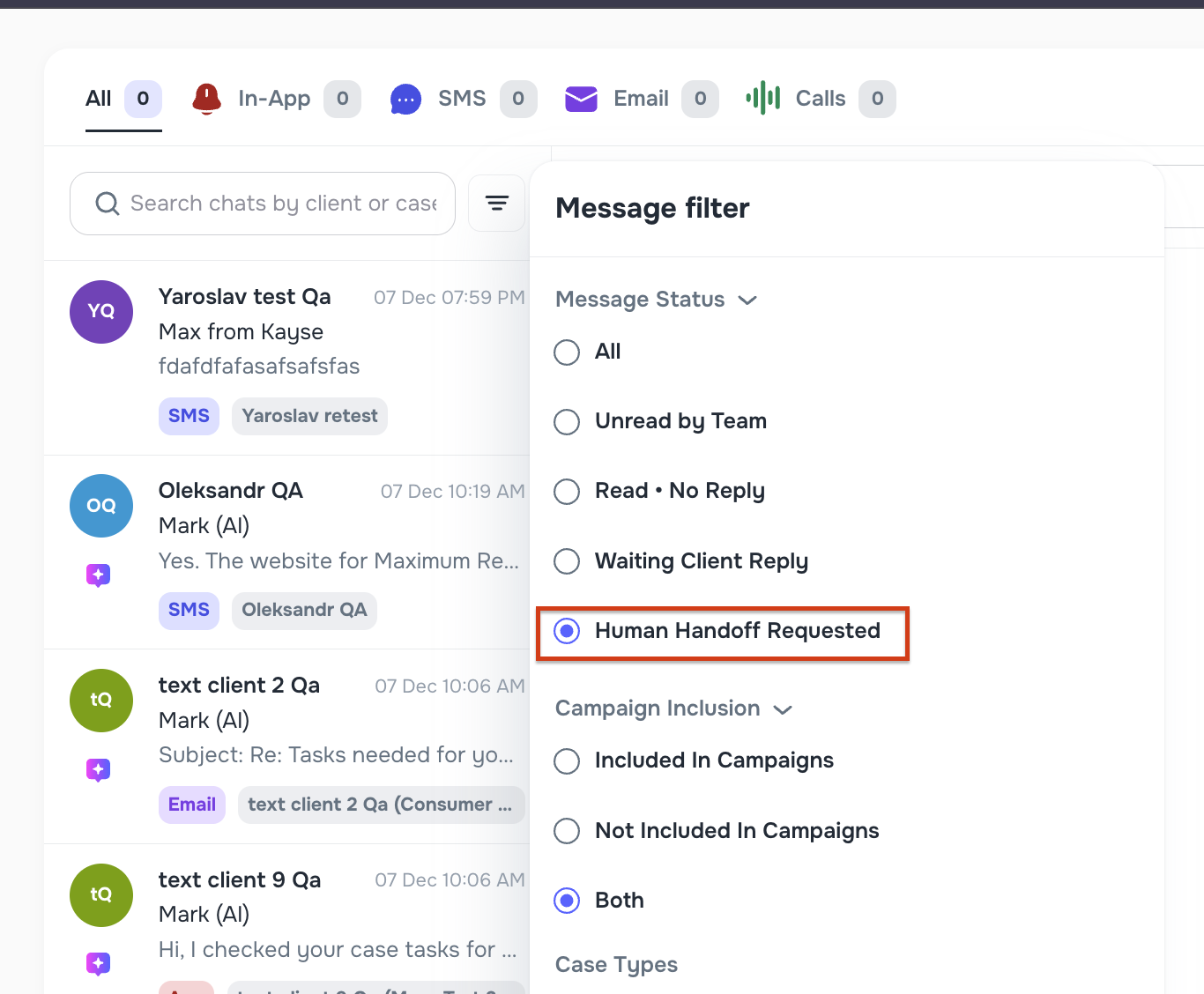
🧑💼 Human Handoff — When Clients Ask for a Real Person
If a client asks to speak with a human or the AI cannot resolve their request, the system now:
- sends the client a confirmation message
- notifies your team by email with case details and a direct link to the chat
- logs the event for audit visibility
Your team is alerted instantly whenever human attention is needed. 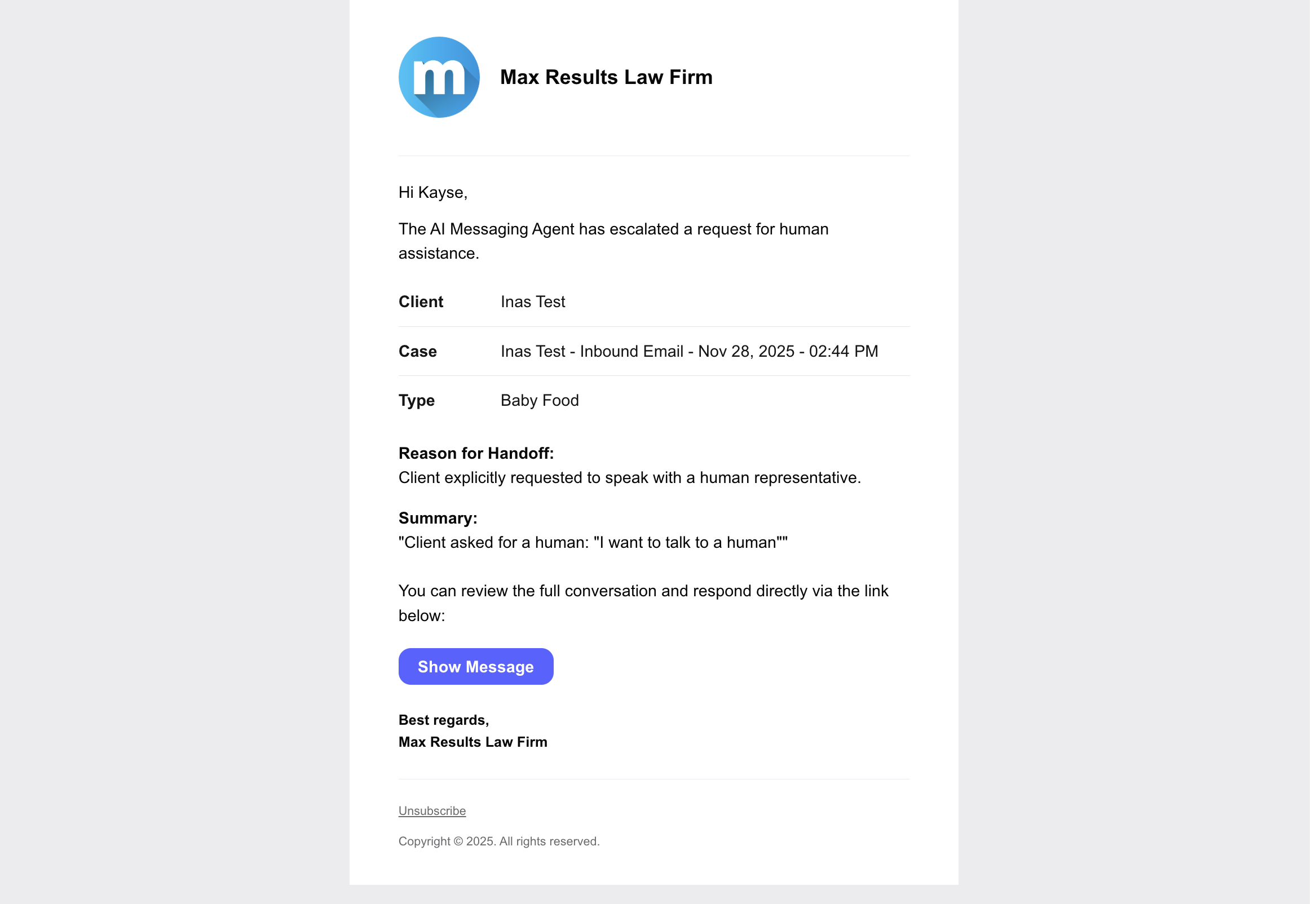
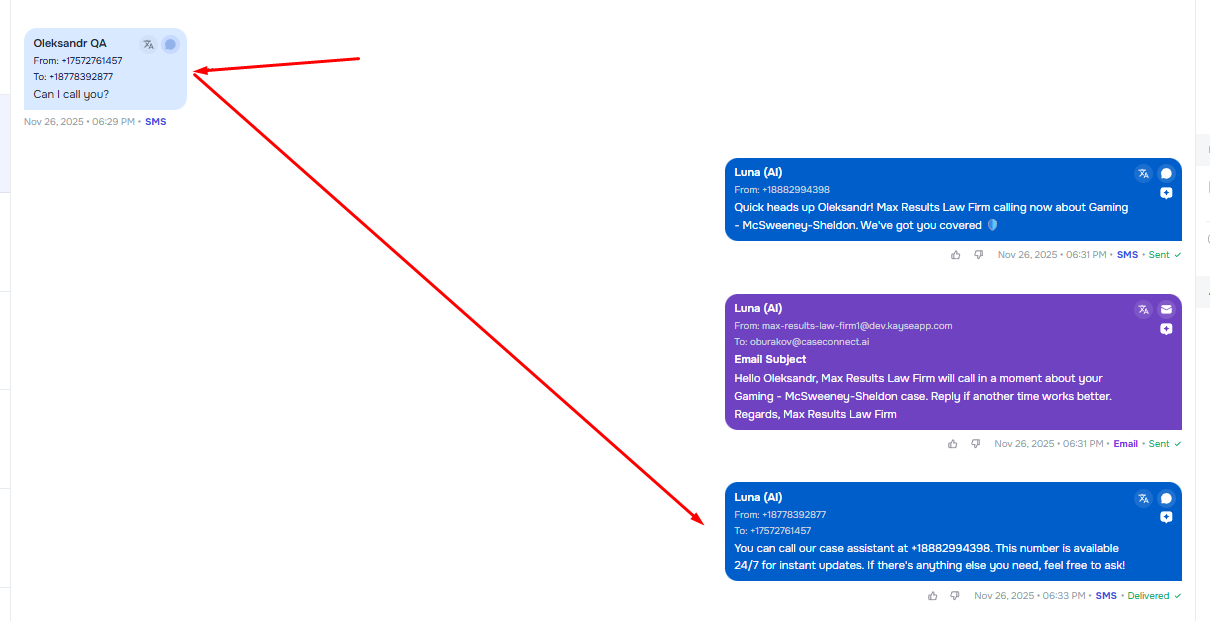
☎️ “Call Intent” Detection — AI Gives the Correct Phone Number
If a client asks for a phone number — “Can you call me?”, “What number should I use?”, etc. — the AI now responds with the correct active phone number based on:
- Whether the client is part of an active AI Campaign
- Whether an inbound Voice AI number exists for that campaign
- Otherwise, the main company phone number
When necessary, the AI triggers the human handoff process automatically.
📵 Call Opt-Out Detection Through Messages
If a client writes messages like “Stop calling me,” “Please don’t call,” or similar phrases, the system now:
- detects the opt-out intent
- updates the client’s calling permissions
- logs the event
- sends a confirmation message
This keeps communication compliant across all channels.

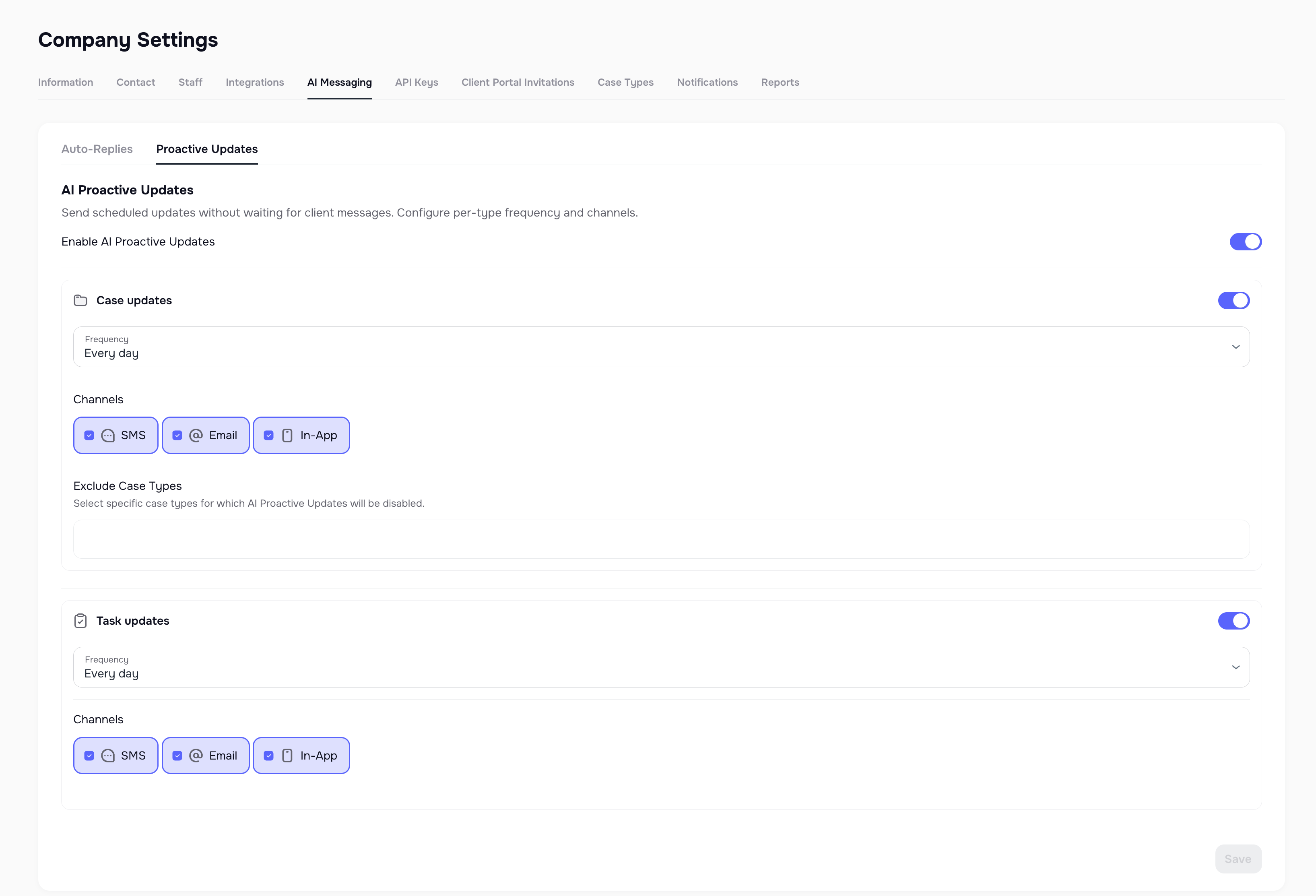
⚡ Proactive Updates — Scheduled AI Messages for Case & Task Progress
Inside Company Settings, firms can now enable Proactive Updates, allowing the AI to automatically send messages about case progress and task status — without the client needing to ask.
Firms can:
- choose update frequency (example: every 7 days)
- enable Case Updates, Task Updates, or both
- exclude case types from automated updates
Case Updates summarize overall progress.
Task Updates include secure links to any open tasks (and are not sent if everything is already completed).
This helps clients feel informed while reducing repetitive “What’s going on with my case?” inquiries.
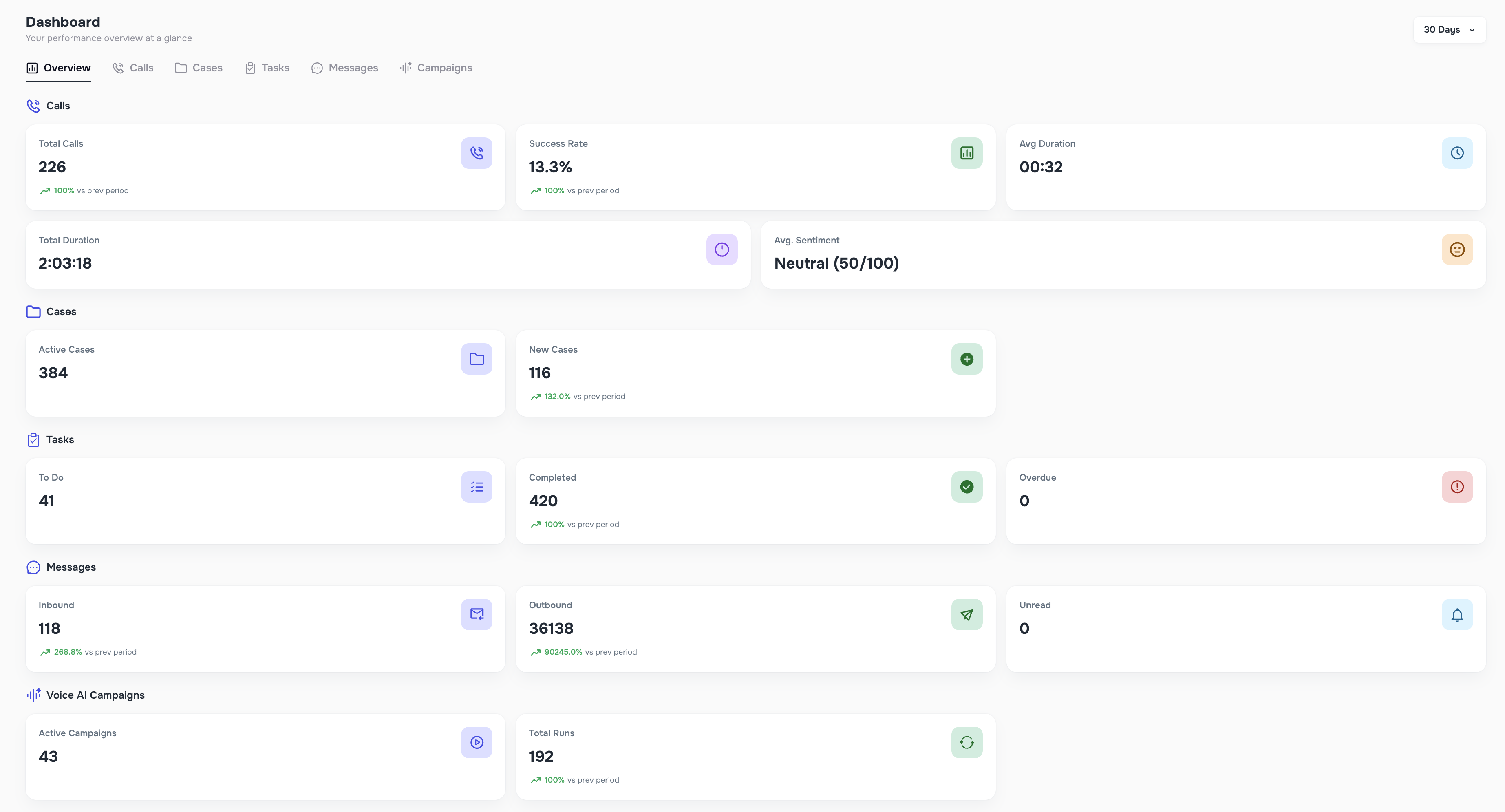
📊 Dashboard 2.0 — A Fully Redesigned Command Center
We’ve completely redesigned the Dashboard to give firms clearer insights and faster decision-making.
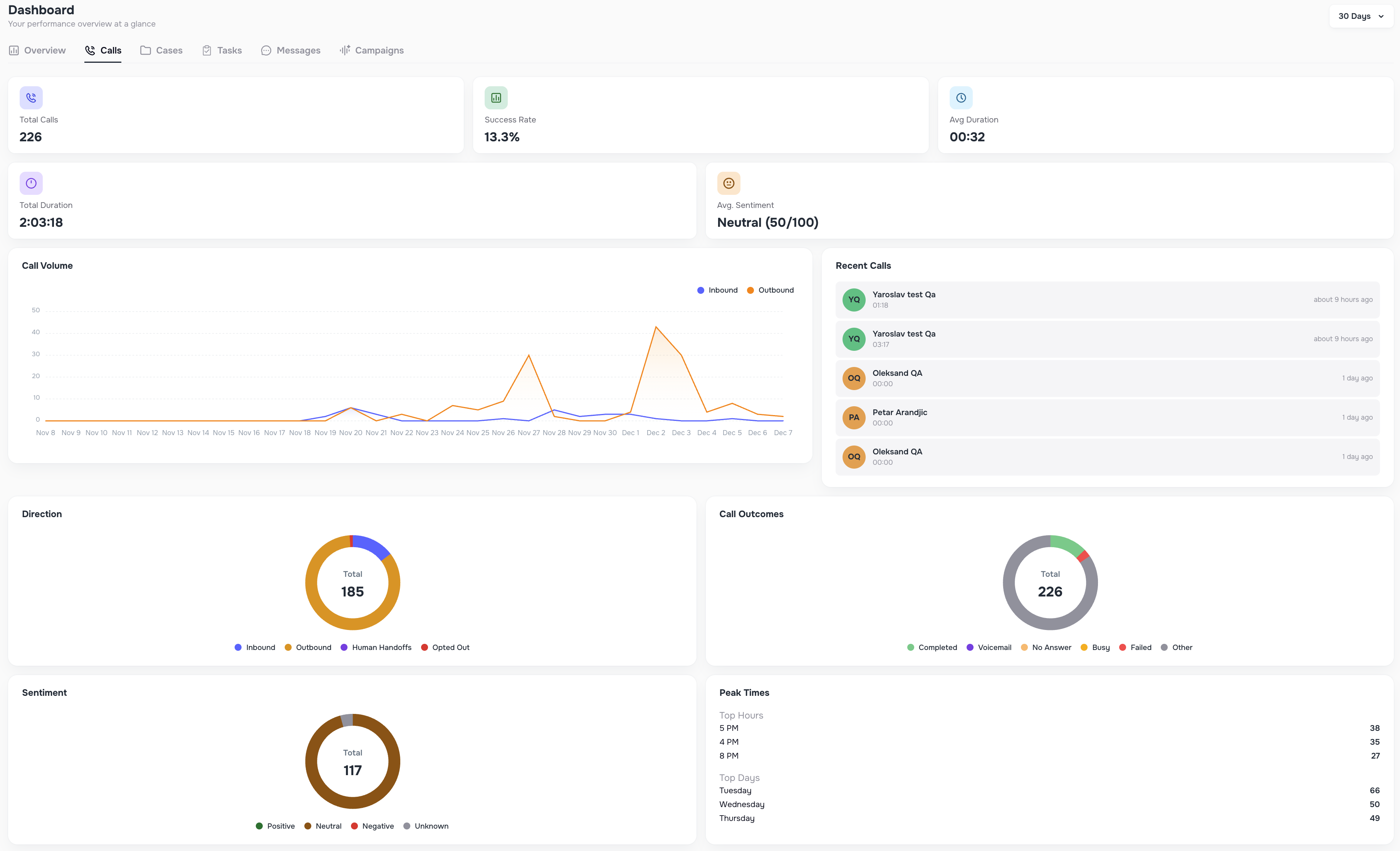
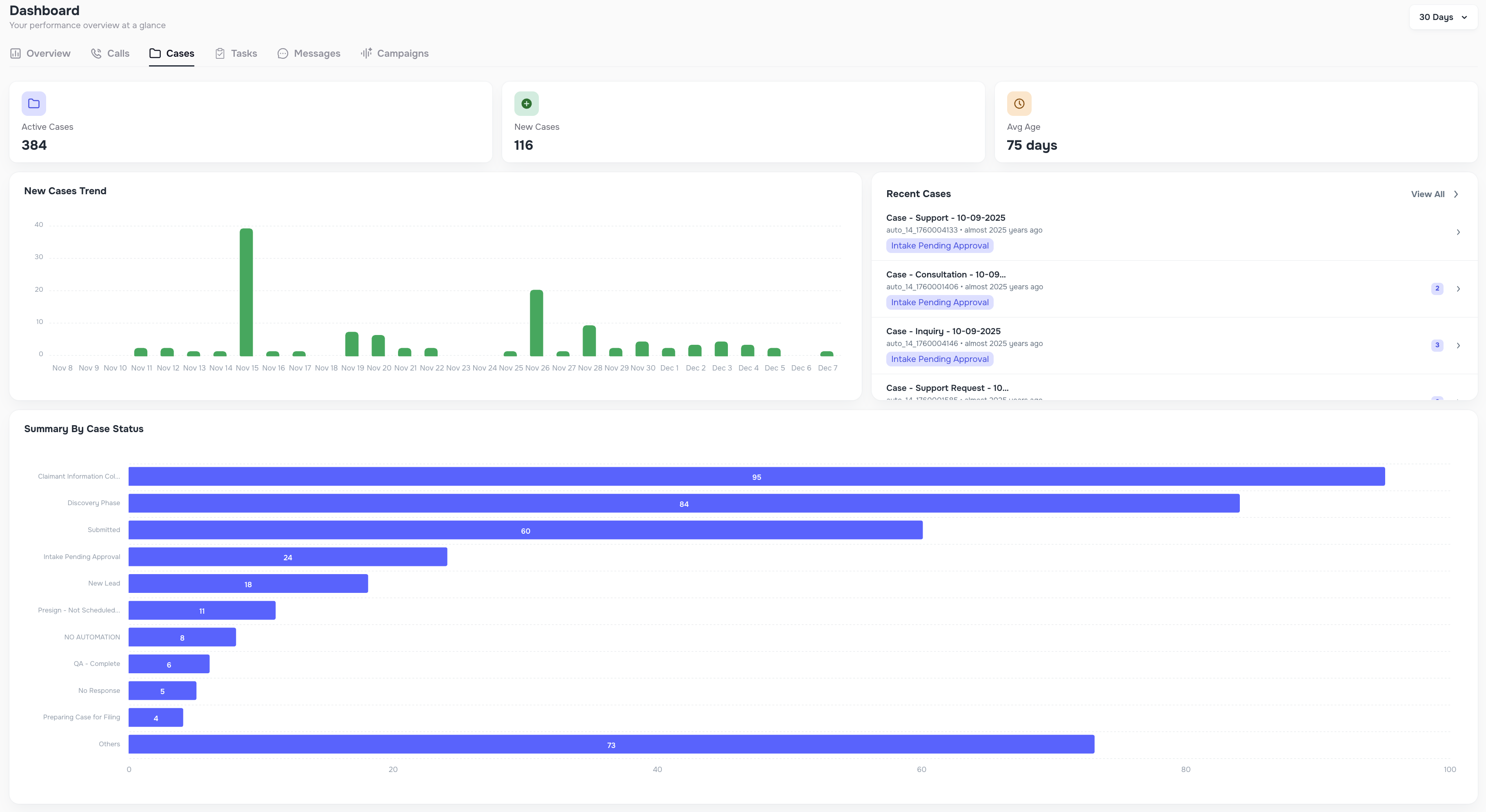
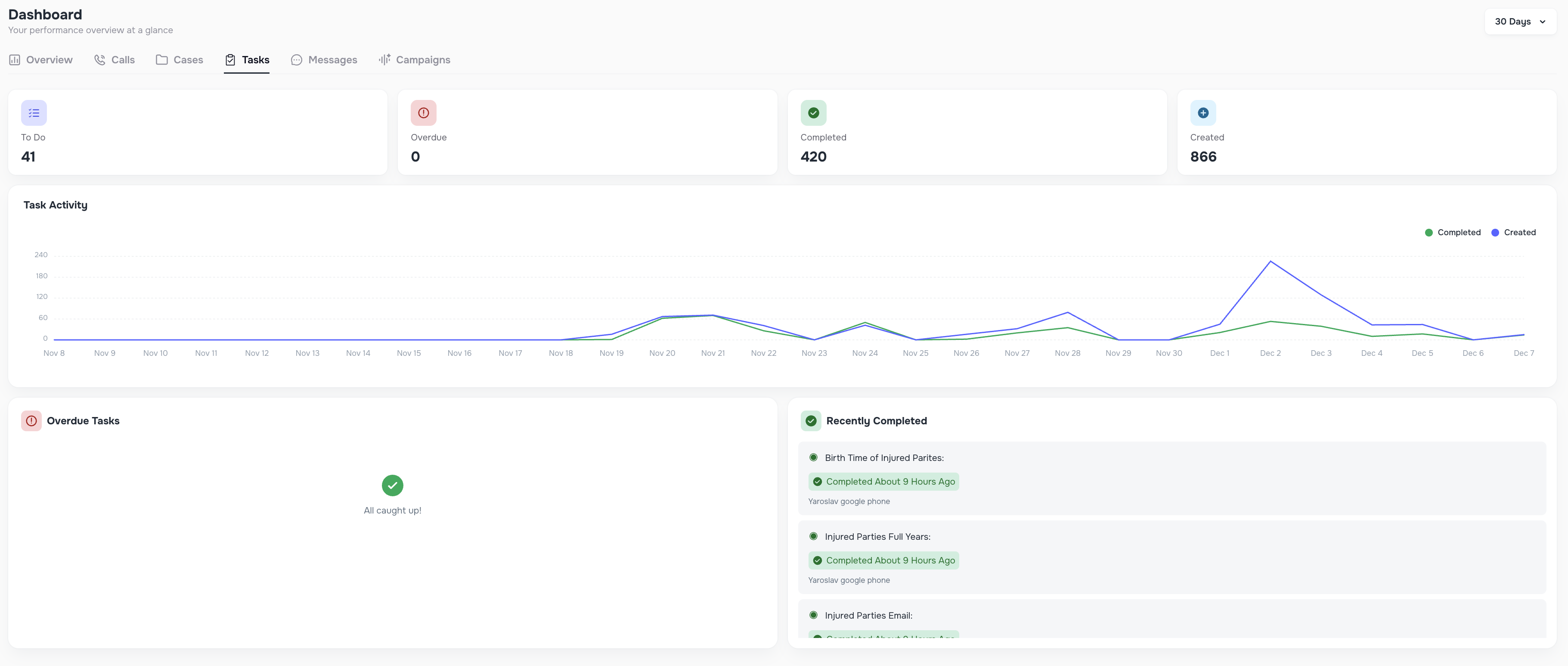
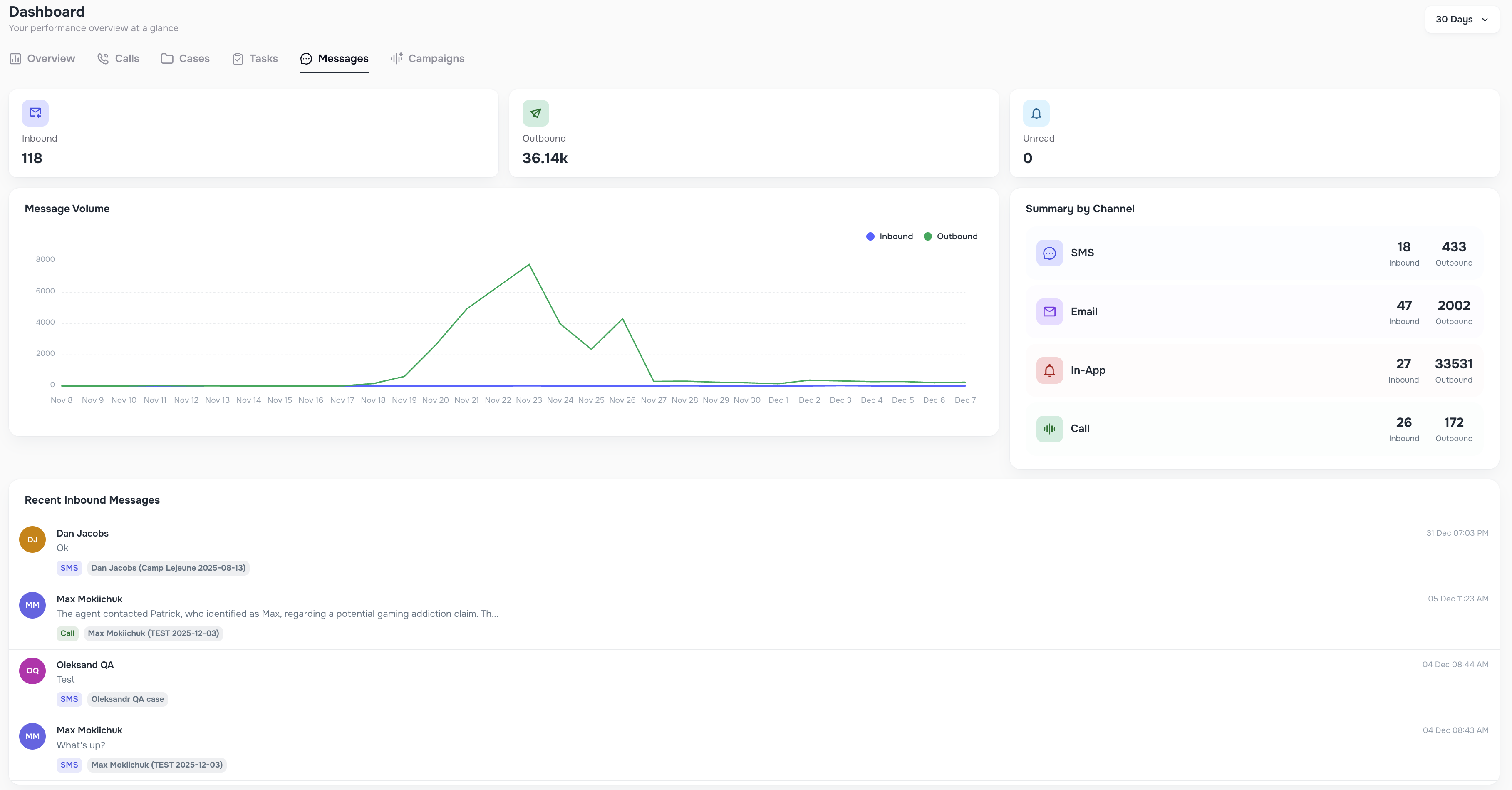
Dashboard now includes six dedicated views:
- Overview → high-level metrics for Calls, Cases, Tasks, Messages, and Campaigns
- Calls → success rate, call outcomes, durations, peak times, sentiment, recent calls
- Cases → active cases, new cases, case type breakdowns, status summaries
- Tasks → To-Do, Overdue, Completed, Created tasks with charts
- Messaging → inbound/outbound message activity, unread counts, volume charts
- Campaigns → active campaigns, total Runs, recent activity
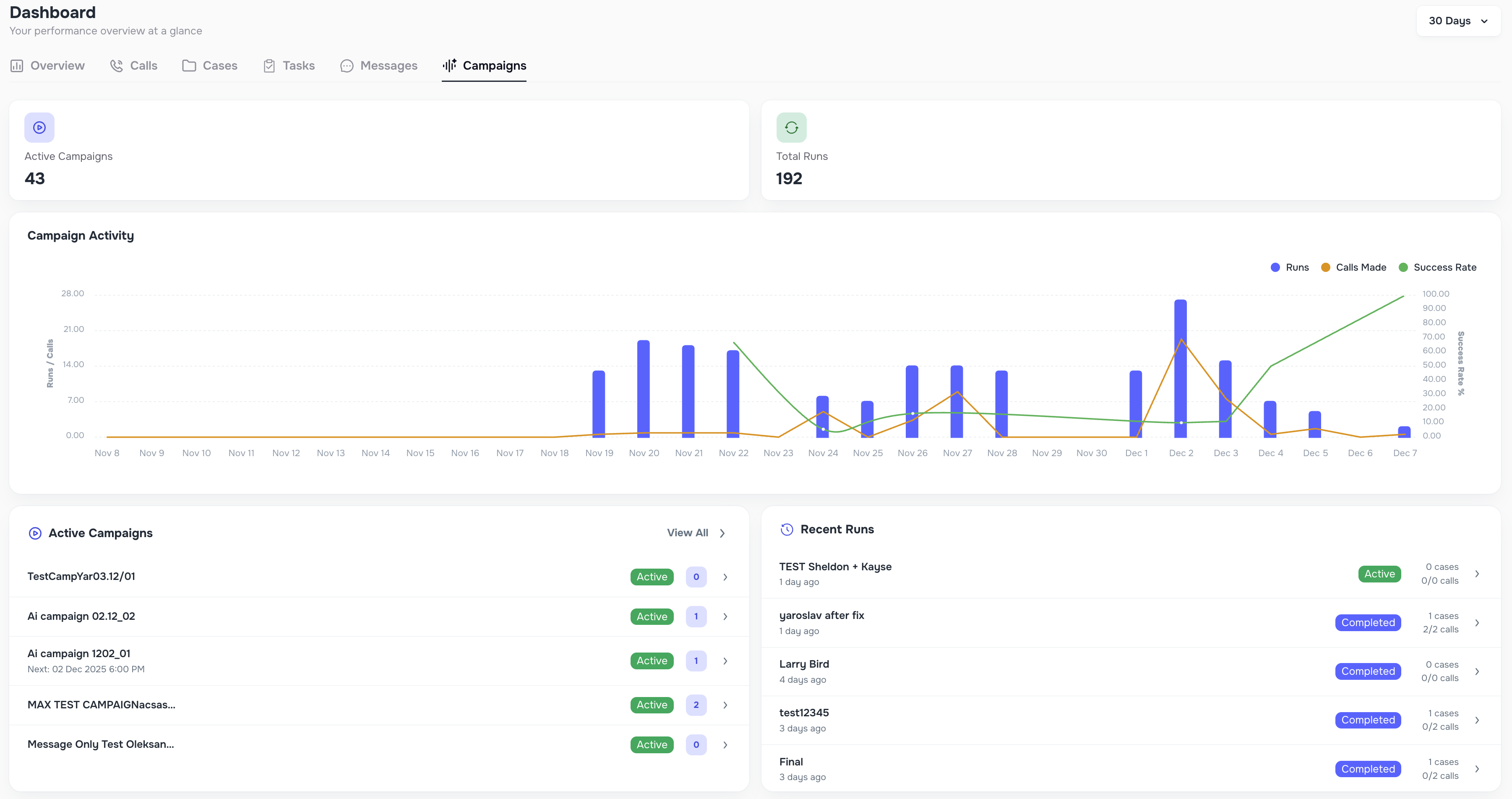
Each view supports flexible date ranges like Today, This Week, Last 7 Days, 30 Days, Custom Range, and more.
✔️ “Mark All as Read” in the Messenger
A new button allows teams to instantly mark all unread messages as read — perfect for clearing message backlogs.

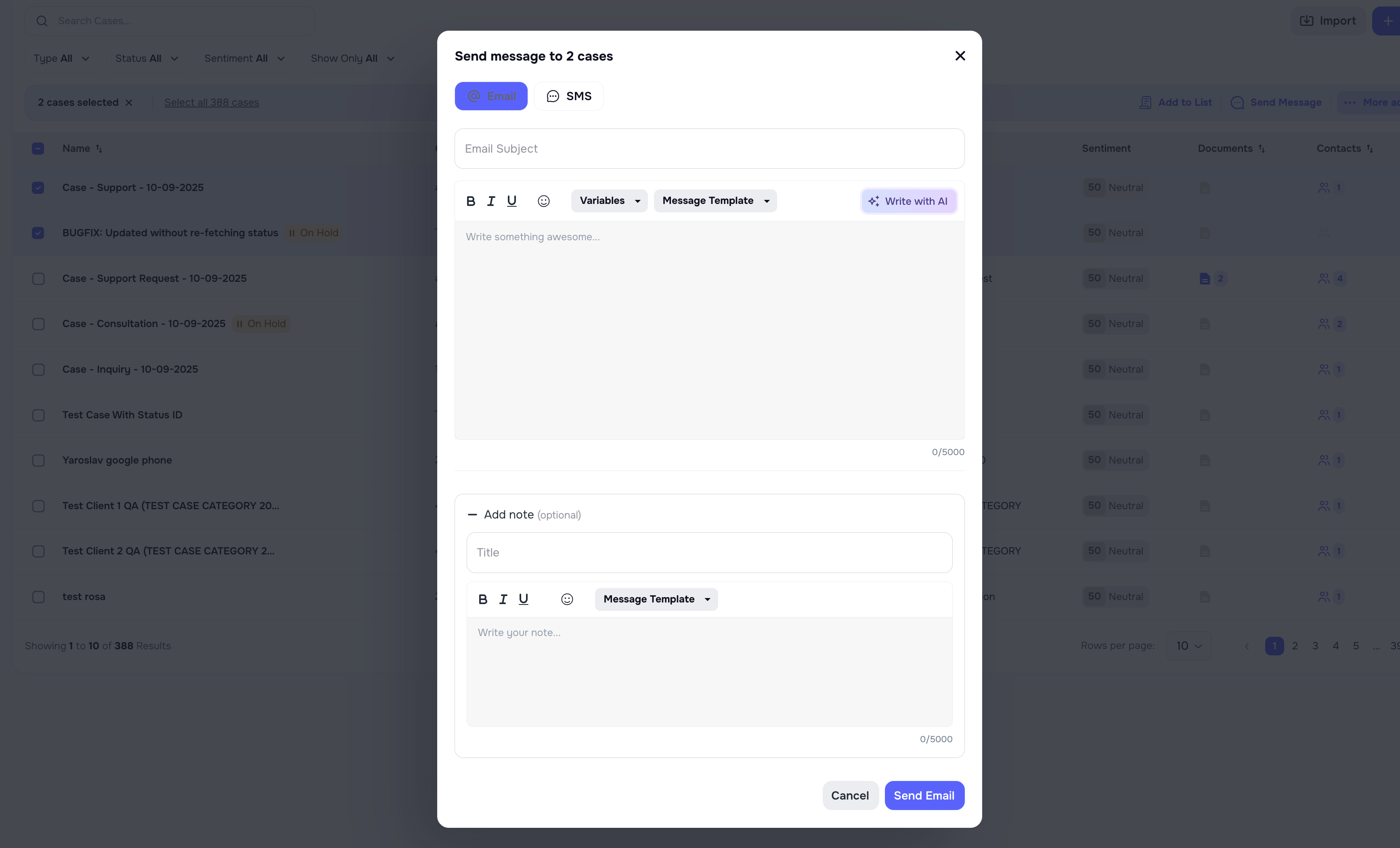
📁 Bulk Actions — Add Notes to Case Automatically
Whenever you perform bulk actions such as sending messages, updating status, marking opt-in, or marking opt-out, you can now automatically add a note to each affected case. All notes are posted instantly and tied to the bulk activity.
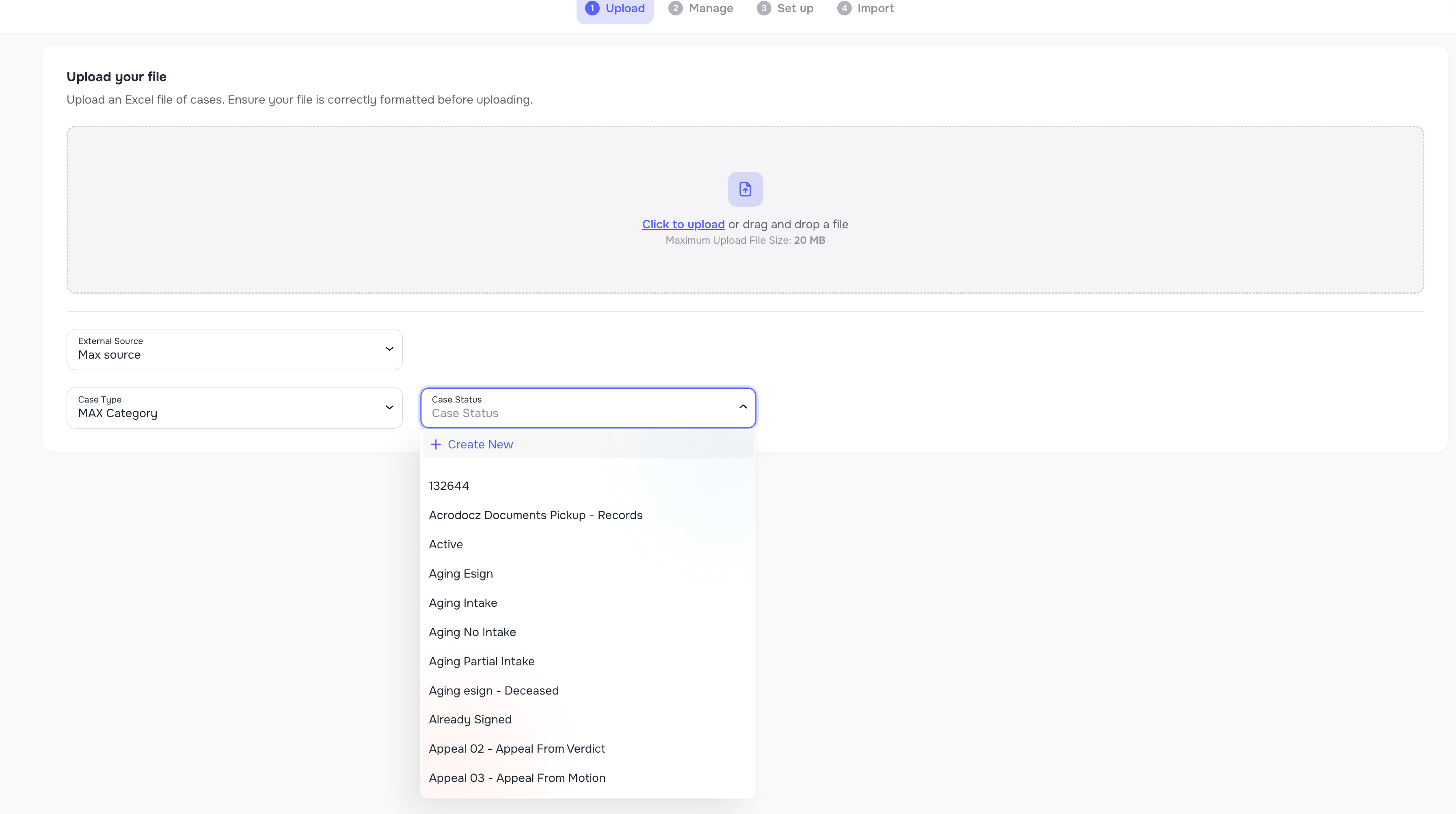
📥 Import Improvements — Create Custom External Sources
When uploading data, you can now create new External Source values (ex: “LabRuler1”, “Sheets Upload”, etc.) directly during import.
This makes it easier to manage:
- clients coming from multiple CRMs
- duplicate contact scenarios
- data enrichment accuracy
The new source is saved and can be reused in future imports.
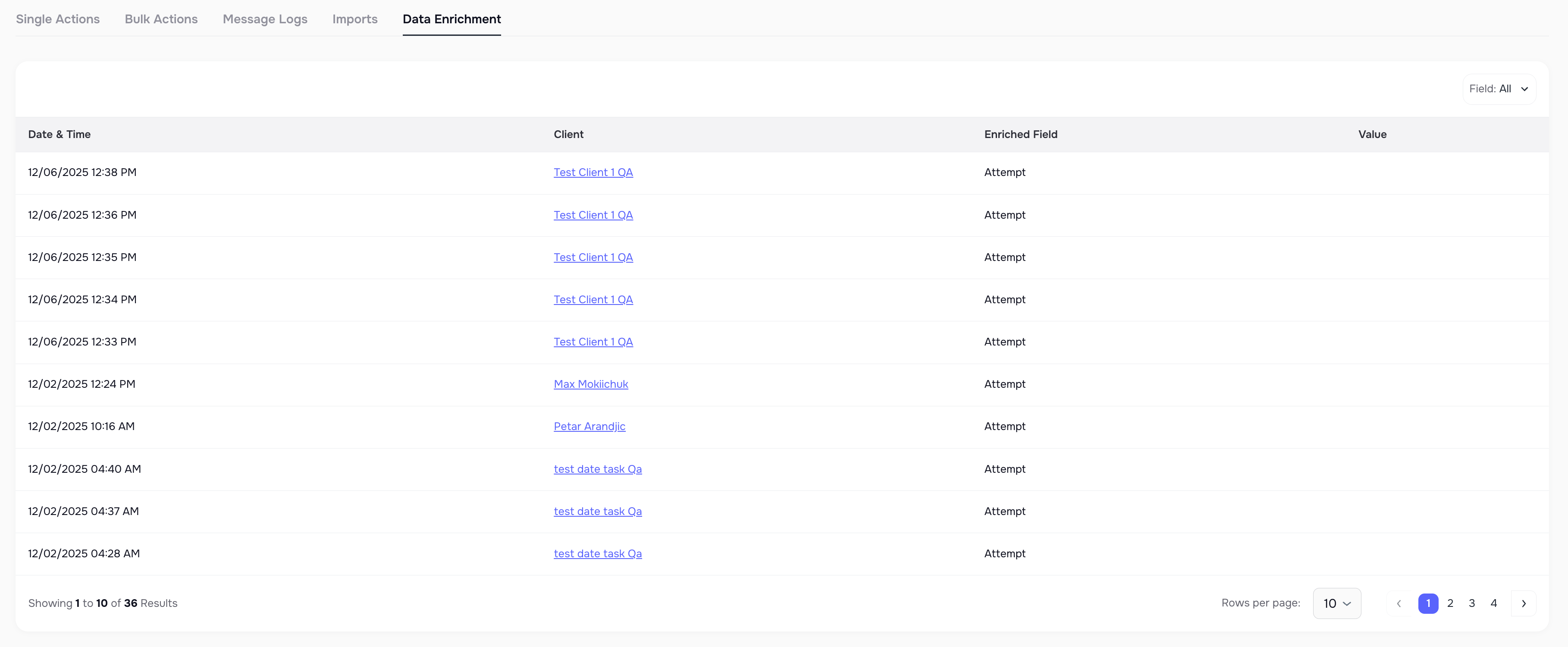
🧾 Data Enrichment Logs
A new Data Enrichment tab has been added inside System Logs.
It shows:
- when enrichment was attempted
- which number was updated
- whether it succeeded or failed
This gives teams transparent visibility into all enrichment activity.
☎️ Create Cases for Unknown Inbound Callers
If a new inbound call comes from a number that does not match any client in your system, Kayse now automatically creates a new case labeled Unknown Caller.
Inside the Contacts page, you can merge these temporary cases into an existing client using the new Merge action.

🎨 Overall UX/UI Improvements — Faster, Cleaner & Smoother Kayse
Alongside all major feature releases, this update includes a wide collection of UX and UI improvements across the entire platform. Our goal was simple: make Kayse feel faster, more intuitive, and more enjoyable for your team every single day.
You’ll notice smoother navigation, clearer layouts, smarter grouping of information, and refined visual elements that make everything easier to read at a glance. Many small enhancements were added throughout Calls, Cases, Messaging, Campaigns, Imports, and Dashboard views — each one helping reduce the number of clicks, improve visibility, and speed up your daily workflows.
These UI refinements also set the foundation for all upcoming features, ensuring Kayse continues to feel modern, powerful, and beautifully simple to use.
Your experience should now feel faster, cleaner, and more responsive than ever — all while keeping the platform familiar and easy for your team to adopt. ✨