

OBO (On Behalf Of) Features
In some legal cases, the person listed as the "client" is not the one handling the case.
This happens when the client is:
- A child (minor)
- Someone who has passed away
- Someone who is unable to manage the case themselves
In these situations, another person — like a parent, family member, or caregiver — takes over. We call this person the Point of Contact or OBO, which means “On Behalf Of.”
This new feature helps make sure messages go to the right person and that they are written in the right way.
🏷️ "On Behalf Of" (OBO) List Tag
You can now mark case lists as being managed "On Behalf Of" someone else:
- A toggle lets you label a list as “OBO”
- These lists are visually tagged for easy identification
- All cases in these lists will also show the “OBO” indicator
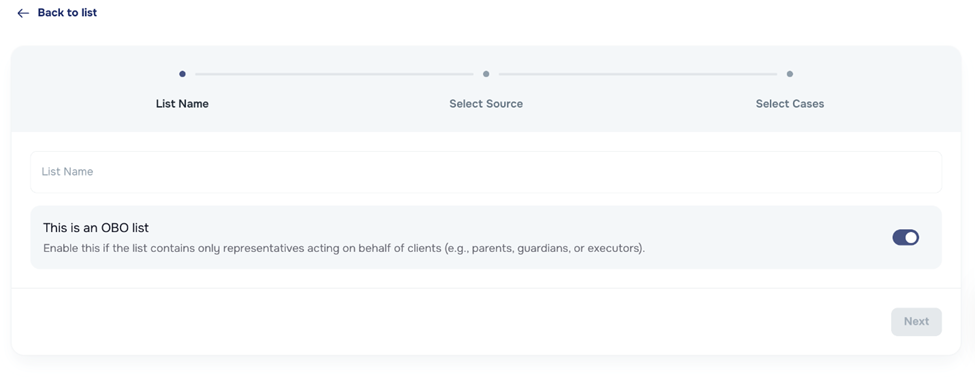

✅ "On Behalf Of" (OBO) Campaigns
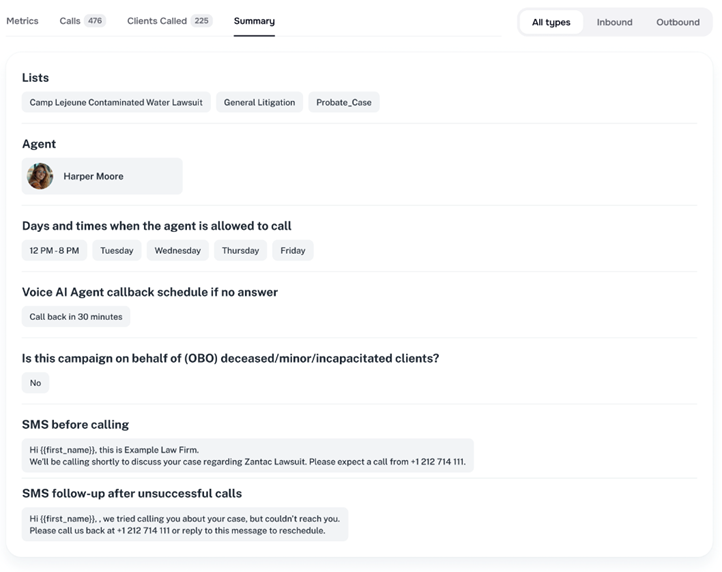
When you are setting up an AI Campaign or sending messages, you will now see a simple question:
👉 “Are you sending this message on behalf of a deceased, minor, or incapacitated client?”
Choose either:
- Yes (Use OBO messages)
- No (Use regular client messages)
What happens if I choose YES?
- The system will use special messages written for the Point of Contact
- These messages do not use the client’s name (like )
- They are more general and respectful (Example: “We’re reaching out about your legal case” instead of “Hi, James!”)
What happens if I choose NO?
- The system will use the usual messages
- These are written for the client directly and may include their name

🧠 Where to Find This Feature
| Area | What’s New |
|---|---|
| AI Campaigns | When setting up a campaign, you will be asked if it is OBO. Based on your answer, the correct message templates will be used. |
| Messages (Individual or Bulk) | Before sending, you can choose if the message is OBO. The correct message version will be used. |
| Summary Tab in Campaigns | This tab shows if OBO is turned on, which messages are being used, and lets you preview them. |
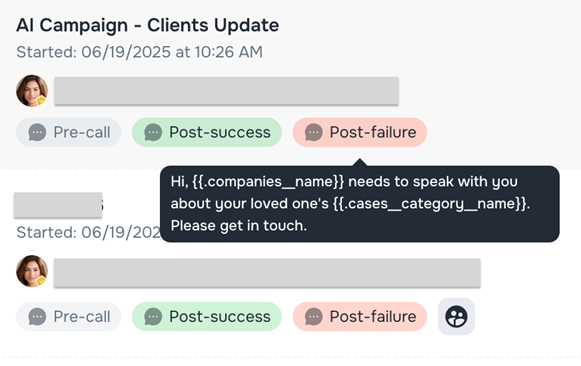
| OBO Icon & Preview | Icons now show which campaigns are OBO. Hover for quick tips. |
Why This Matters
- Helps you avoid sending a message to the wrong person
- Shows care and respect in sensitive cases
- Helps your firm stay professional and protected
- Reduces human error — the system chooses the right message for you
🙋 Need Help?
We’re here for you! If you have questions about how to use this feature or need help setting it up, contact our support team.