

AI Calls Tab, Instant Login & SmartAdvocate Sync Toggles
Apr, Wed 16 - Apr, Wed 30
🛠 Updates & Improvements
✅ User Experience Improvements
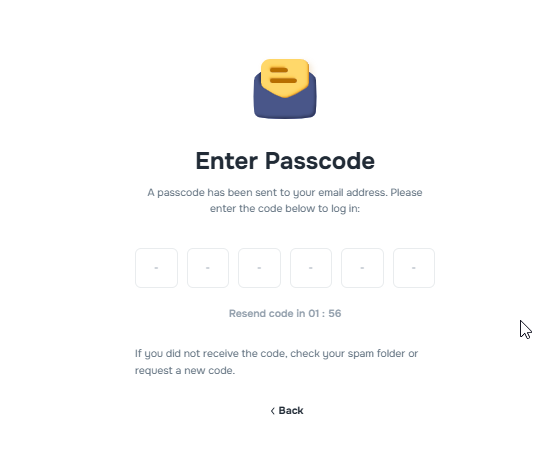
Instant Login Flow: Users are now signed in immediately after entering the correct code—no more clicking “Verify and Sign In.”
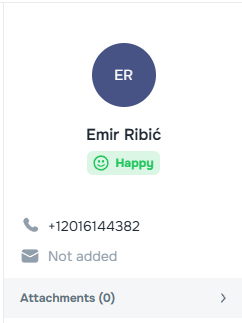
Clearer Contact Visibility in the Messages feature: The Messages sidebar now shows a “Not added” label next to missing client phone numbers or emails, helping to spot incomplete records at a glance.
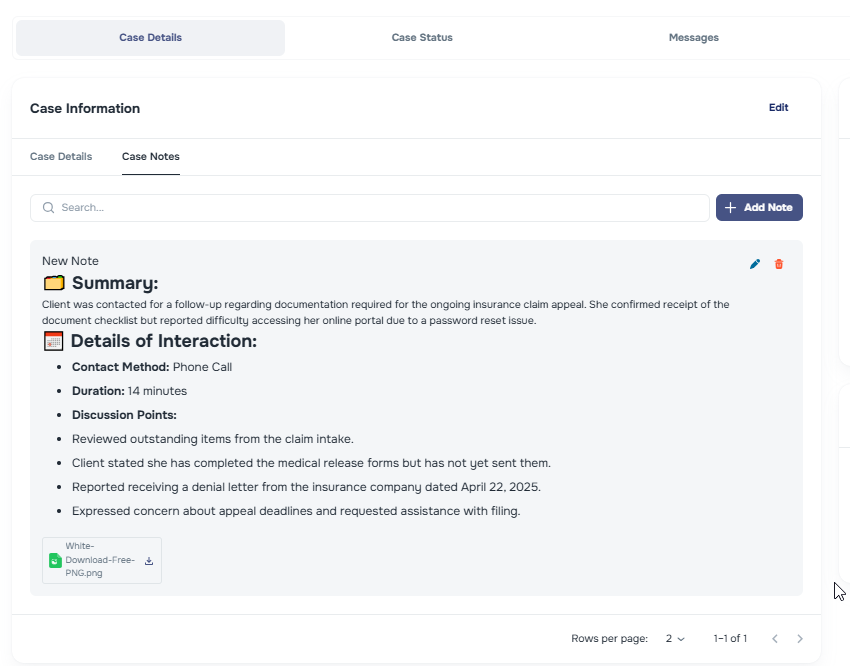
Expanded Case Notes Display: Case Notes now show up more lines before needing to press show more, offering more context without requiring a click.
Footer Navigation Links: We've added four quick-access footer links for convenience: Terms of Use, Pricing, Privacy Policy, and Support.

📞 Enhanced AI-Calls Tracking
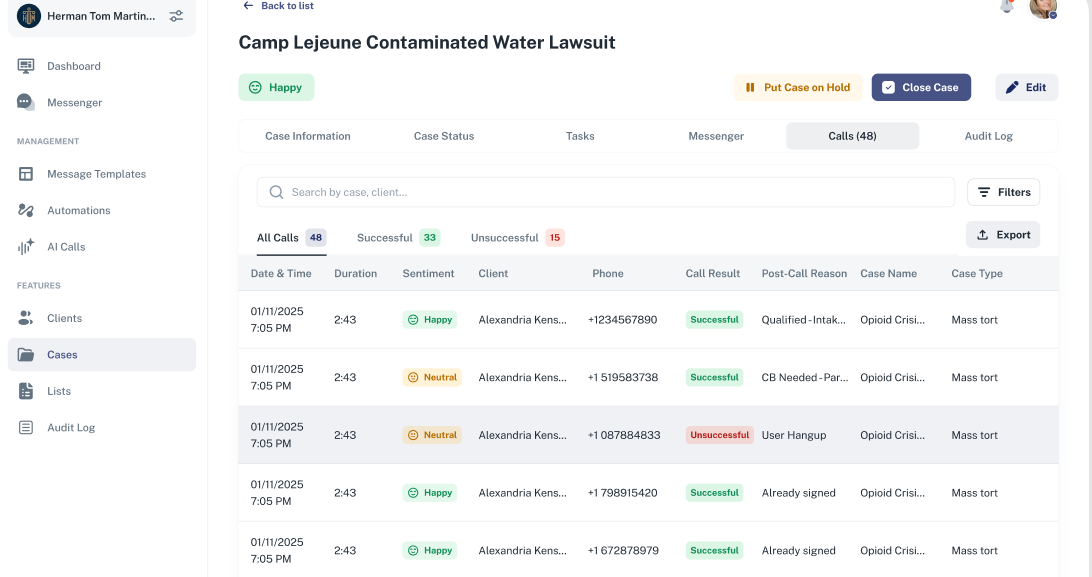
💡Added the “Calls” Tab to View AI Calls on Clients and Cases: There is now a dedicated Calls tab on both Client and Case pages, displaying call activity, metadata, and outcomes—all in one centralized view.
- In this tab, the Campaign Name replaces the previously shown Client or Case name column, improving relevance.
Client page:
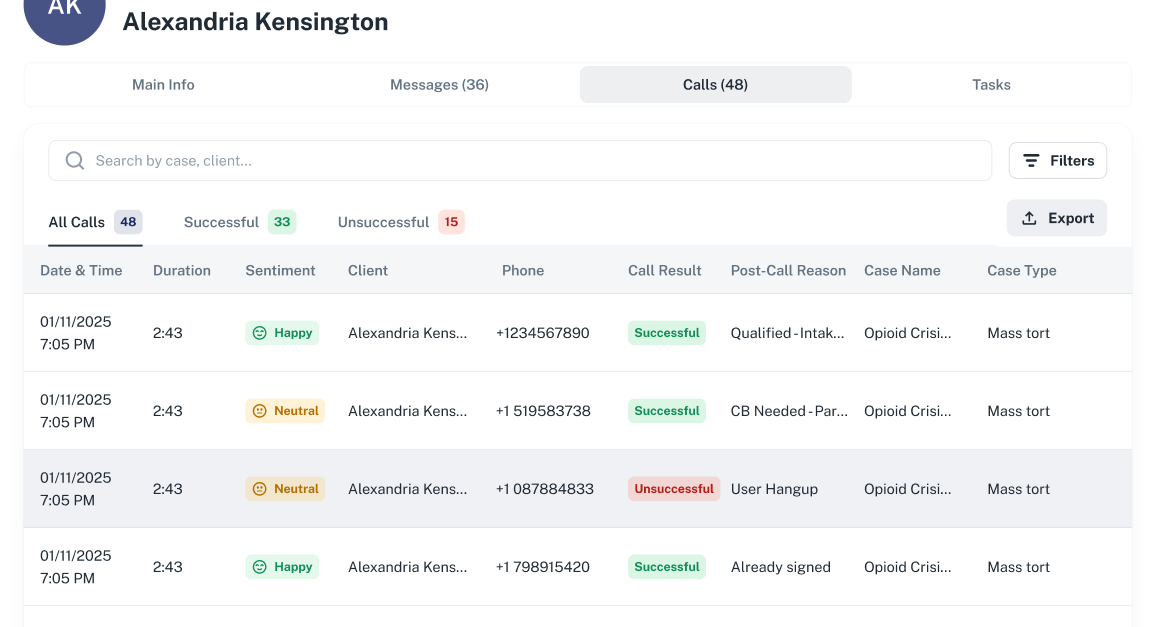
Case page:
🛠 Company Settings UI Refinements
Renamed “Contacts” to “Contact”
Added tooltips for:
- Phone number – clarifying the
firm_phonevariable - Email address – clarifying the
firm_emailvariable
- Phone number – clarifying the
Renamed “Company Address” to “Mailing Address” with a tooltip explaining it's tied to the
firm_mailingvariable.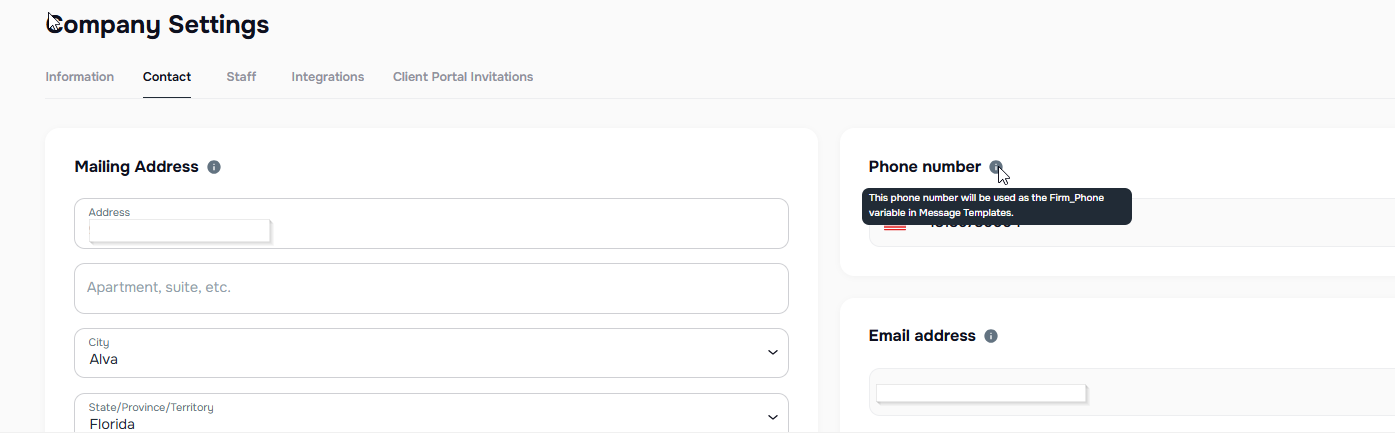
✍️ Messaging & Automation
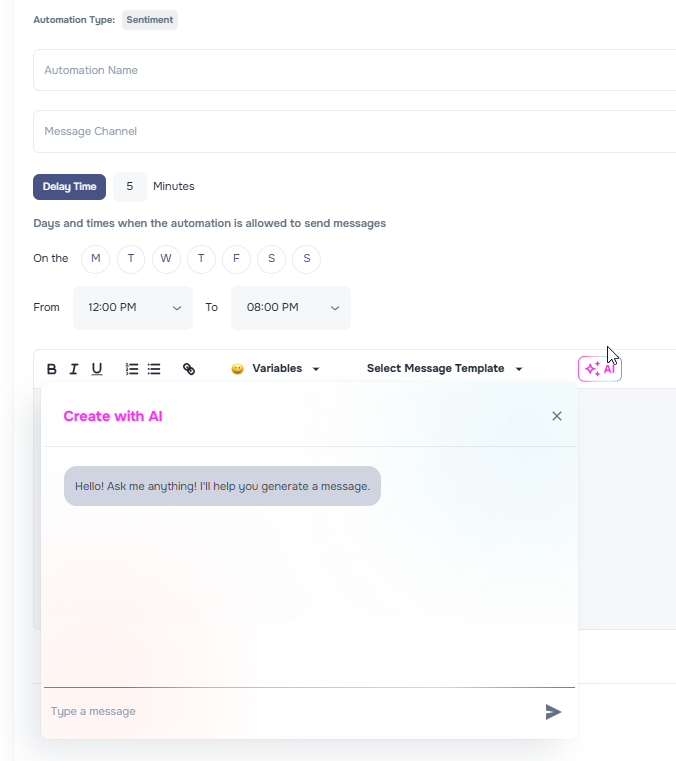
AI Script Generator: All automation messaging sections now feature an AI Generate button, allowing teams to draft outbound scripts using AI prompts quickly while inside of Kayse.
🔗 Smart Advocate & Law Ruler Integration Enhancements
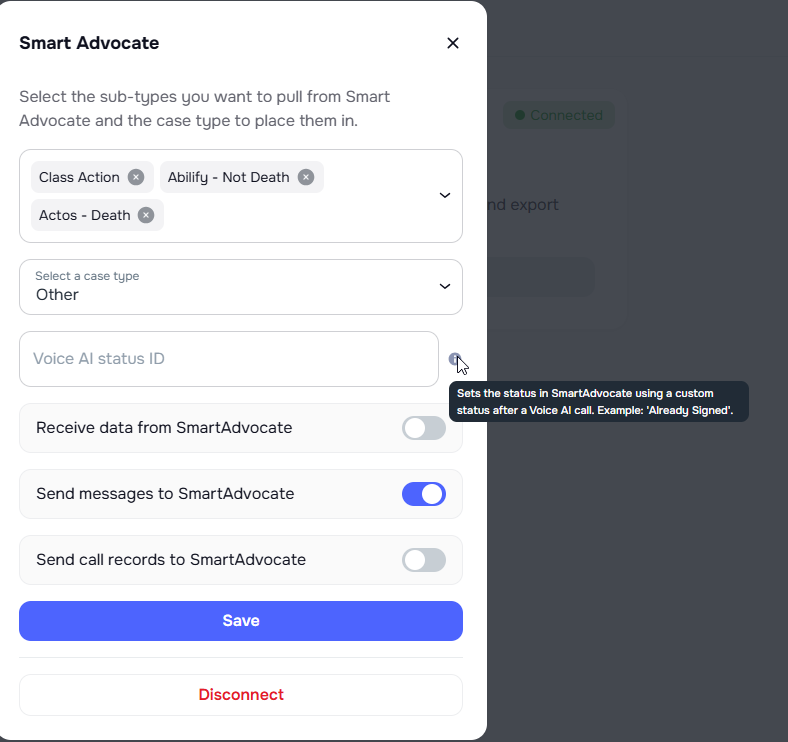
Field Saving Logic Update: You can now update individual Smart Advocate fields without filling in all fields through the SA integration.
Tooltip for Voice AI Status ID: Added guidance to explain its use.
New Sync Toggles for Smart Advocate & Law Ruler:
Auto-import data from Smart Advocate / Law Ruler:
Push outbound Kayse messages to the case management system/CRM.
Sync call records back to the originating platform.
📊 Voice AI Metrics
- Voice AI metrics now display with improved accuracy and reliability.