

Case Type Management, List Redesign & Bulk Action Modals
This release introduces a new Case Type Management page, along with multiple UI redesigns and important improvements to integrations and data handling. These updates make case management more intuitive, messaging more reliable, and imports more consistent. ✨
🆕 New Updates
📑 Case Type Management Page
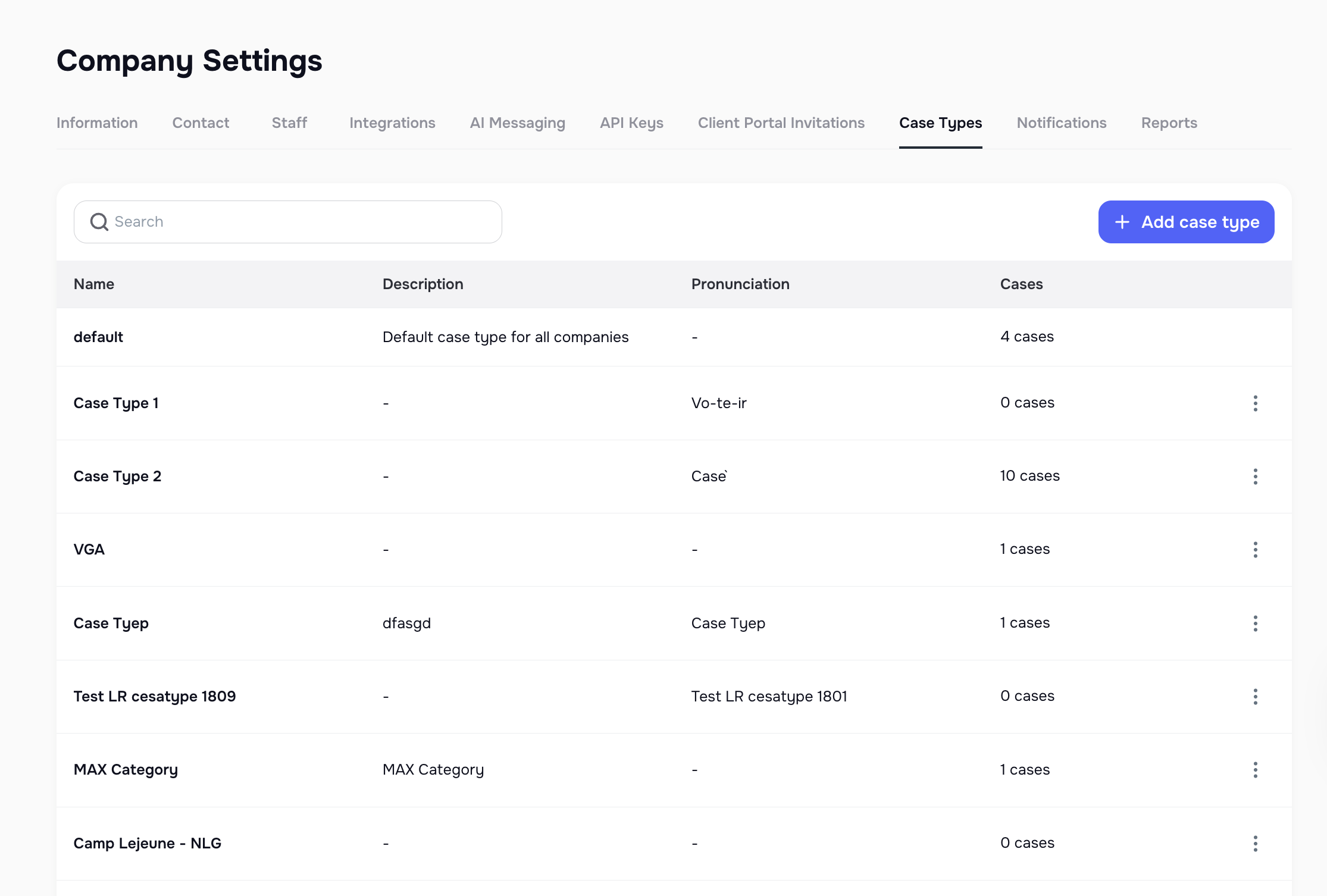
We’ve added a brand new Case Type Management page inside Company Settings (KAY-1372):
- Manage case types directly at the company level.
- Each type includes a Name, Description, and Pronunciation (used by the Voice AI Agent).
- Case counts are now displayed for each type.
- Replaces the old nested “Case Categories” model with a simpler, streamlined system.
📬 Redesigned Lists Page
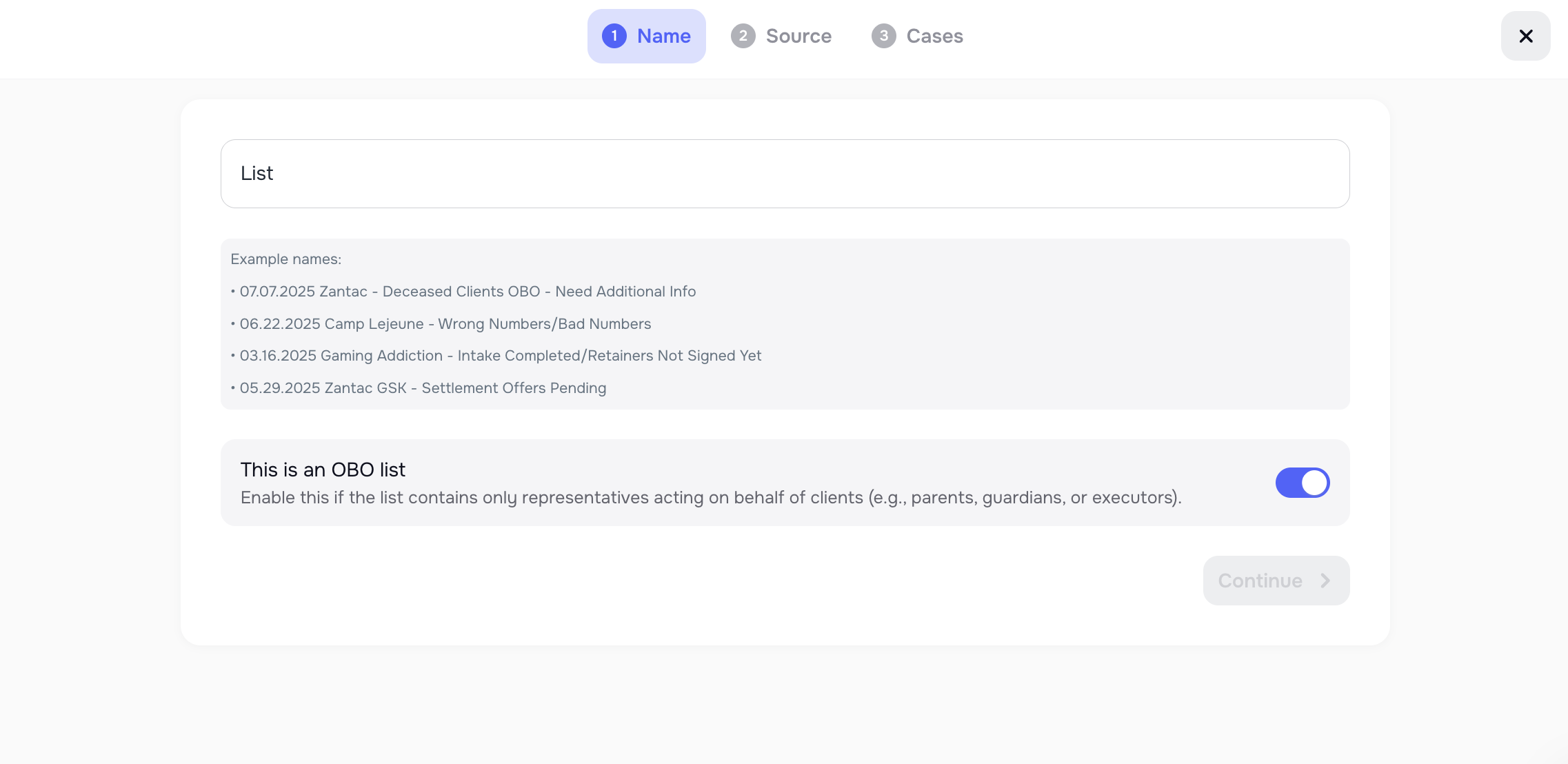
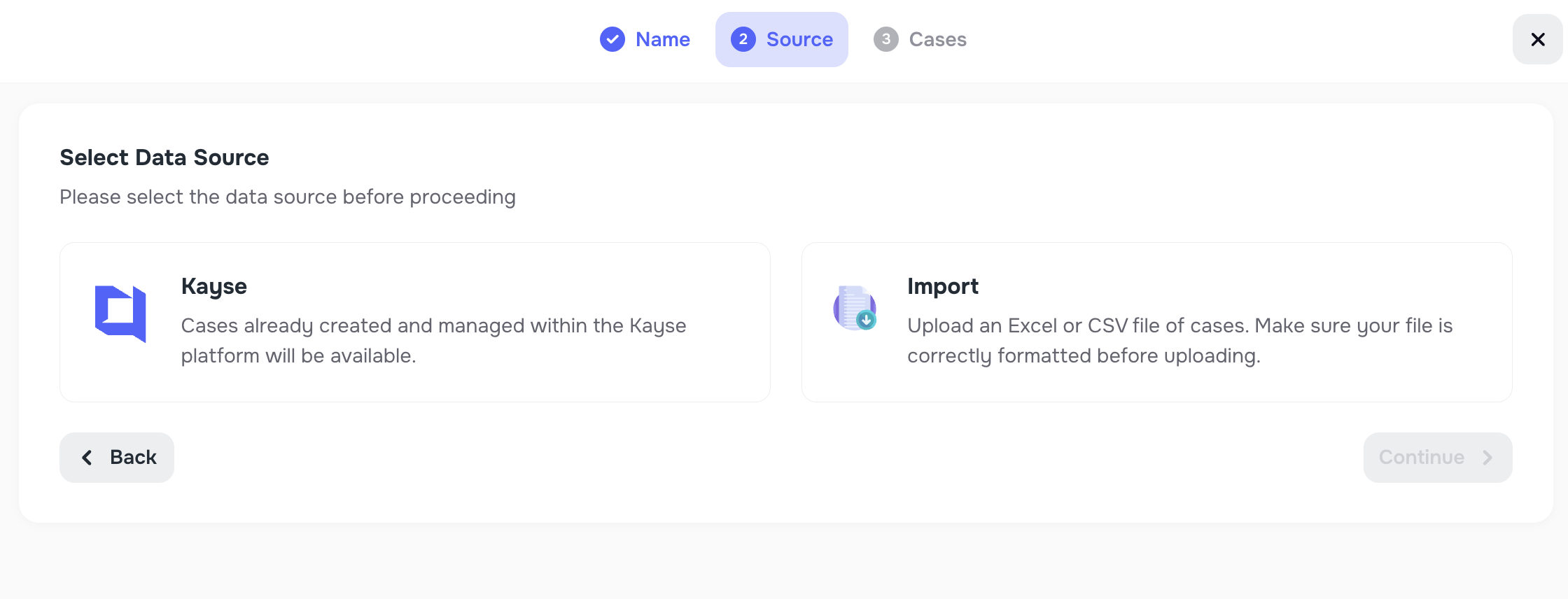
The Lists page has been redesigned:
- Updated UI for easier navigation and a more modern look.
- Improved step-by-step flow for creating new lists.
💡 Improvements
🔄 AI Messaging Integration with Law Ruler & Smart Advocate
AI Messaging Agent replies are now synced back to both Law Ruler and Smart Advocate.
- Ensures AI-generated replies are visible in your external systems.
- Improves consistency and integration reliability.
📞 Synced Calls Indicator
Added an indicator on call records to show whether the call has been synced with external systems like LawRuler or SmartAdvocate.
- Calls synced externally now display a green dot for clarity.
✉️ Email Message Formatting in Messenger
Large email-style messages in Messenger are now easier to read:
- Long messages are collapsed by default with a Show More option.
- Keeps the Messenger view clean while allowing full expansion when needed.
📊 Redesigned Bulk Action Modals
Bulk action modals on the Cases page have been refreshed:
- Cleaner UI with a more consistent look and feel.
- Simplifies bulk operations across large sets of cases.
📥 Improved Import Tool Handling
The Import Tool now includes empty custom fields from files:
- Columns with blank rows are still imported as part of Additional Information.
- Ensures no data is lost or skipped during import.
These updates bring more flexibility, better integrations, and a smoother workflow across Kayse. 🚀