

Message Translation, Client Portal Enhancements & AI Improvements
This release makes it easier for your team to communicate across languages, track billing clearly, and provide a smoother experience for clients — plus multiple AI and UI enhancements to work faster and more efficiently. ✨
🎯 Improvements
🔄 New Contact ID Mapping in Importer
We’ve improved the Importer by adding a new Contact ID variable.
When the External Source is set to Law Ruler, you can now map the ContactID from your import file. This allows for better handling of client records, more accurate updates, and improved synchronization with Law Ruler — helping avoid duplicate records.
✅ Result: More accurate client data updates and improved synchronization with Law Ruler. 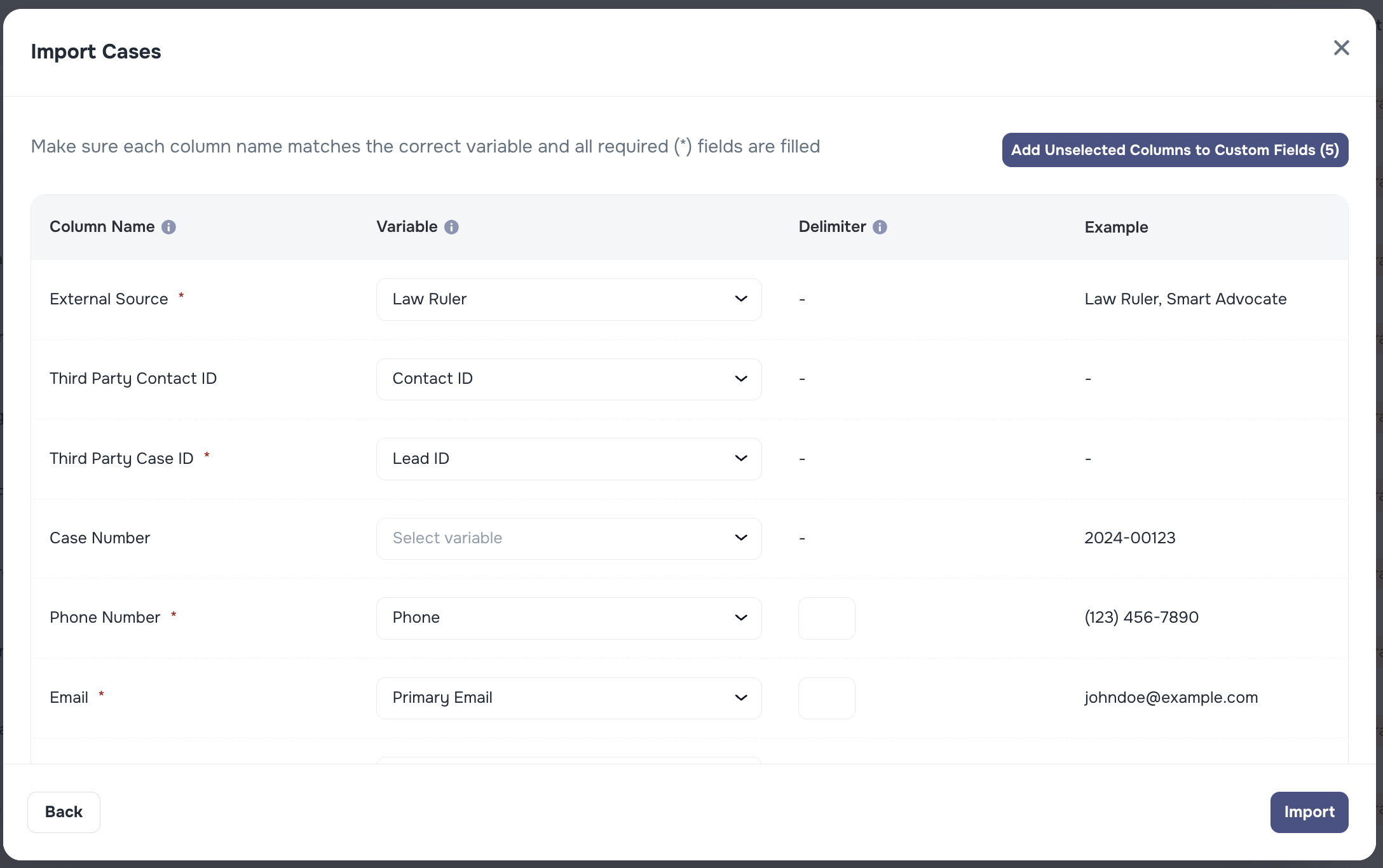
🌍 Translate Client Messages Automatically
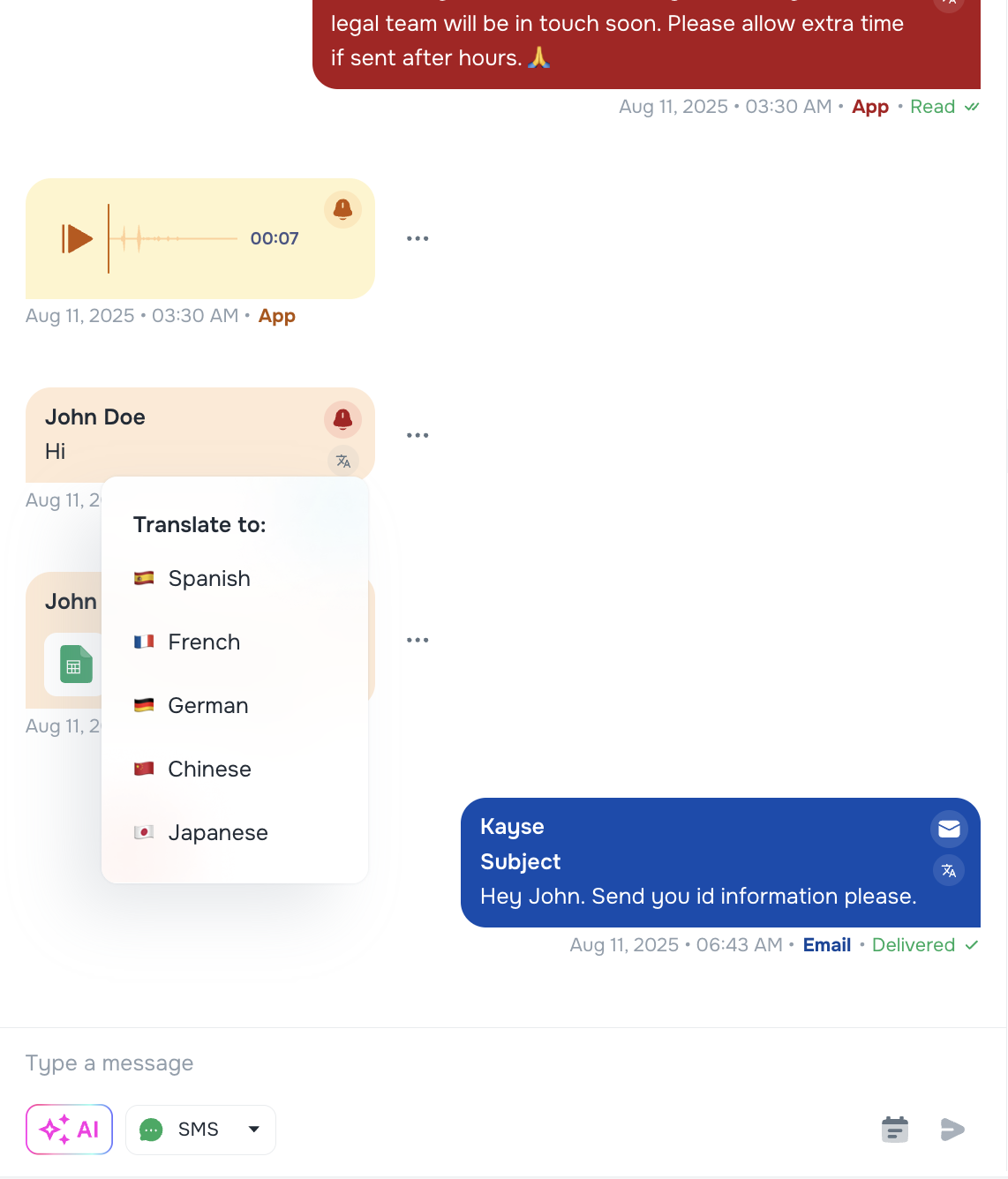
We’ve added a new way to translate any message you receive from a client into your preferred language.
- Tap the 🌐 icon next to a message to choose a language and see the translation instantly.
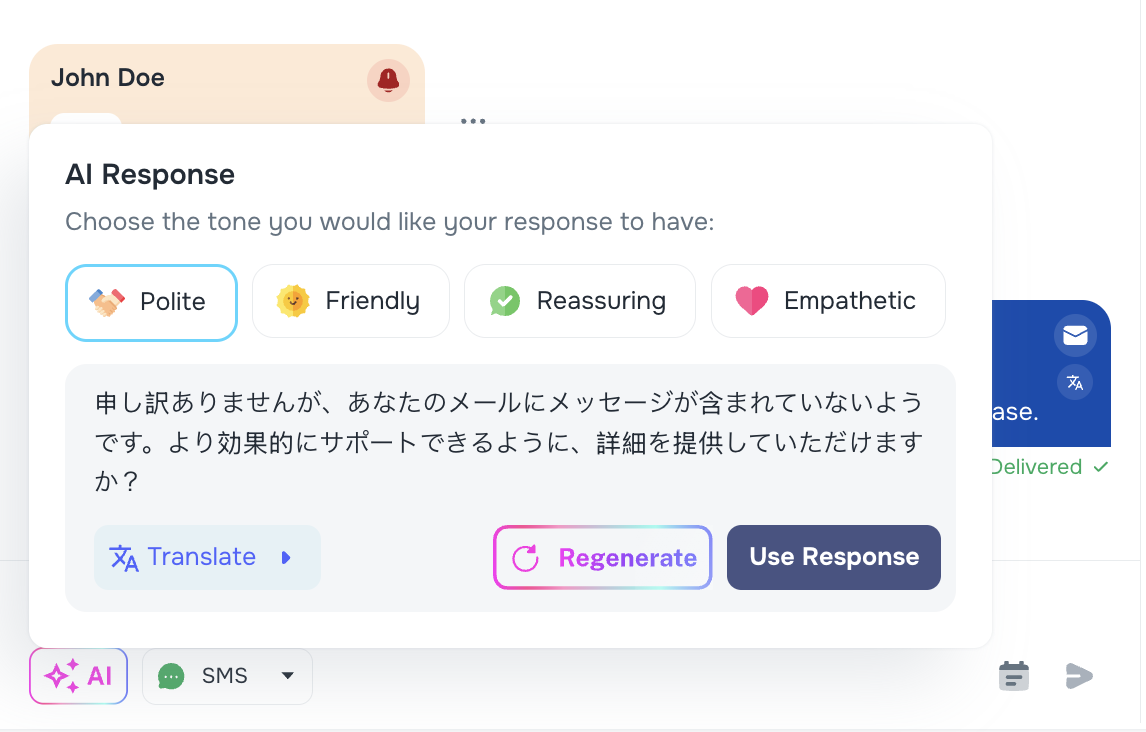
- Use the AI ✨ response tool to create replies in any language and translate them before sending.
💡 Great for multi-lingual teams working with clients worldwide.
📊 Client Billing Report in Company Settings
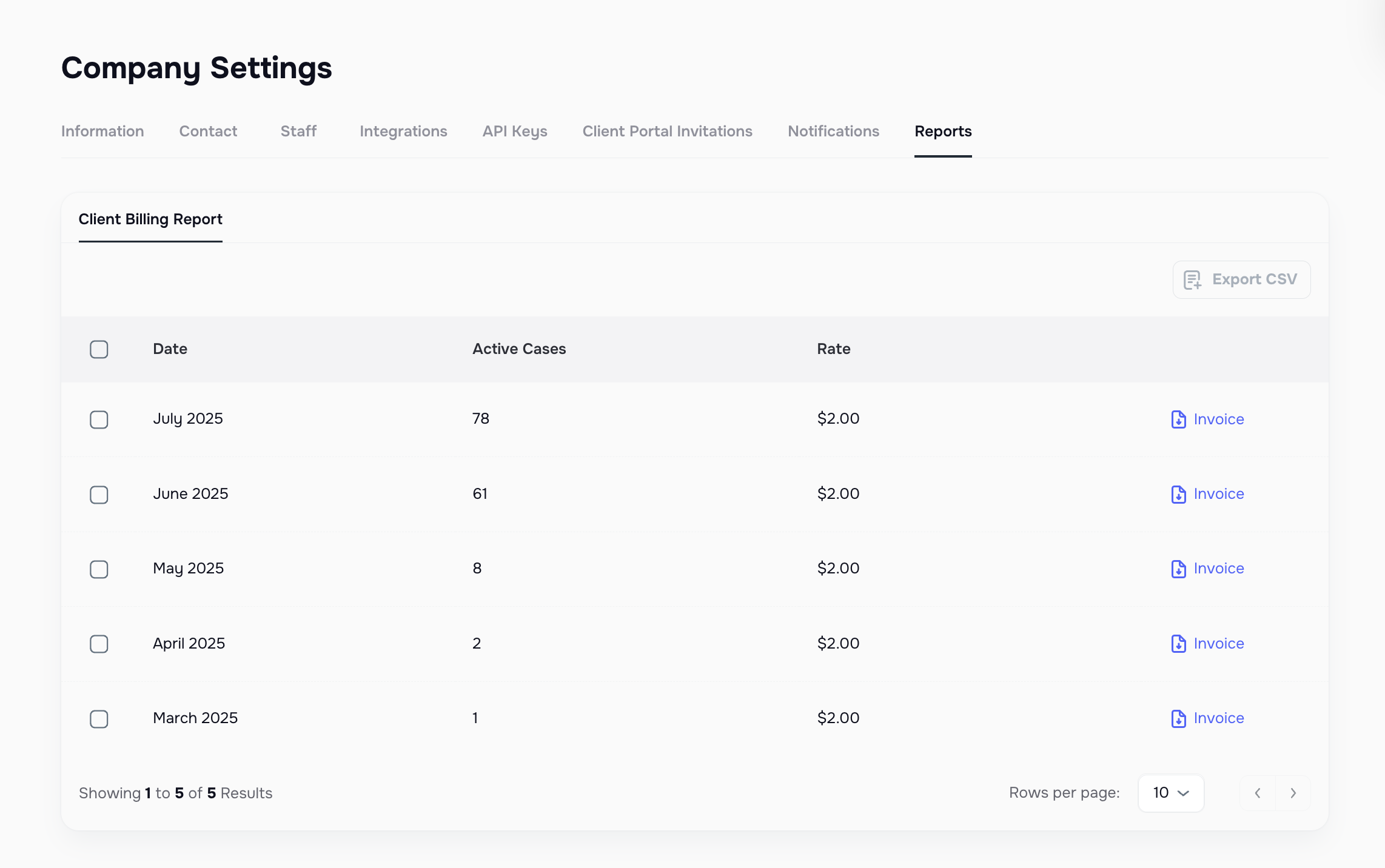
A new Reports tab is now available in Company Settings, giving you a detailed breakdown of monthly billing.
You can:
- View billing by month, case count, and rate
- Export data as CSV
- Download a file directly from the report
✅ Keeps your billing transparent and auditable.
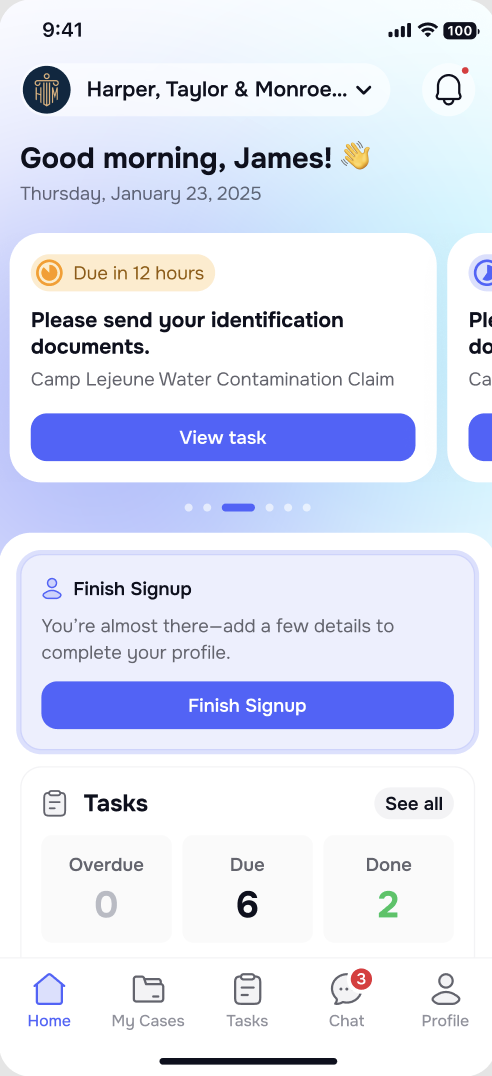
🖥 Enhanced Onboarding Experience in Client Portal
We’ve redesigned the client portal onboarding to be more user-friendly and informative.
What’s new:
- Clear welcome screens inspired by best-in-class apps
- Guided process for updating contact details
💡 Helps clients get set up quickly and stay engaged.
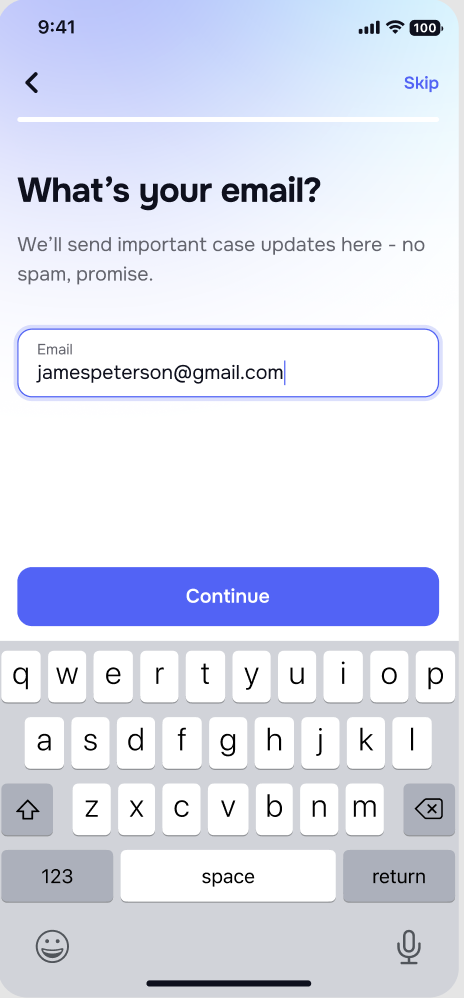
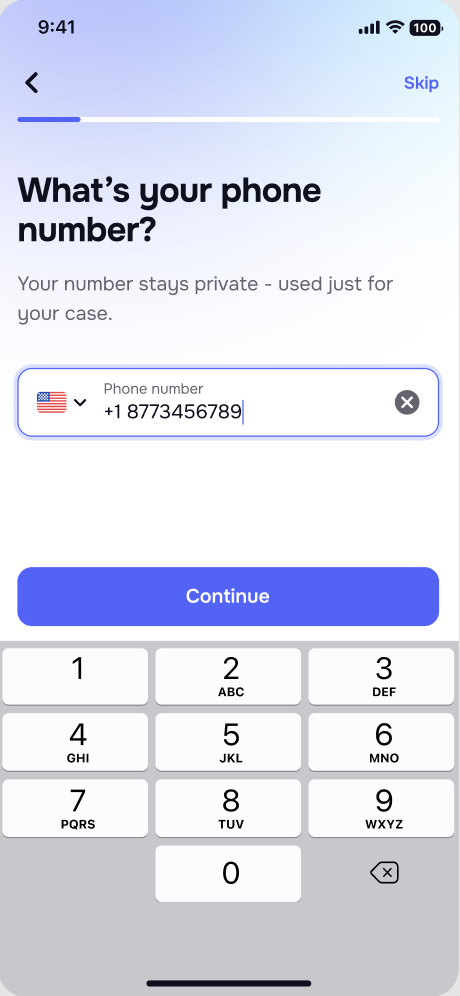
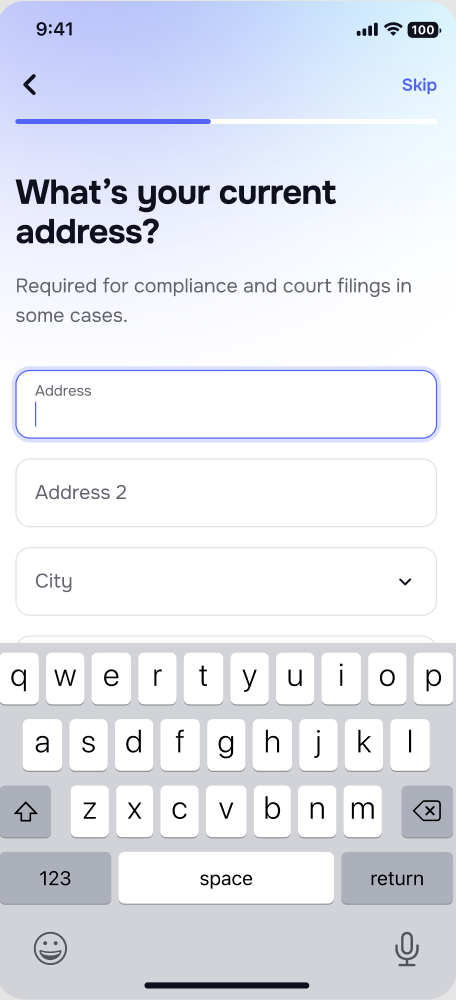
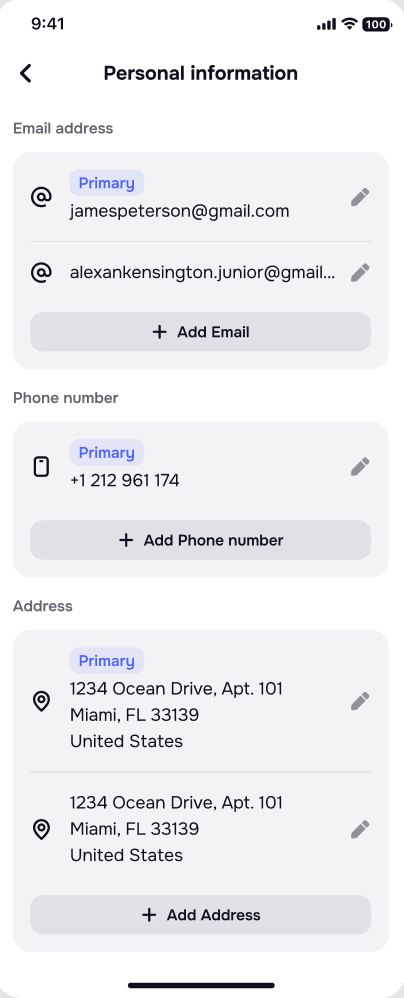
📱 Clients Can Update Their Contact Info in the Mobile App
Clients can now edit their phone number, email, and address in the mobile portal.
Improvements include:
- Validation to ensure at least one contact method is always present
📌 This helps reduce skip tracing costs and keeps client contact details current.
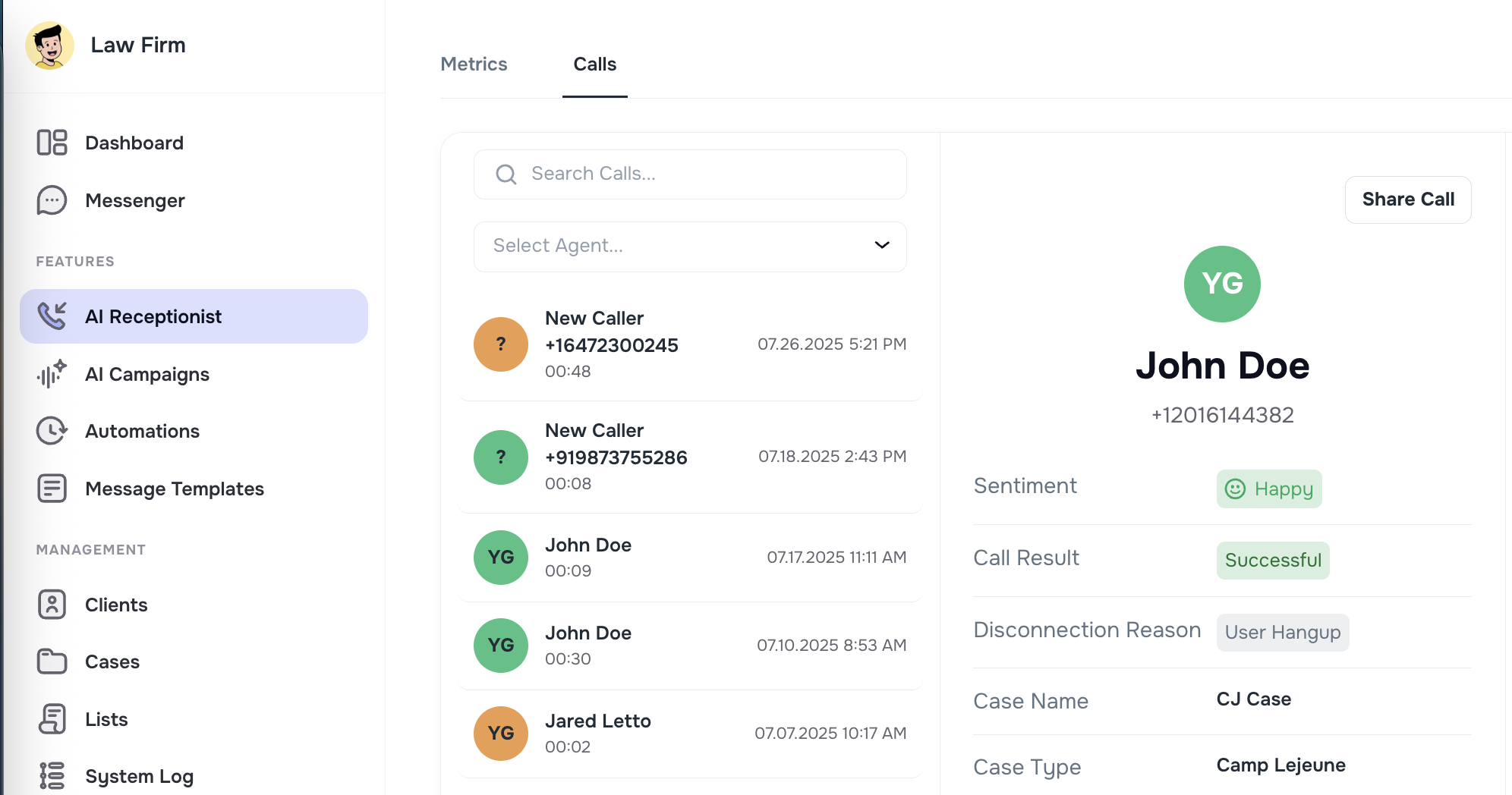
🎯 Filter Calls by AI Agent in AI Receptionist
In the AI Receptionist view, you can now filter calls by the AI agent who handled them.
This makes it easier to:
- Monitor specific agents’ call performance
- Focus on calls related to new launches or special projects
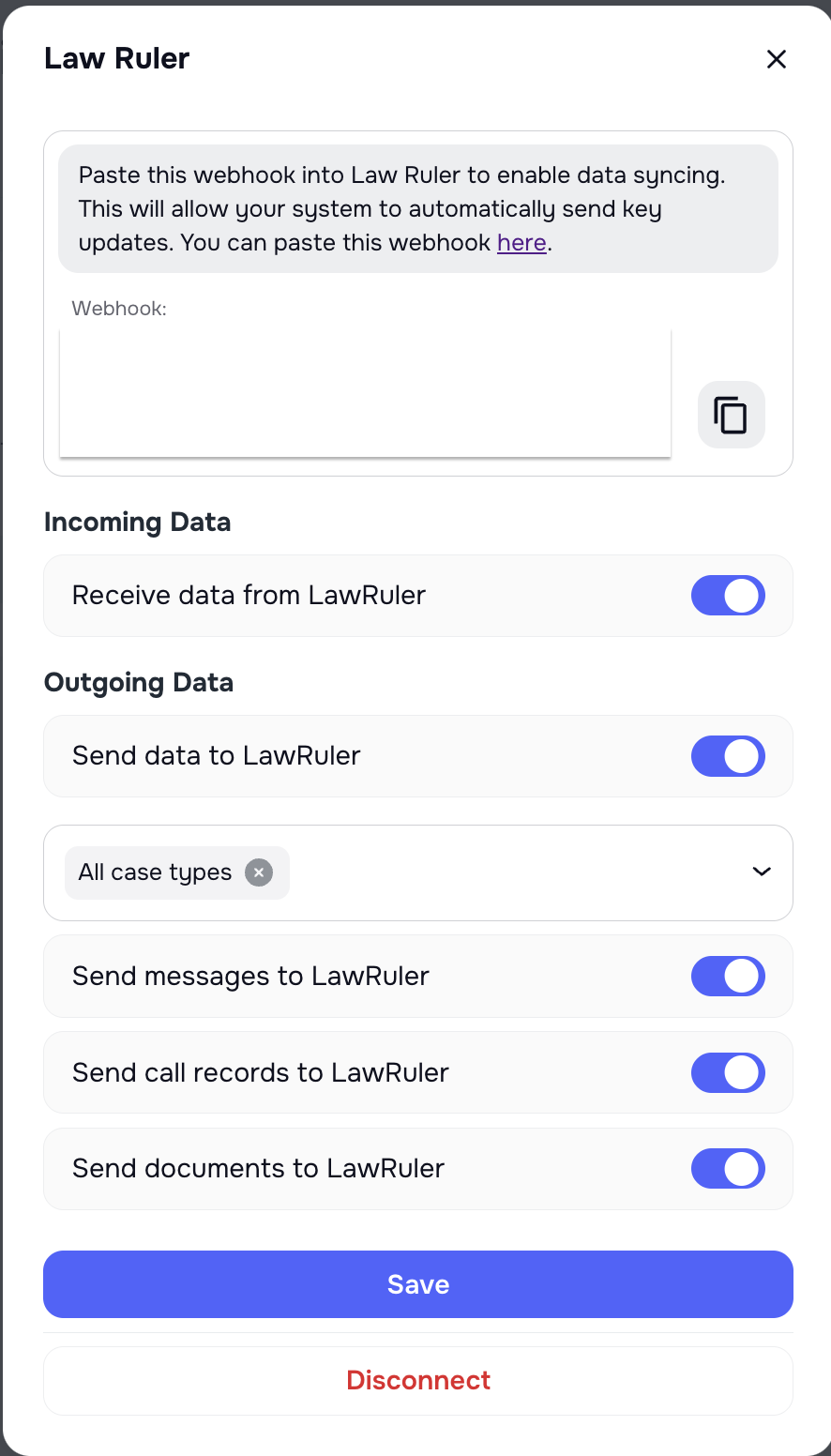
⚠️ Case Type Filter for Law Ruler Integration
We added a case type filter to outbound Law Ruler integration to support urgent campaign needs.
This ensures specific cases don’t sync and trigger workflows unintentionally — especially important for firms during targeted AI campaigns.
🎧 Improved AI Recording Playback + Transcript Sync
Transcripts are now better aligned with AI recording playback.
- Jump directly to the right part of the recording based on transcript timing
- Save time reviewing long calls
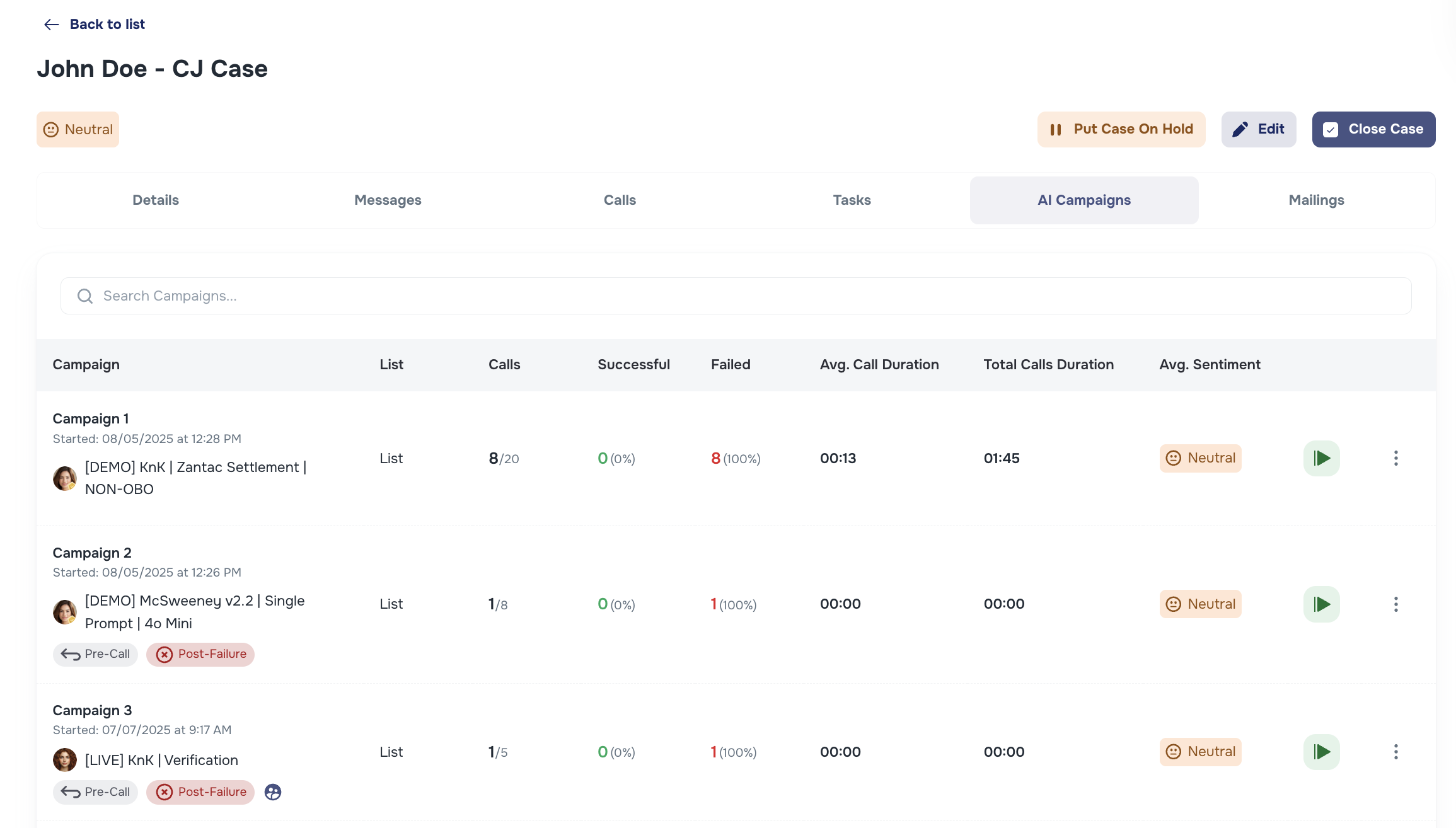
🧠 New “AI Campaigns” Tab on Case Pages
We’ve added a dedicated AI Campaigns tab inside each Case.
- View all campaigns linked to the case
- See outcomes: conversions, disqualifications, call duration, sentiment
- Pause or resume campaigns in one click
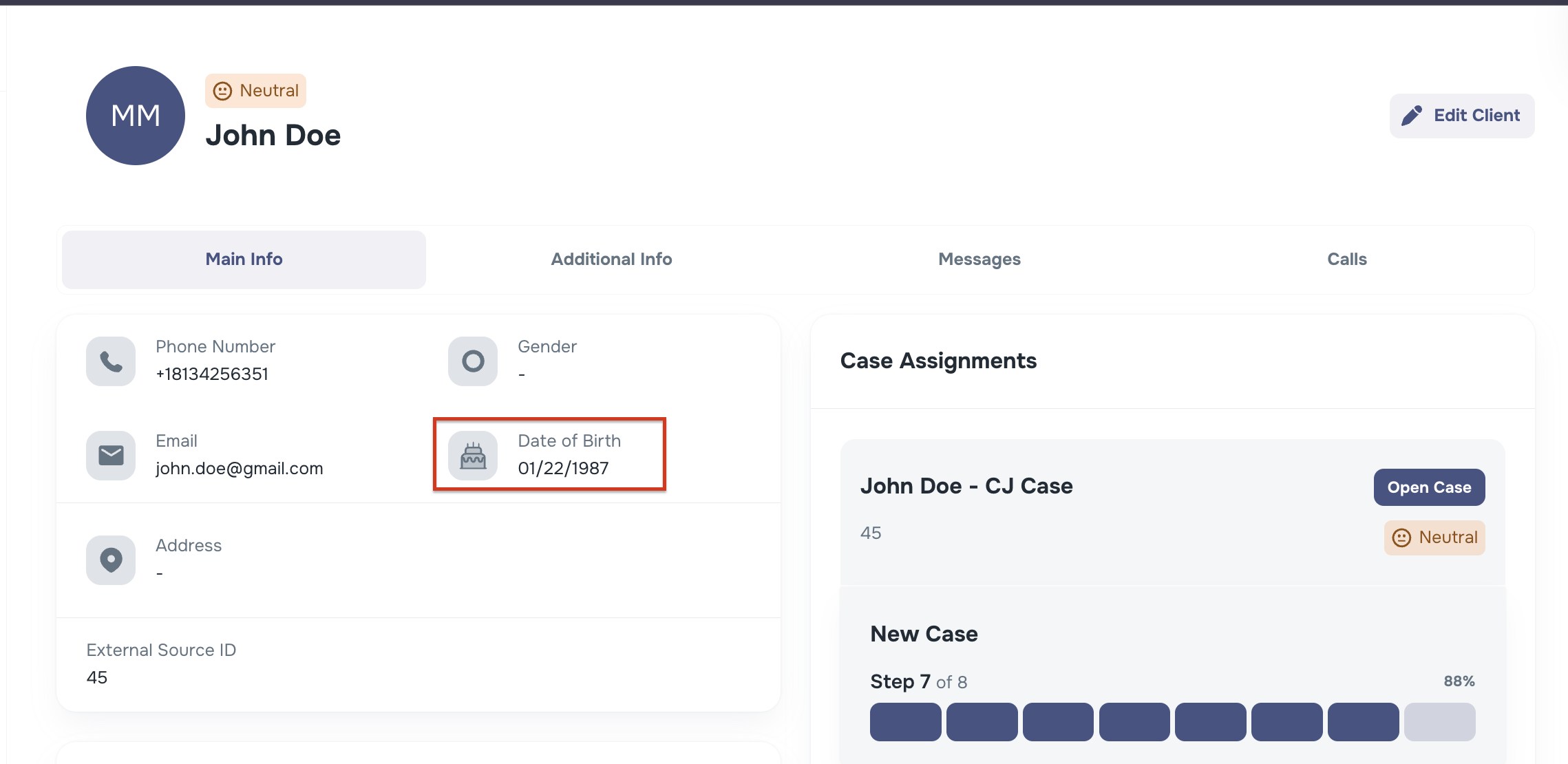
📅 Date Format Standardized to MM/DD/YYYY
Dates in Kayse now display in the US date format — Month/Day/Year.
Example: 01/22/2025 instead of 2025-01-22.
These updates help keep your daily workflow more stable and enjoyable. 🚀