

Importer Wizard, System, Messaging & AI Campaign Improvements
This release focuses on data consistency, smarter automation, and stronger control across cases, tasks, imports, messaging, and external integrations.
We’ve shipped several foundational improvements that make Kayse more powerful, more reliable, and easier to scale with external systems and CRMs.
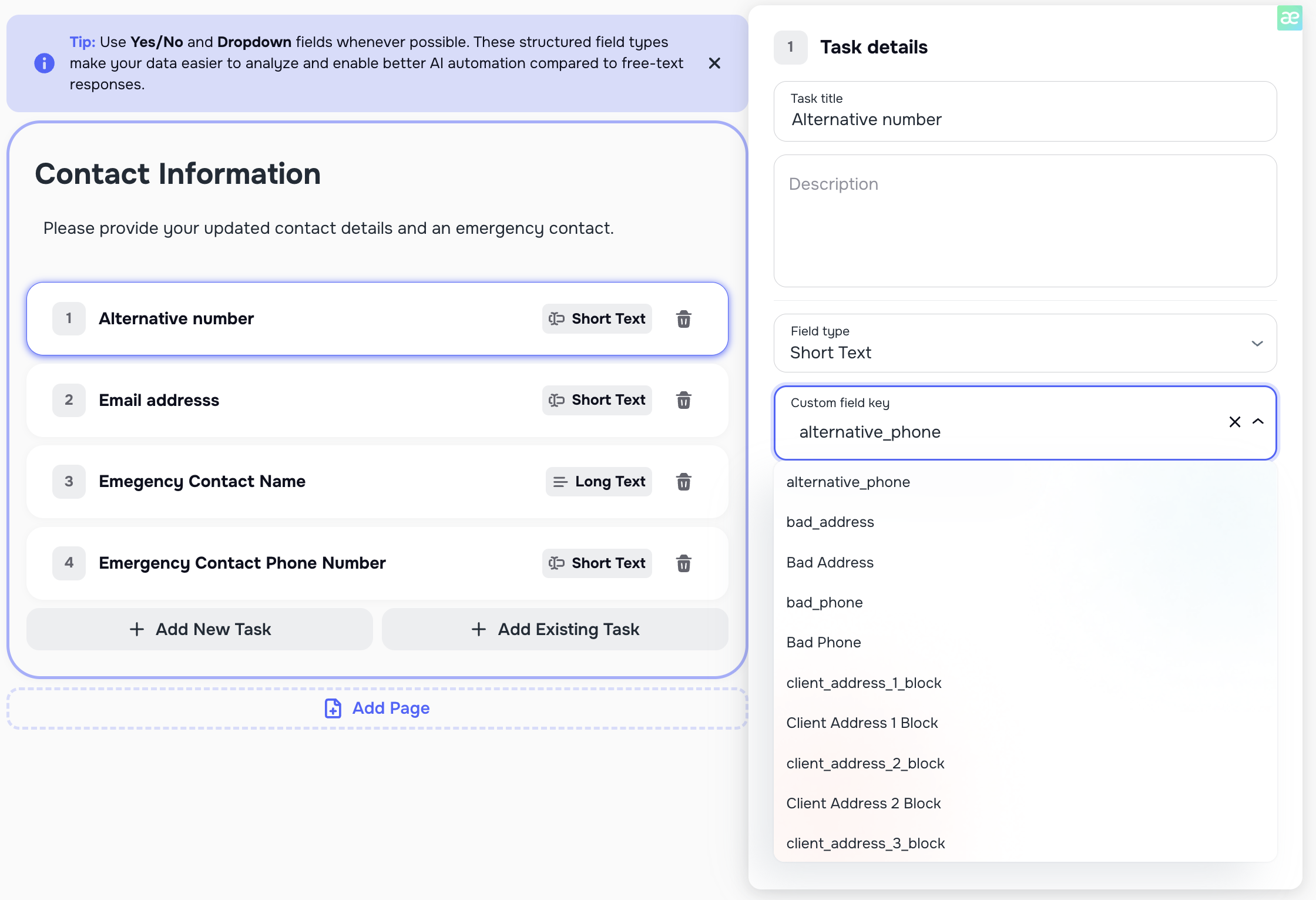
🧩 Unified Task ↔ Case Field Mapping
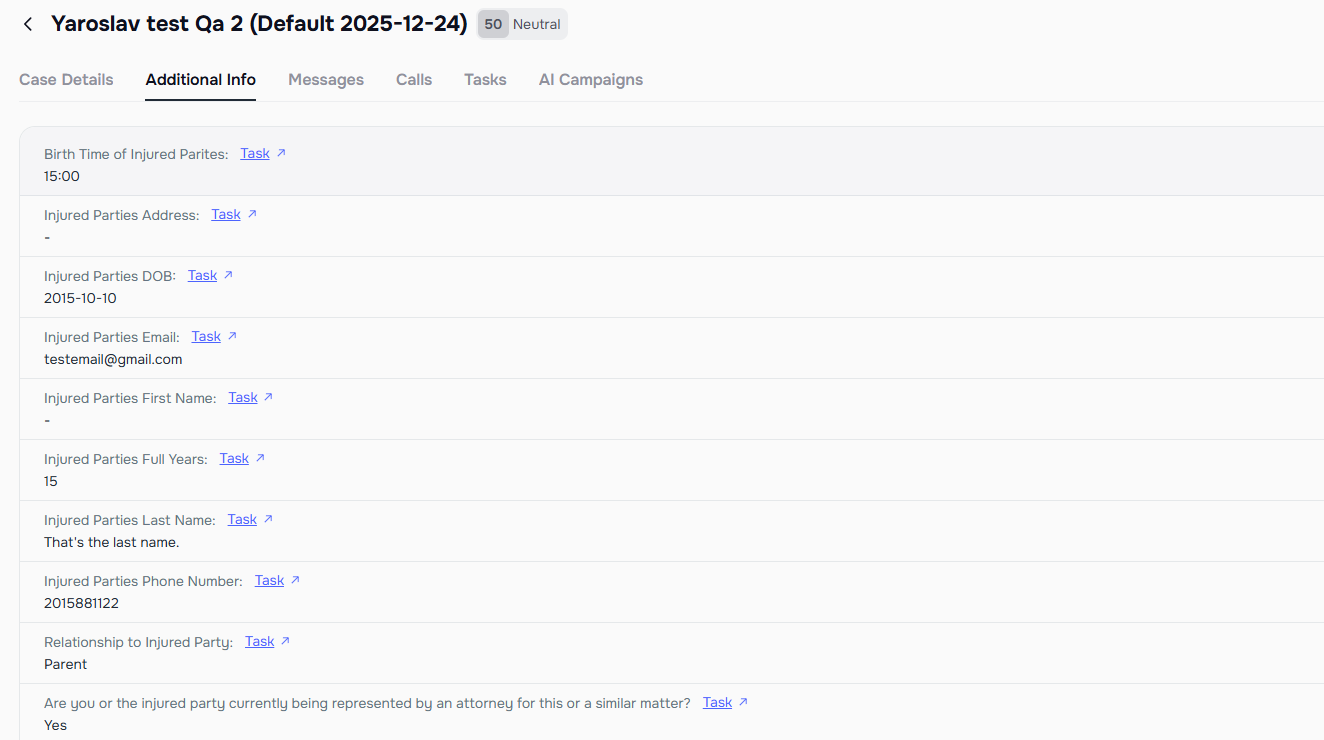
We’ve introduced a unified mapping system that allows Tasks to be directly connected to custom Case fields stored in your company.
You can now:
- Link a Task to a custom field on a Case
- Automatically write the client’s answer back to that field when the Task is completed
- Keep Case data structured, complete, and ready for CRM sync
Why this matters
When a client completes a Task:
- The Task is marked as Completed
- The linked Case field is automatically populated with the client’s response
- That data can later be synced to your external CRM (e.g. LawRuler, SmartAdvocate)
This unlocks:
- Reliable automation
- Clean case records
- Consistent data flow across Smart Tasks, AI Campaigns, and external systems
📝 Case Notes Now Visible Across Case, Contact & Messenger
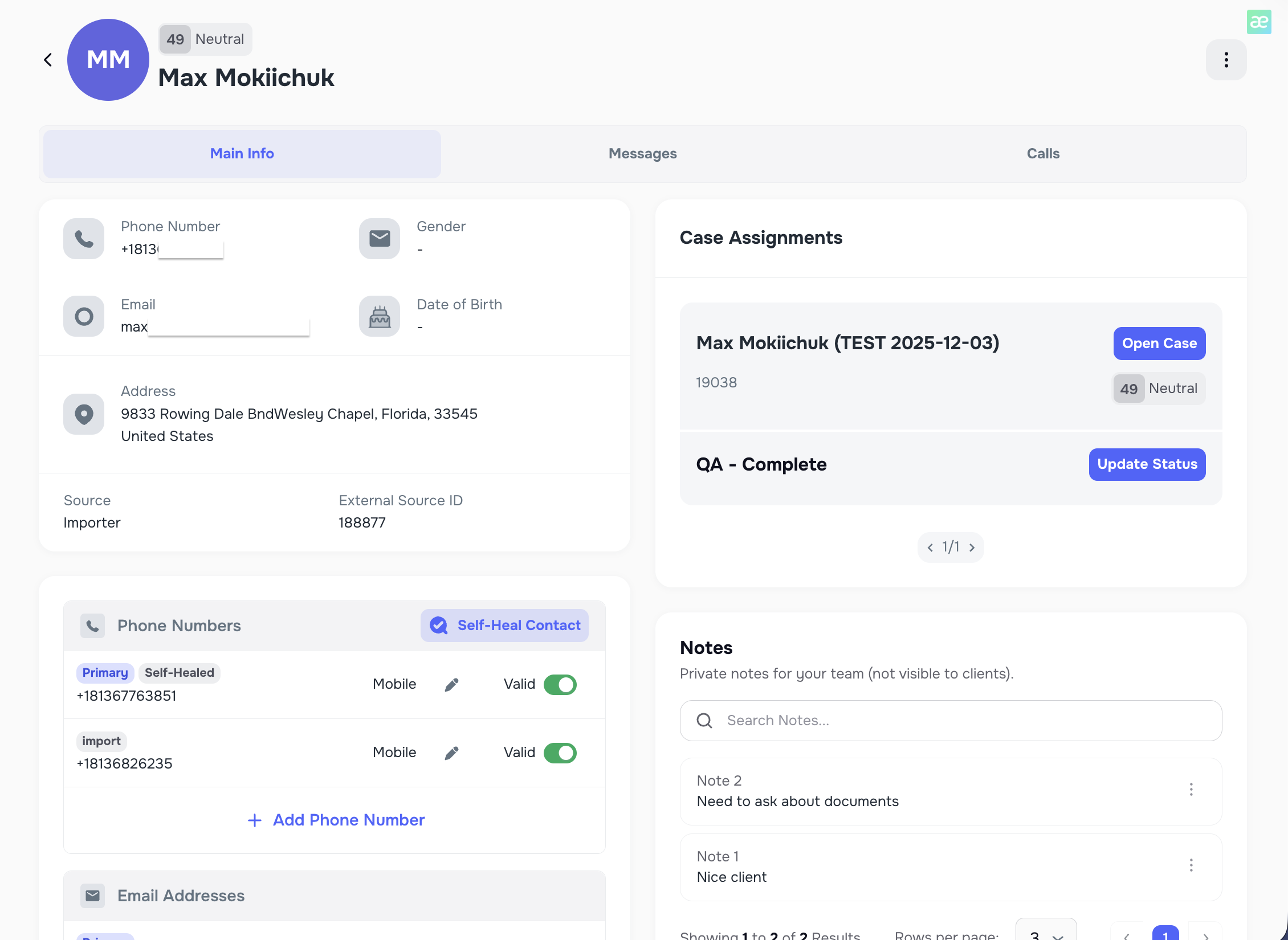
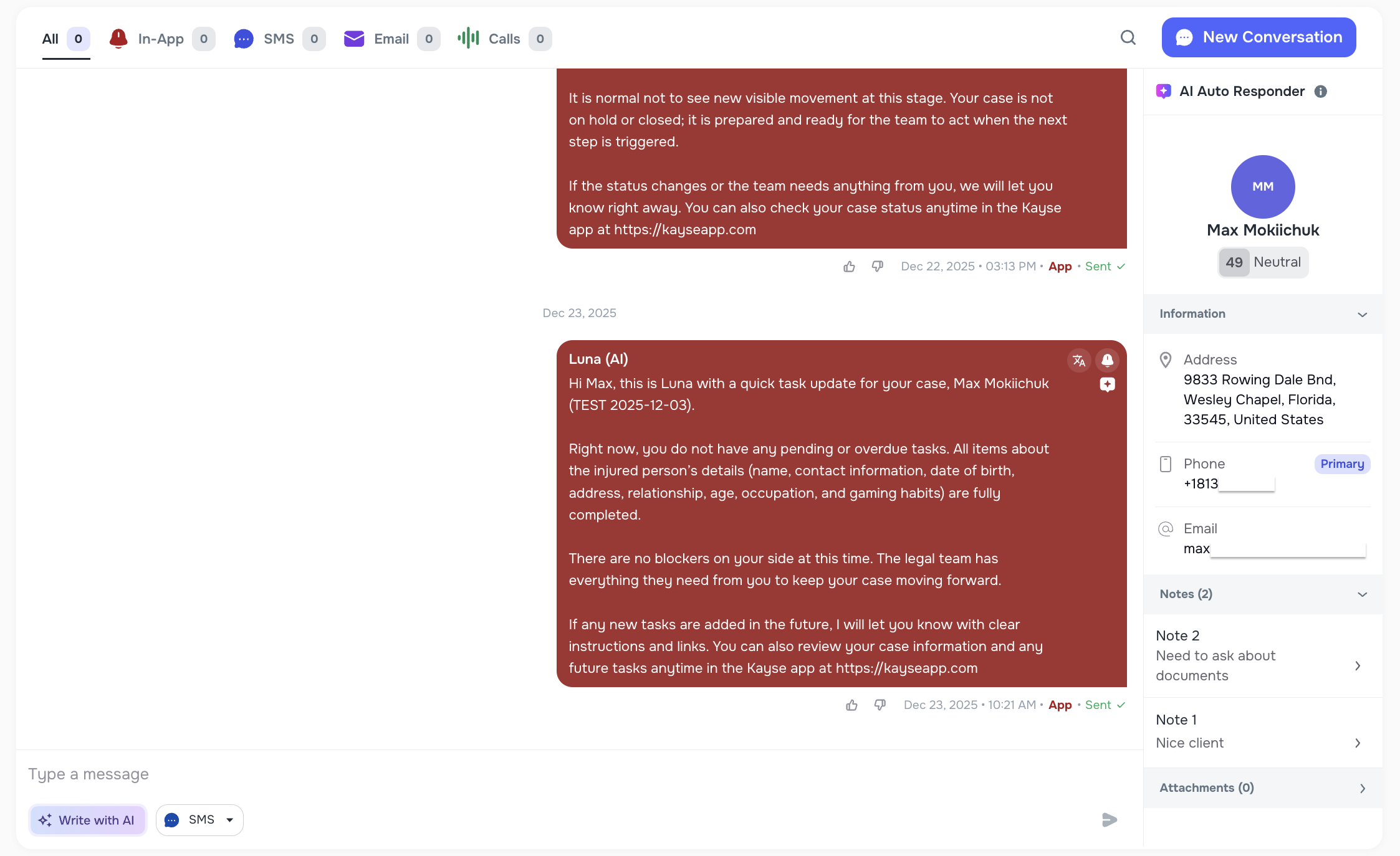
Case Notes are now fully synced and visible in all the right places:
- Case Page — full case notes (as before)
- Contact Profile — see all notes from linked cases
- Messenger (per case) — view notes relevant to the active conversation
Each note clearly shows which Case it belongs to, making it easy to track context when a contact is linked to multiple cases.
This ensures your team always has the right background while messaging clients — without jumping between screens.
📥 Importer Improvements — Case Type, Case Status & External Sources
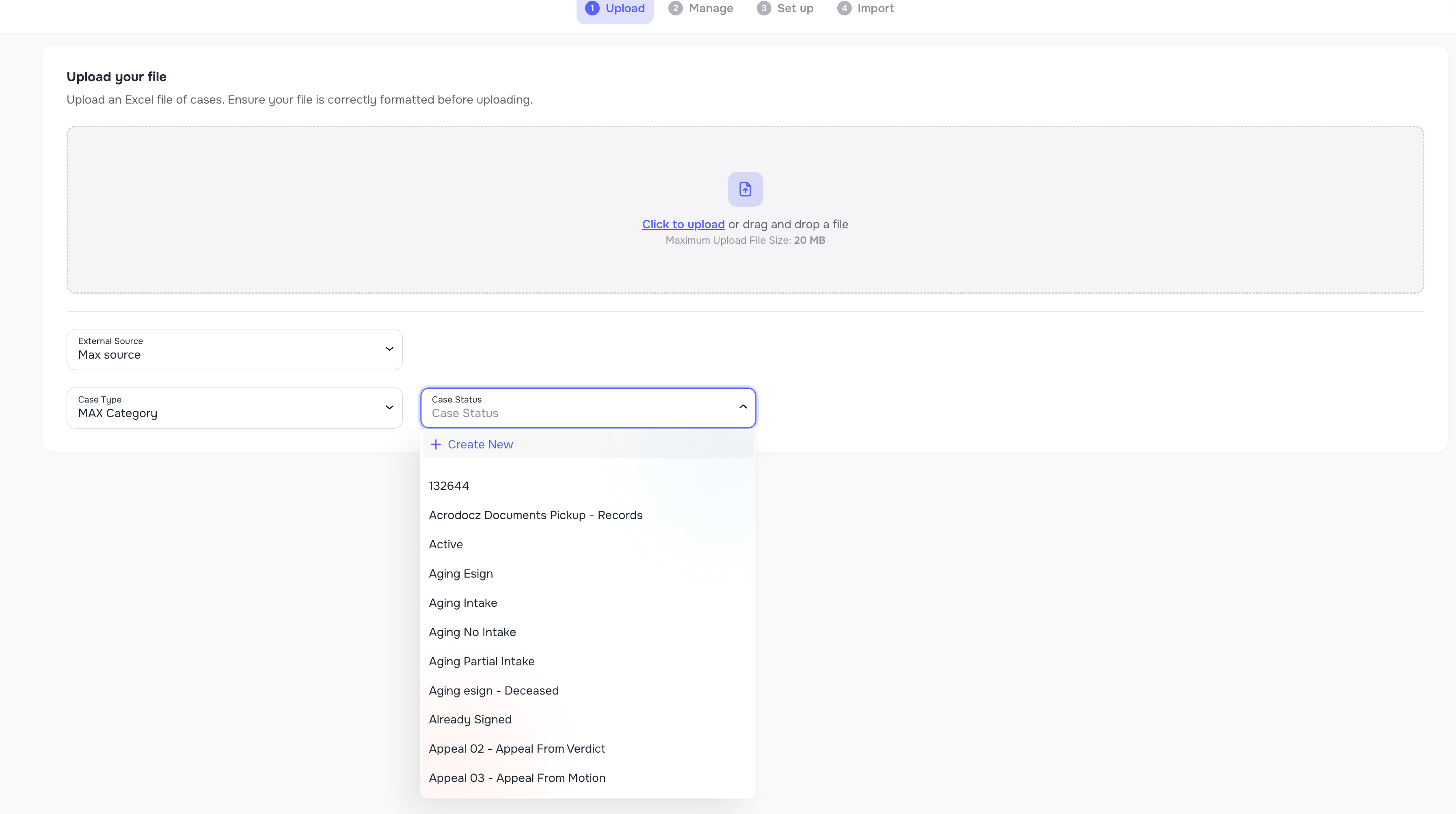
Choose or Create Case Type & Case Status During Import
When importing data, you can now:
- Select an existing Case Type and Case Status
- Or create new ones directly in the Importer
All imported cases will automatically inherit the selected values — no post-import cleanup needed. 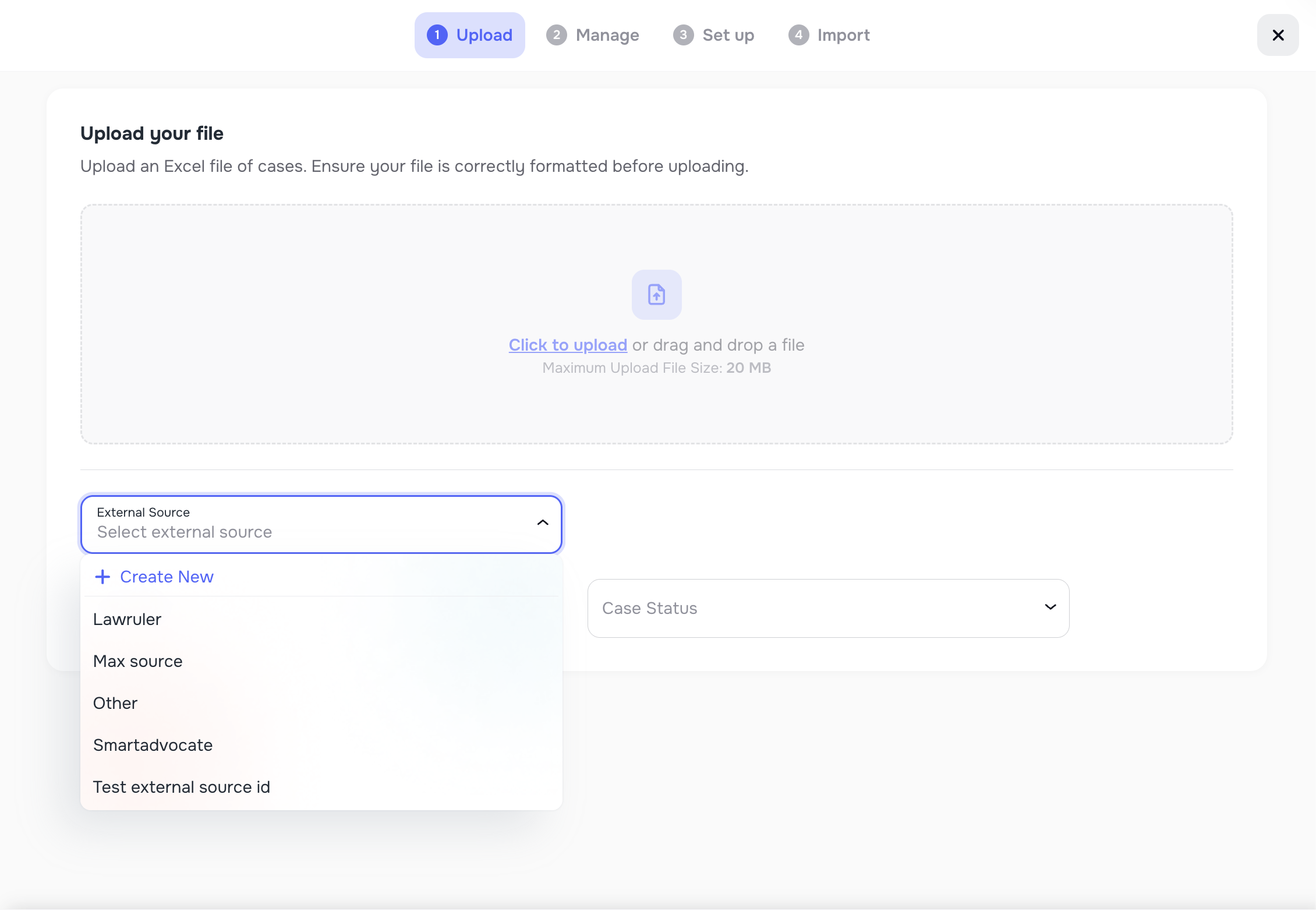
Custom External Sources
In addition to predefined sources (LawRuler, SmartAdvocate, Other), you can now:
- Create custom External Source values during import
- Reuse them across future imports
This is especially useful for firms importing data from multiple CRMs, spreadsheets, or custom systems, keeping cases properly attributed to their true source.
🔍 Messenger Keyword Search (Across Chats & Within a Chat)
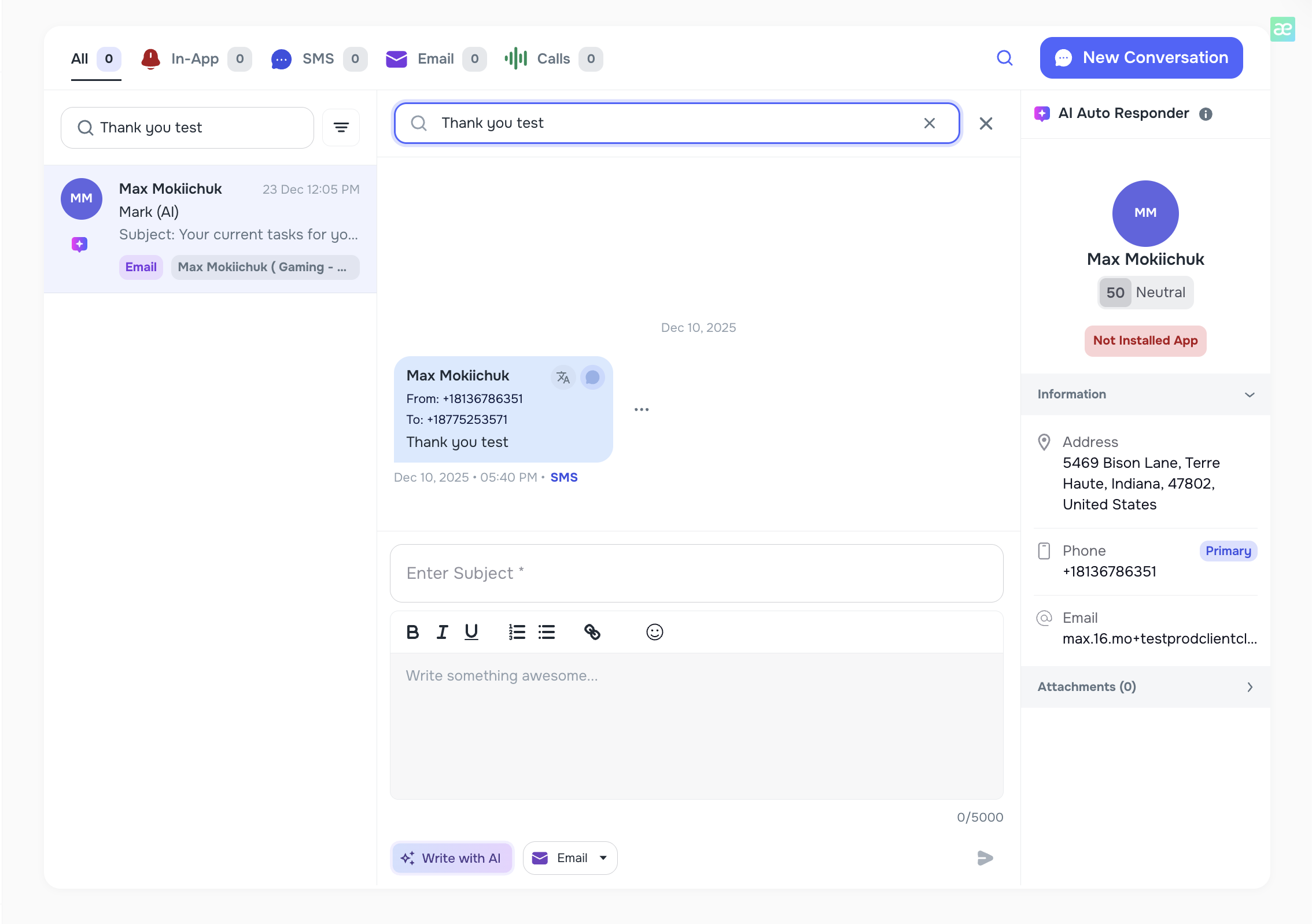
We’ve added powerful keyword search to Messenger:
Global search (left panel):
Find conversations that contain a specific word across all chats
In-chat search (top bar):
Search for keywords within the currently opened conversation
This makes QA, reviews, and investigations dramatically faster — no more scrolling through long threads.
🔁 Manual Number Enrichment (Self-Heal Contact)
You can now manually trigger number enrichment directly from the Client Profile using the Self-Heal Contact action.
This allows teams to:
- Re-run enrichment when a number looks invalid
- Override automatic validation when needed
- Improve data accuracy for campaigns and reporting
🧹 Lists — Exclude Cases via File Import
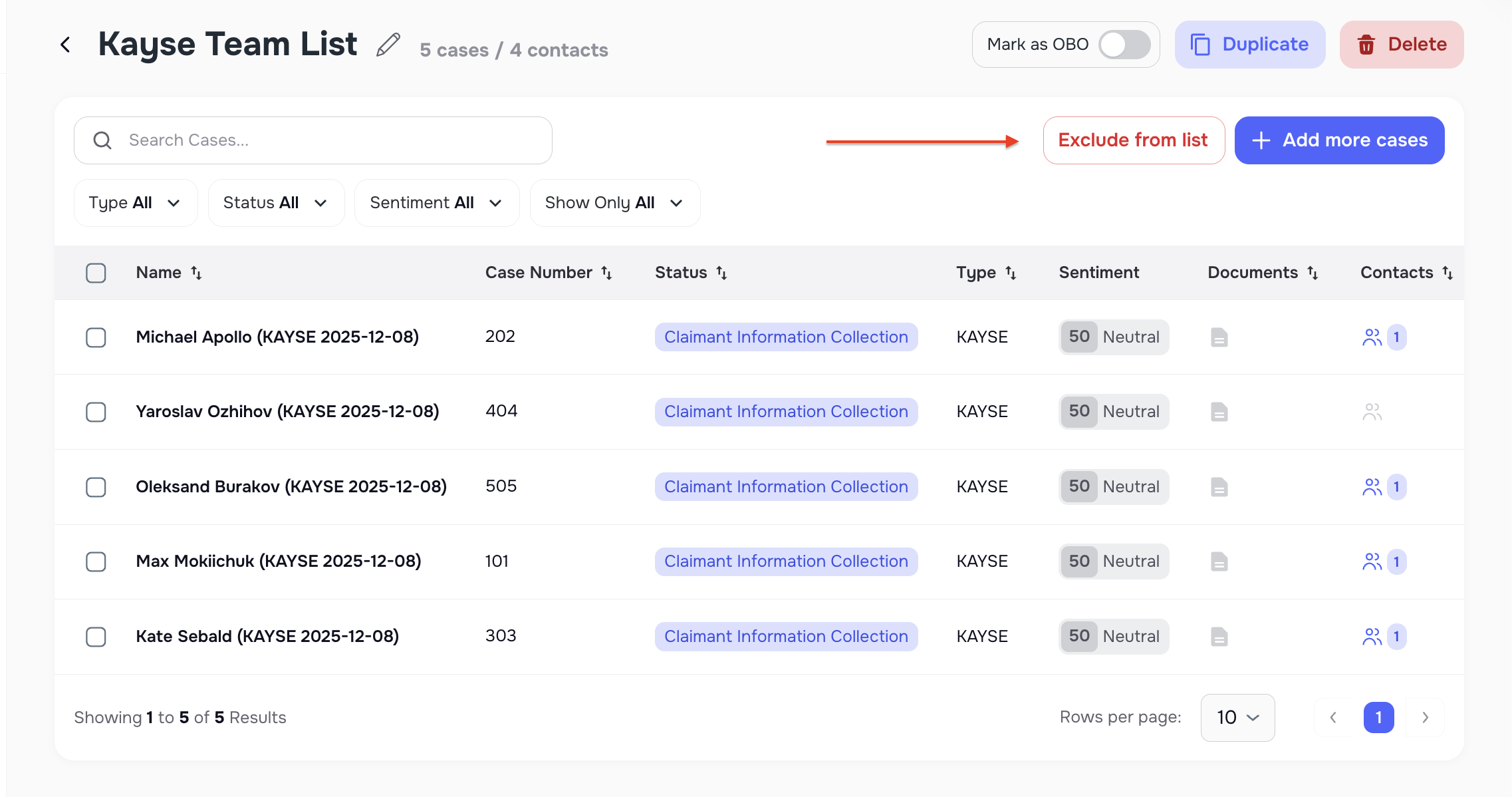
We’ve added a new Exclude from List flow to help clean and maintain Lists.
You can now:
- Click Exclude from List
- Upload a file
- Select an External Source
- Match cases using a third-party Case ID
All matched cases will be removed from the List — perfect for bulk cleanups and ongoing list hygiene.
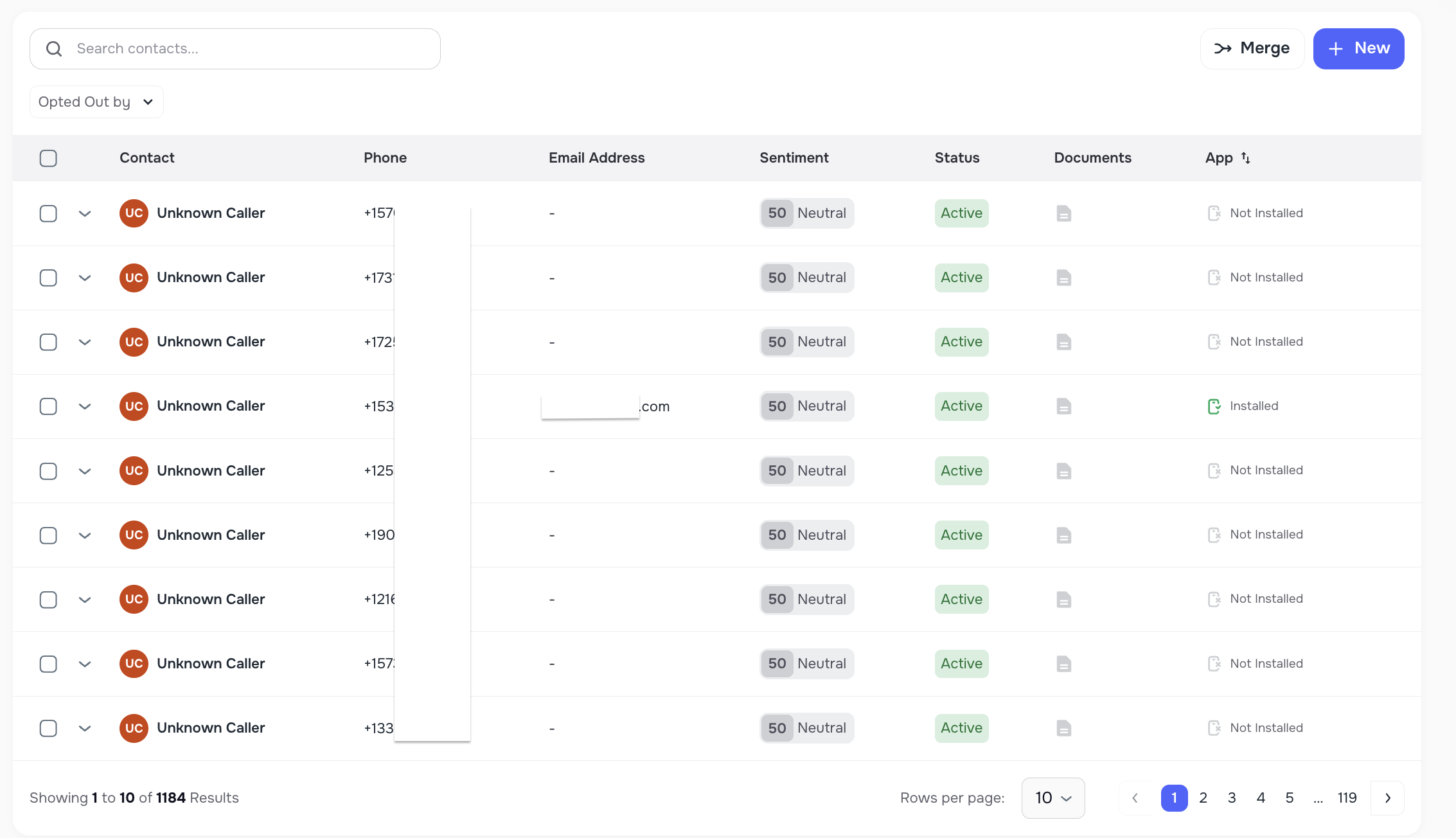
☎️ Inbound Calls — Auto-Create Case for Unknown Callers
When an inbound call comes from a number that doesn’t match an existing client:
- Kayse now automatically creates a Case
- The call is attached to that Case
This ensures:
- No calls are left unassigned
- Calls can later be merged into existing clients
- Reporting and data integrity remain intact
🔄 Manual Call Sync to External CRM
On the AI Campaign → Calls page, we’ve added a new action:
“Sync External Sources”
If your firm is connected to an external CRM (e.g. LawRuler), you can now:
- Manually trigger call synchronization
- Re-send calls that didn’t sync automatically
This gives your team full control and visibility over outbound integrations. 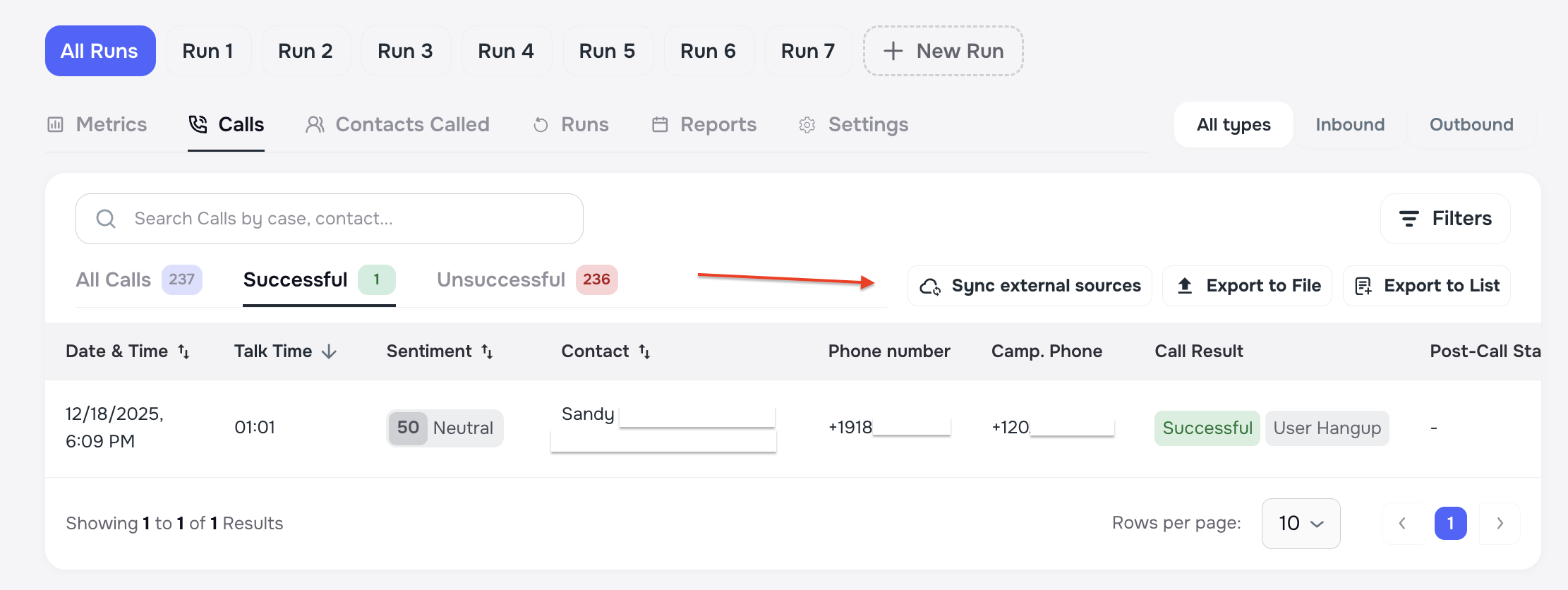
📎 Secure File Upload Improvements
We’ve strengthened file upload security across the platform:
- Introduced a strict allowlist for safe file types
- Blocked executable and script files
- Reduced the risk of malicious uploads
This keeps your data — and your clients — safe without affecting normal document workflows.
🎨 Overall UI / UX Improvements — Smarter, Clearer & More Reliable
Alongside major feature updates, this release includes a wide range of UI and UX improvements across Smart Tasks, Forms, AI Campaigns, Importer, Messaging, and system-wide flows.
We focused on improving:
- Form usability and stability, including better handling of empty states, placeholders, validation, mobile interactions (date pickers, dropdowns), dark mode styling, and clearer client-facing guidance in the Form Builder.
- Task completion accuracy, ensuring tasks reliably transition to the correct state after form submission or phone-based completion, with fewer edge cases where tasks remain incomplete or incorrectly marked.
- AI Campaign experience, with improvements to metrics accuracy, run scheduling, call result handling, export consistency, tab visibility logic, and navigation behavior during campaign setup and review.
- Importer and data flows, improving field mapping behavior, export structures, date handling, and consistency between imported data and case records.
- Messaging and notification behavior, reducing confusion around task-related notifications, improving searchability, and ensuring cleaner, more predictable user flows.
- System-wide reliability, including better timezone handling, safer file uploads, clearer error states, and improved edge-case handling across multiple workflows.
These refinements reduce friction, improve data accuracy, and make everyday workflows faster and more predictable — helping teams focus on clients instead of managing inconsistencies. ✨