Multiple Company Login, AI Receptionist & Smart Import Contacts
Apr, Wed 30 - May, Wed 14
🧩 Multiple Company Login
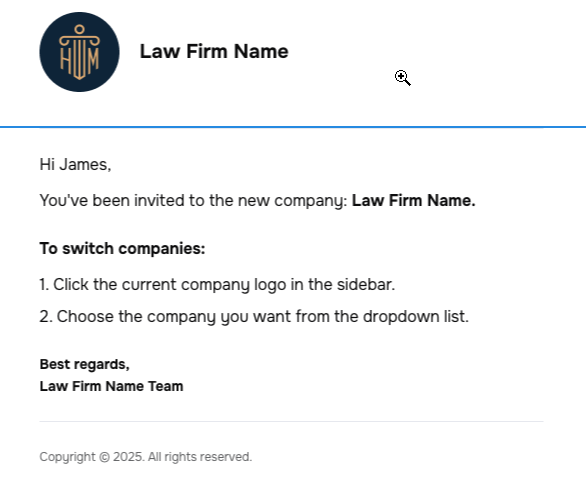
Users can now be part of multiple companies (via shared email/phone).
Register with one company first
Receive an invite for the second company:
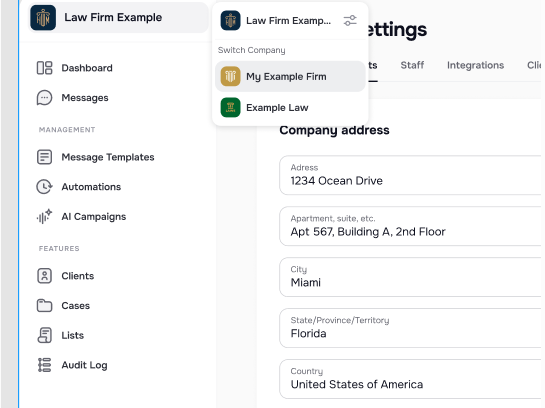
Switch between companies using the logo dropdown 🔐 "Switch company" only shows if more than one company is linked.
📥 Import Tool: Support for Multiple Contacts
The Import Tool now supports:
📞 Multiple phone numbers per client
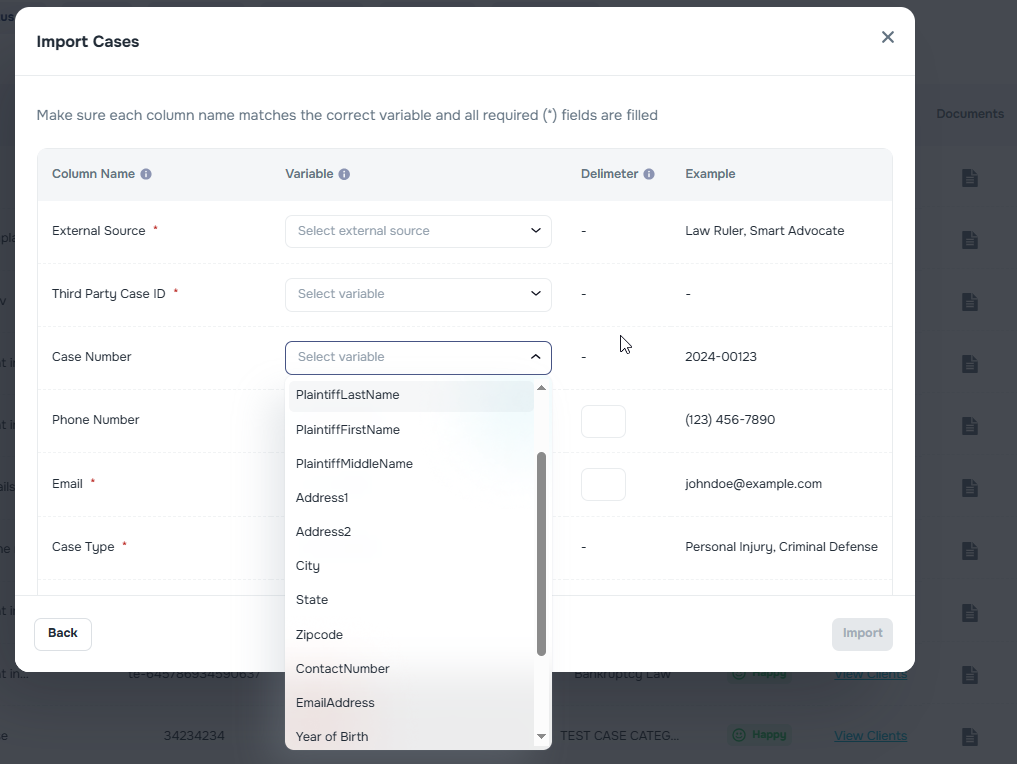
📧 Multiple emails per client In the import file, we can upload several values in the same column, separated by a delimiter. When importing cases, we should choose the correct delimenter for each column.
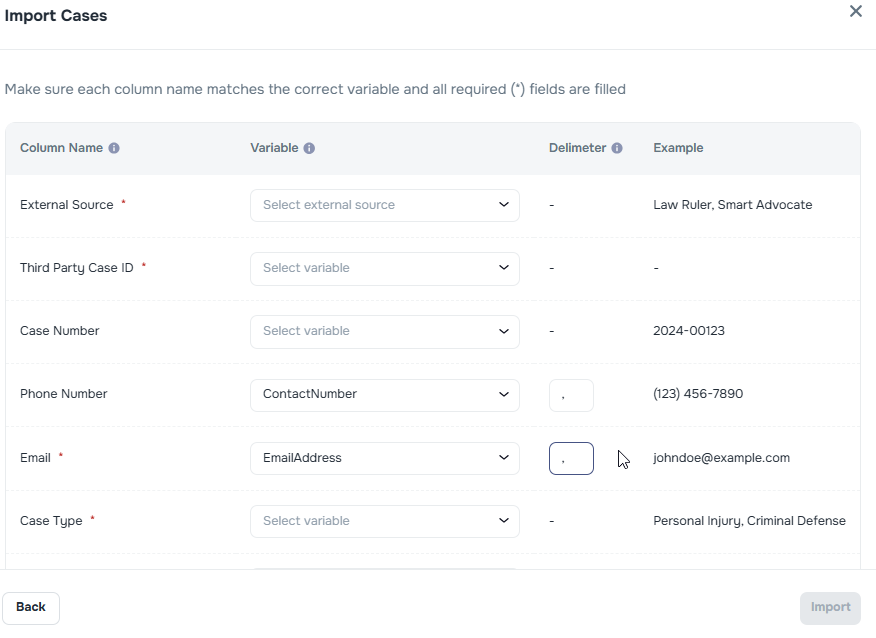 Contacts will be stored properly in the Client's page: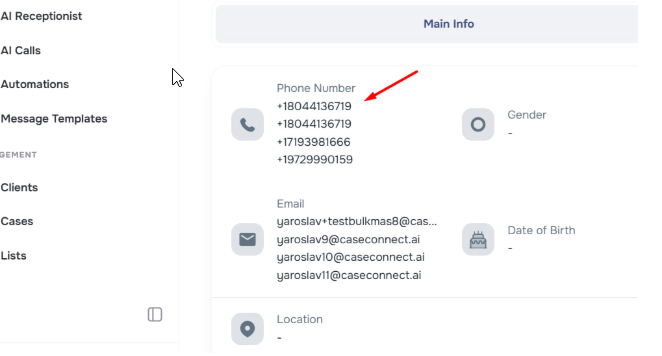
🧹 Import Tool UI Improvements
🧾 Field order updated: External source, Case ID, Case Number, Phone, Email come first
🌟 Red asterisk added next to Email (recommended but not required)
🔙 Back button added!
🖼️ Popup window enlarged
📏 Dropdown widths adjusted—no more clipped content
✍️ "Case ID" now uses proper capitalization
✉️📲 Client Invite Auto-Sending
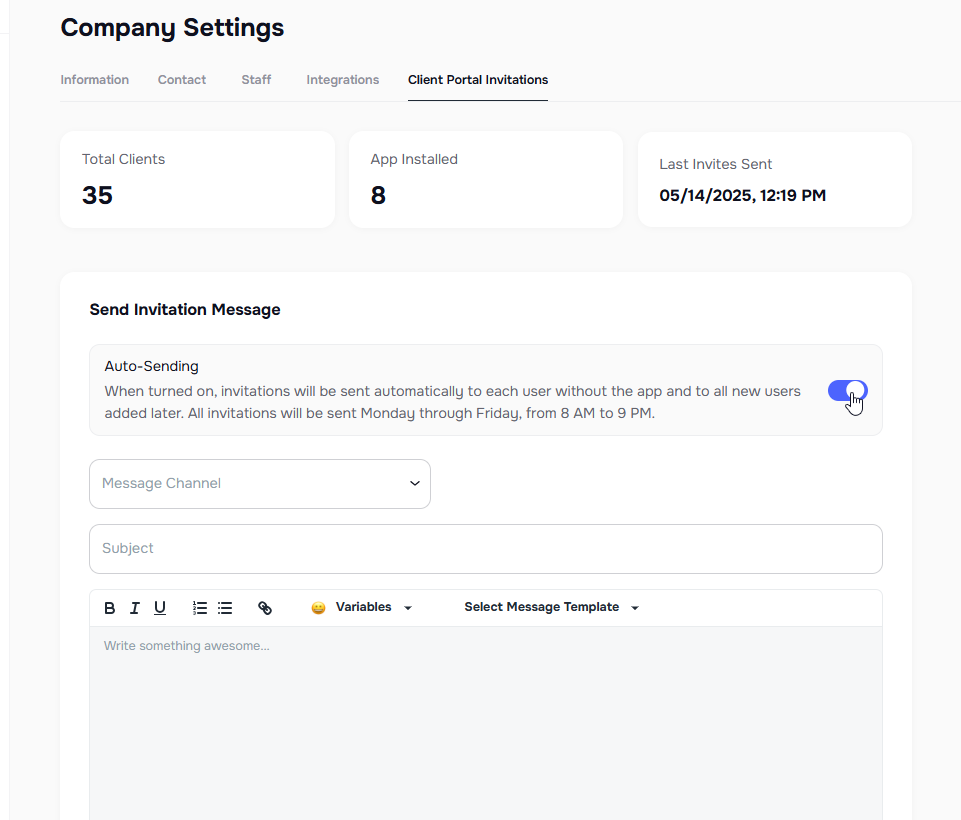
Automatically invite new clients to the mobile app via Email/SMS based on contact availability.
⚙️ Toggle in Company Settings > Client Portal Invitations
⏲️ Only sends during 8 AM–9 PM (Mon–Fri) based on client’s time zone
🔁 Invite only sent once unless manually re-invited
🔕 Default: OFF
📆 Schedule Manual Invites for Allowed Hours
Even manual invitations (via Email/SMS) now respect allowed communication hours to avoid contacting clients at inconvenient times. Messages will be queued if needed.
✉️ New & Improved SMS Invite Template
We’ve refreshed the SMS invite to be friendlier and action-oriented:
📱 case updates at your fingertips! Track progress, ask questions & stay informed 24/7. Get Kayse App now! 👉 https://www.kayseapp.com
🤖 New: AI Receptionist Feature
We’ve rolled out the AI Receptionist to help you better monitor and manage inbound calls handled by AI across your campaigns!
- 📞 View all incoming calls in one place
- ✅ Quickly filter between Successful and Unsuccessful outcomes
- 😊 See sentiment analysis for each conversation (e.g., Happy, Neutral)
- 🔄 Track actions like Call Transfers and User Hangups
- 📂 Easily export call data to a file or list for follow-up
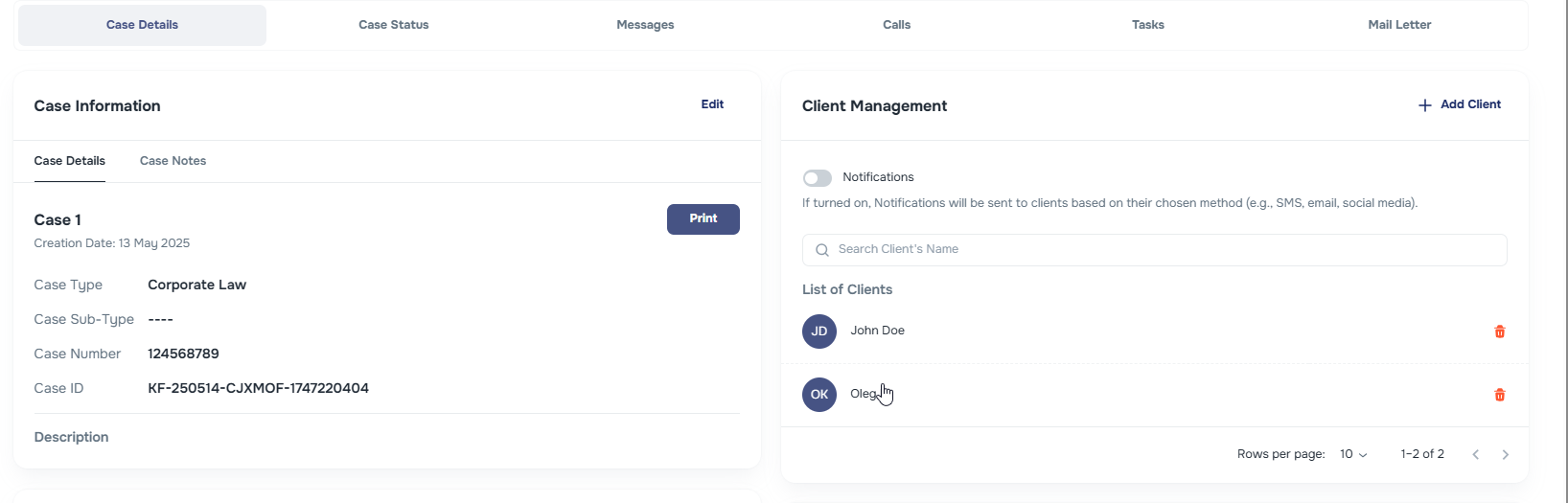
🔗 Clickable Client Links in Case Page
We’ve made Client names clickable directly from the Case tile in the Client Management section. Navigation just got faster!
🎯 Open Case button on the Client page
Users can now clearly click into a Case using a new floating button inside each Case Assignments on the Client page. This solves a major usability issue—no more confusion on where to click. 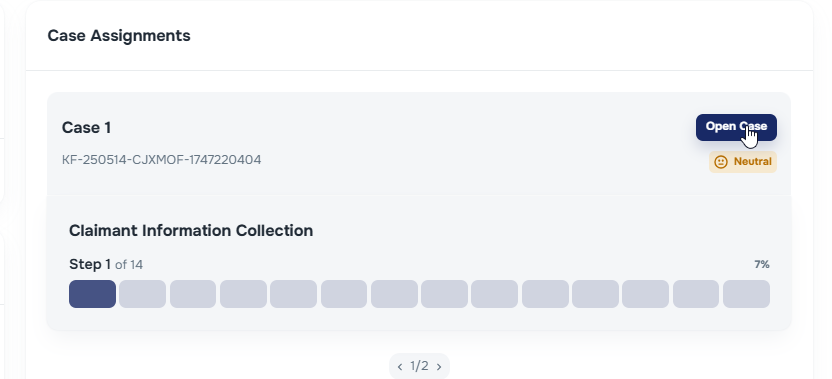
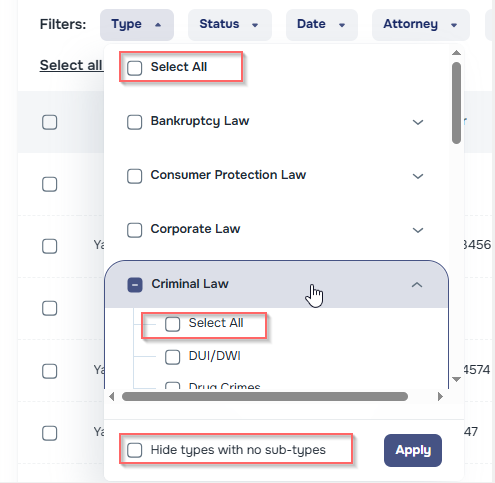
📂 Case Types Dropdown Enhancements
We’ve added several quality-of-life updates to Case Type filtering:
🔽 Hide dropdown arrows when no case types exist
✅ "Select all Types" and "Select all Sub-types" options added
🔍 Filter for empty case types (with no cases)
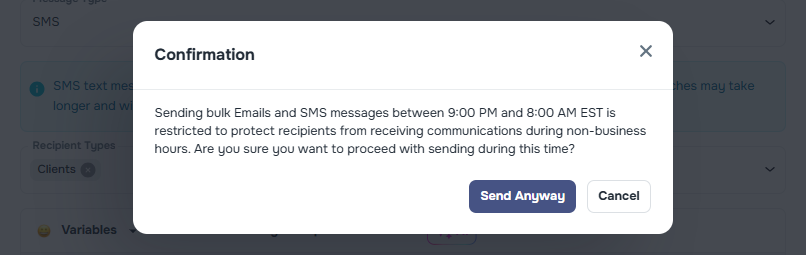
🕒 Compliance Warning for Off-Hour Messaging
A new popup warning appears if users attempt to send bulk SMS or Emails outside the allowed hours (9 PM–8 AM EST). Applies to:
Lists > Bulk Email/SMS
Cases > List > Bulk Email/SMS
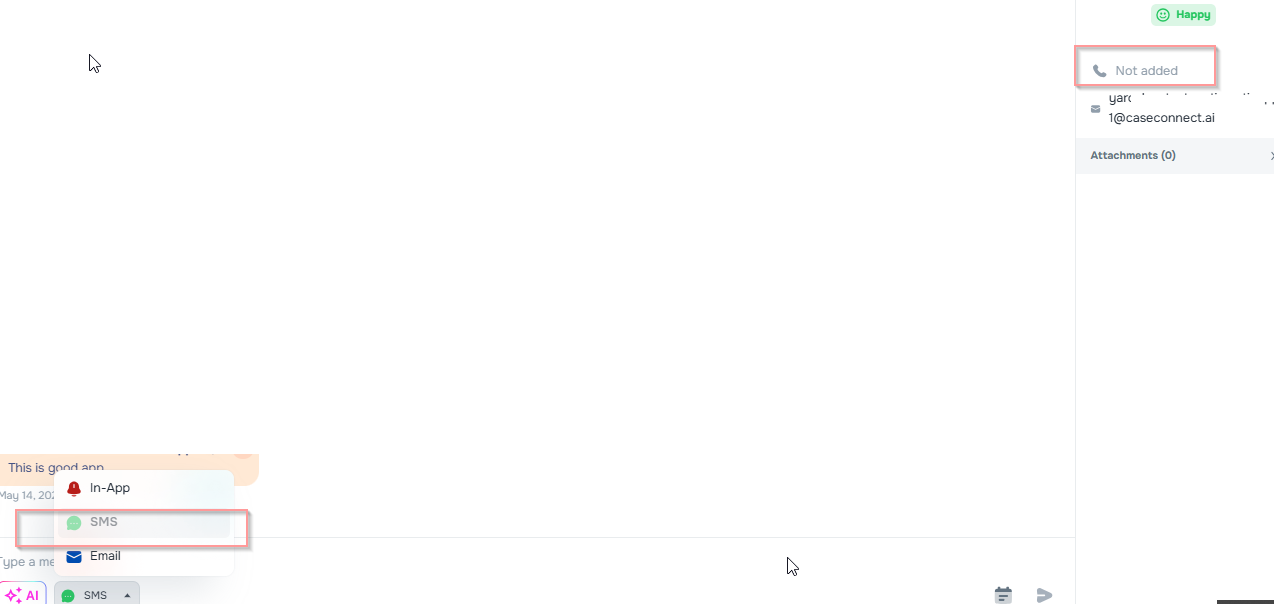
🚫 Prevent SMS to Clients Without Phone Numbers
To avoid delivery failures:
🚨 Bulk Messaging Warnings appear if selected cases lack client phone numbers
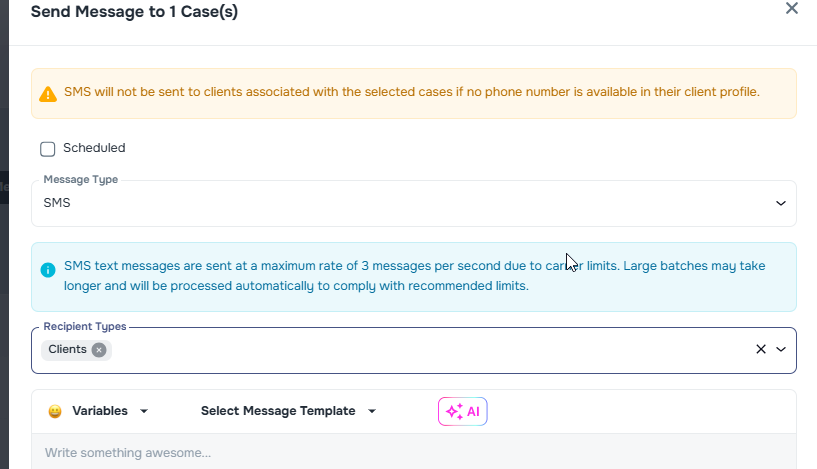
📵 "SMS" option disabled in Messenger if no number is present
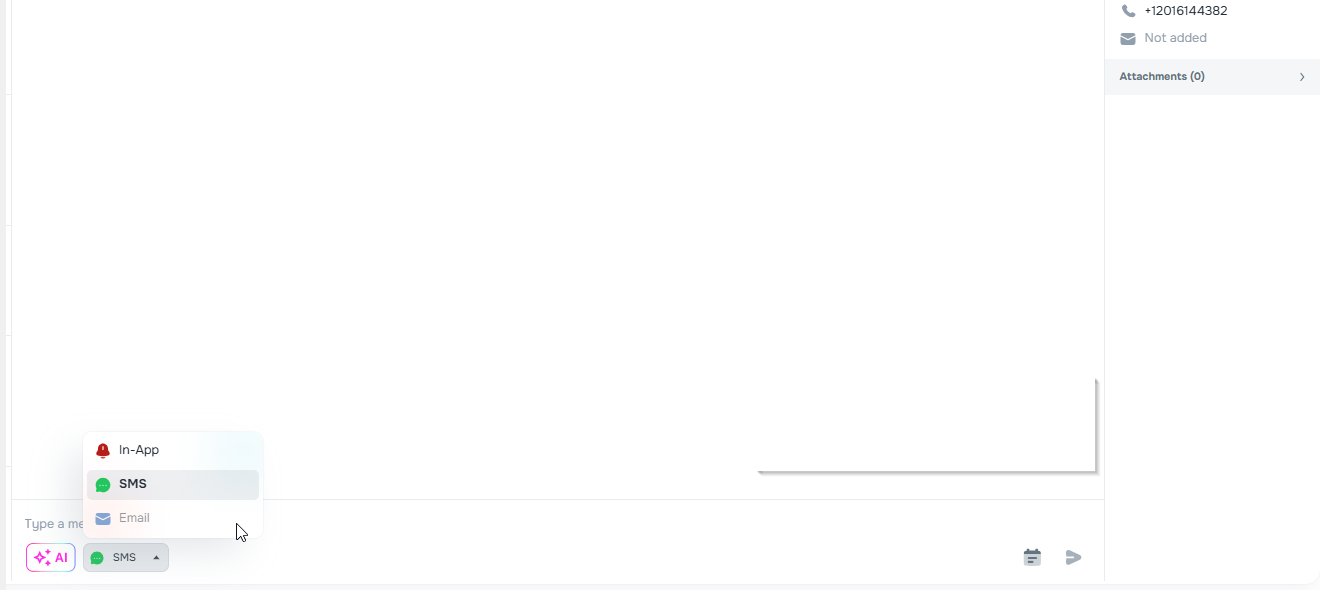
📧 Prevent Emails to Clients Without Email Addresses
- 🛑 "Email" communication channel disabled in Messenger for clients with no email address
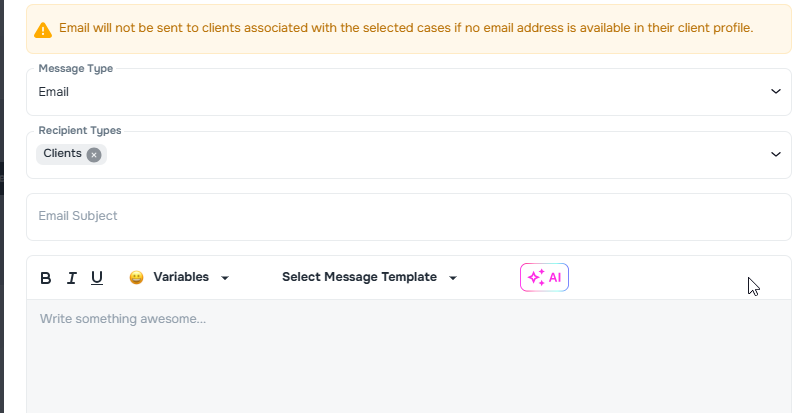
- 🚨 Bulk messaging warns if any selected client is missing an email
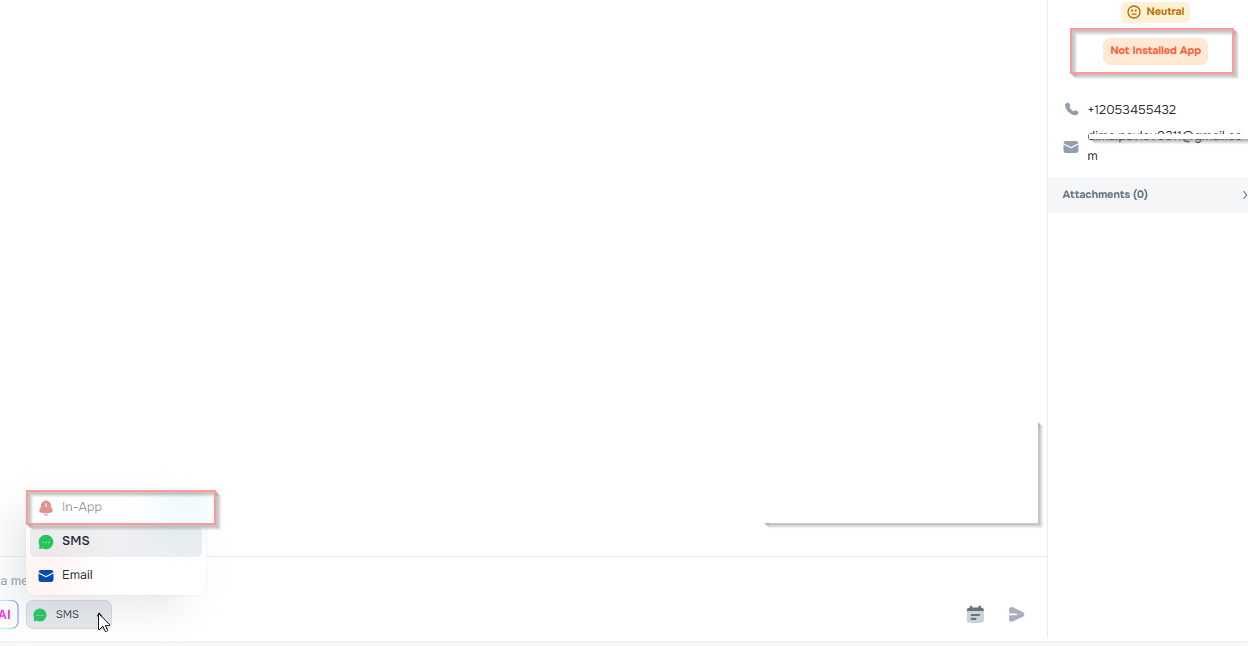
📵 Disable In-App Messaging if Client Has No App
Clients without the app now show a "Not Installed" tag
❌ "In-App" channel is disabled for these clients