

AI Messaging Agent & AI Receptionist Improvements
This release brings a major new AI feature along with important enhancements to call handling, reporting, and system settings. We’ve also optimized logging for better transparency and addressed several bugs to ensure a smoother daily workflow for your team. ✨
🌟 New Feature
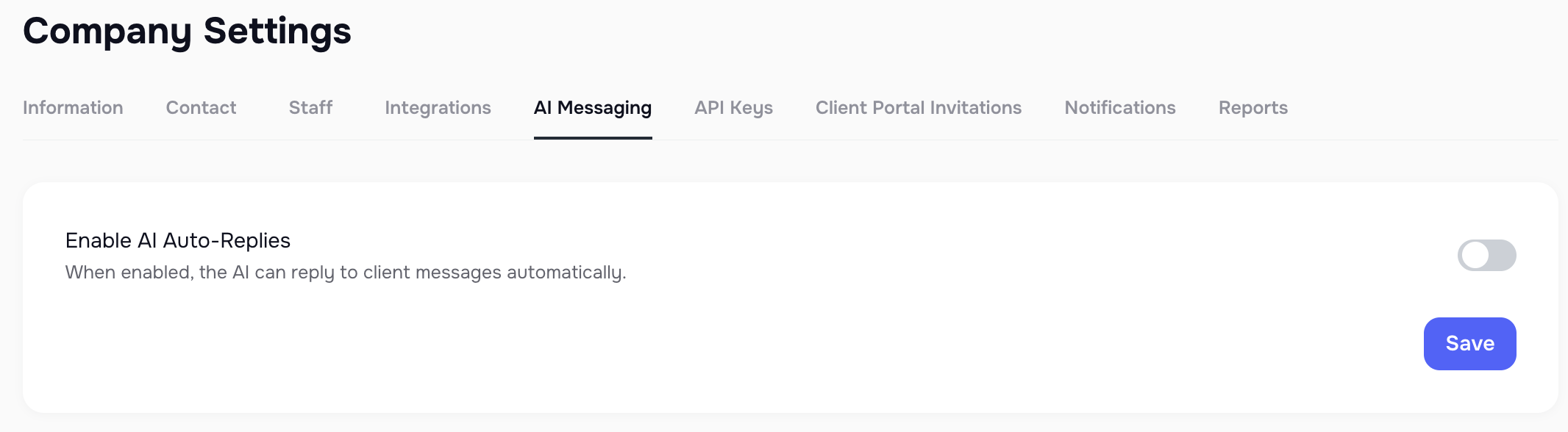
🤖 AI Messaging Agent (AI-Powered Smart Assistant)
Managing client communication just got easier! We’ve introduced the new AI Messaging Agent, designed to automatically respond to client messages across SMS, Email, and In-App channels.
The agent uses AI to analyze incoming messages and generate instant, context-aware replies.
Responses are tailored to legal industry use cases and can be supervised or adjusted by your team when needed.
The AI Smart Assistant solves real problems and can check the database to answer questions about each client and their cases. It has the context to do all of this and more**😗*
- provide case status and its relevance for each case
- answer questions about each litigation
- inform clients about what is holding up their case
- reply to client concerns in a human-like, natural-sounding conversation
- send links to keep cases moving forward if there are missing documents, third-party intake forms, or e-signature documents that need to be completed
This ensures clients receive timely communication, even outside working hours, while giving your staff more time to focus on high-value tasks.
More details here - AI Messaging Agent - Smart Assistant Guide
✅ Available now in the AI Messaging Agent section of your platform.
💡 Improvements
📊 AI Receptionist — Date Filters
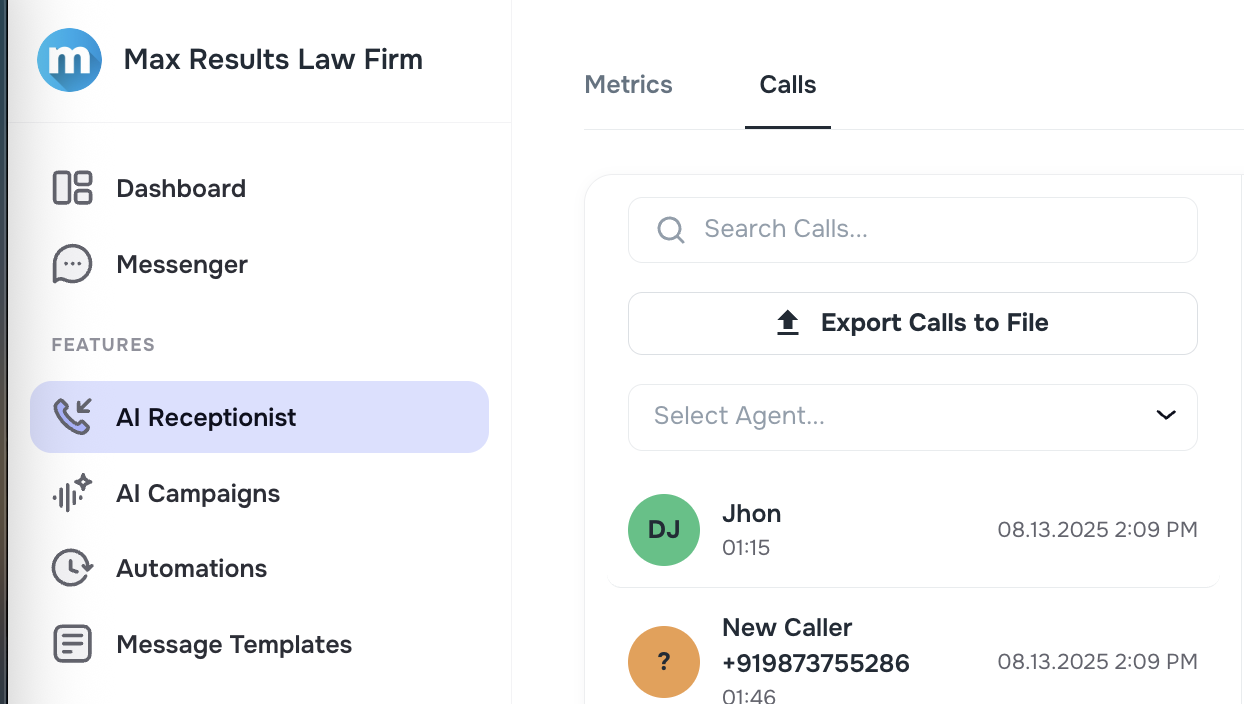
We’ve added new date range filters (From / To) under the AI Receptionist > Calls tab.
- You can now select a custom period to review calls — perfect for analyzing client activity during a week, month, or specific case window.
- This provides more flexibility and eliminates the need to scroll through long call lists manually.
✅ A faster and clearer way to monitor inbound call history.

📂 Export Calls to File
Need to share call records or analyze them in Excel? Now you can!
We’ve added an Export Calls to File option in the AI Receptionist > Calls tab.
- Export inbound calls to a CSV file in just one click.
- Useful for audits, reporting, or sharing call details with your management team.
✅ Makes your call data portable, organized, and audit-ready.
🌍 Company Time Zone Settings
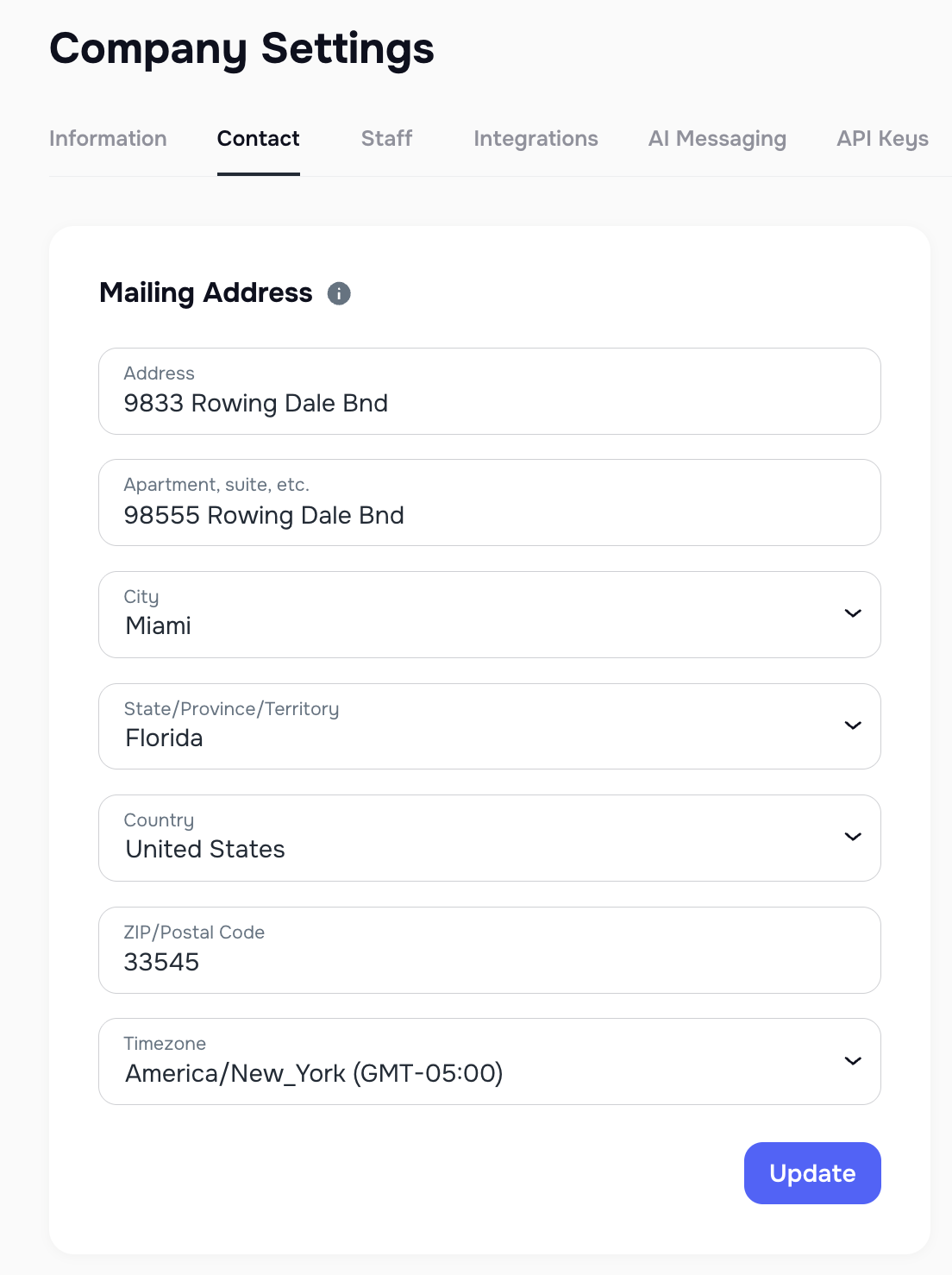
We know firms work across different regions, so we’ve added a new Company Time Zone field in Company Settings > Contact tab.
- This setting ensures that automated features follow your firm’s chosen time zone.
- Eliminates confusion around when clients receive automated replies, ensuring consistent communication across offices.
✅ Helps keep your team and clients in sync, wherever they are located.
☎️ Inbound Call Concurrency Rate
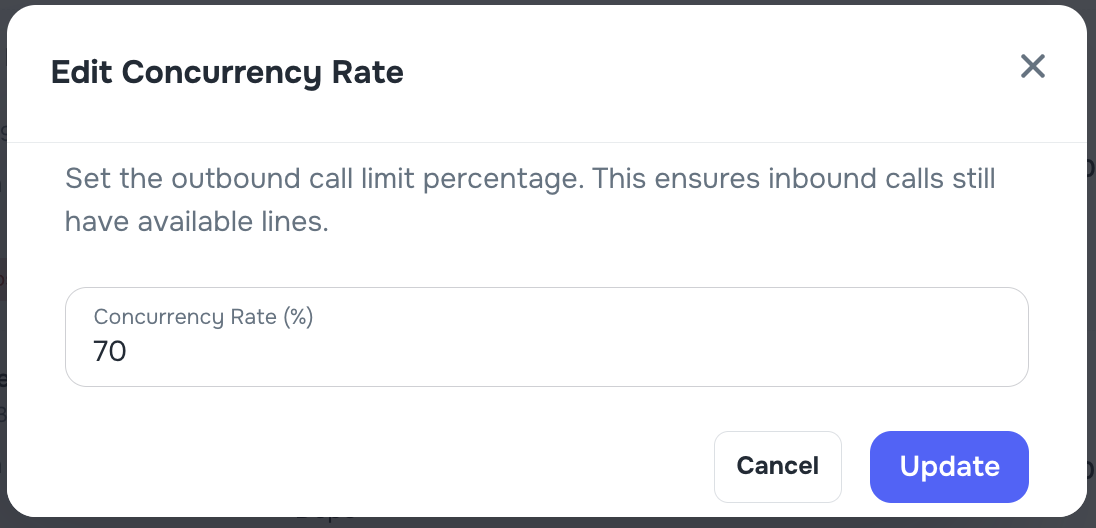
Your AI Campaigns now give you more control over inbound call flow. We’ve introduced a Concurrency Rate switcher in the AI Campaigns tab.
- You can now set separate limits for outbound and inbound calls.
- This ensures outbound campaigns don’t consume all available lines, leaving room for inbound client calls.
- The setting can be easily adjusted in percentage terms to match your firm’s workload.
✅ Guarantees that inbound calls from clients are always prioritized and never missed.

📑 Audit Log Coverage & Accuracy
We’ve carried out a comprehensive review of Audit Logs to improve accuracy and consistency. Updates include:
- Admins & Cases: Expanded logging to include manual creations and additional admin actions.
- Clients: Standardized naming conventions for cleaner reporting.
- API Keys: Confirmed coverage and improved visibility.
- Attachments: Corrected “actor” and “source” values to properly reflect whether actions came from a client, admin, web, or mobile.
✅ These optimizations make your logs more complete, reliable, and easier to audit — giving you confidence that all system activity is tracked accurately.
👉 This release empowers your team with smarter automation, stronger reporting tools, and more reliable communication features.