

Mobile Uploads, File Insights & AI Summaries
This release introduces enhancements across mobile experience, file tracking, audit visibility, and campaign summaries — making your Kayse experience smarter and more transparent.
🔧 Improvements
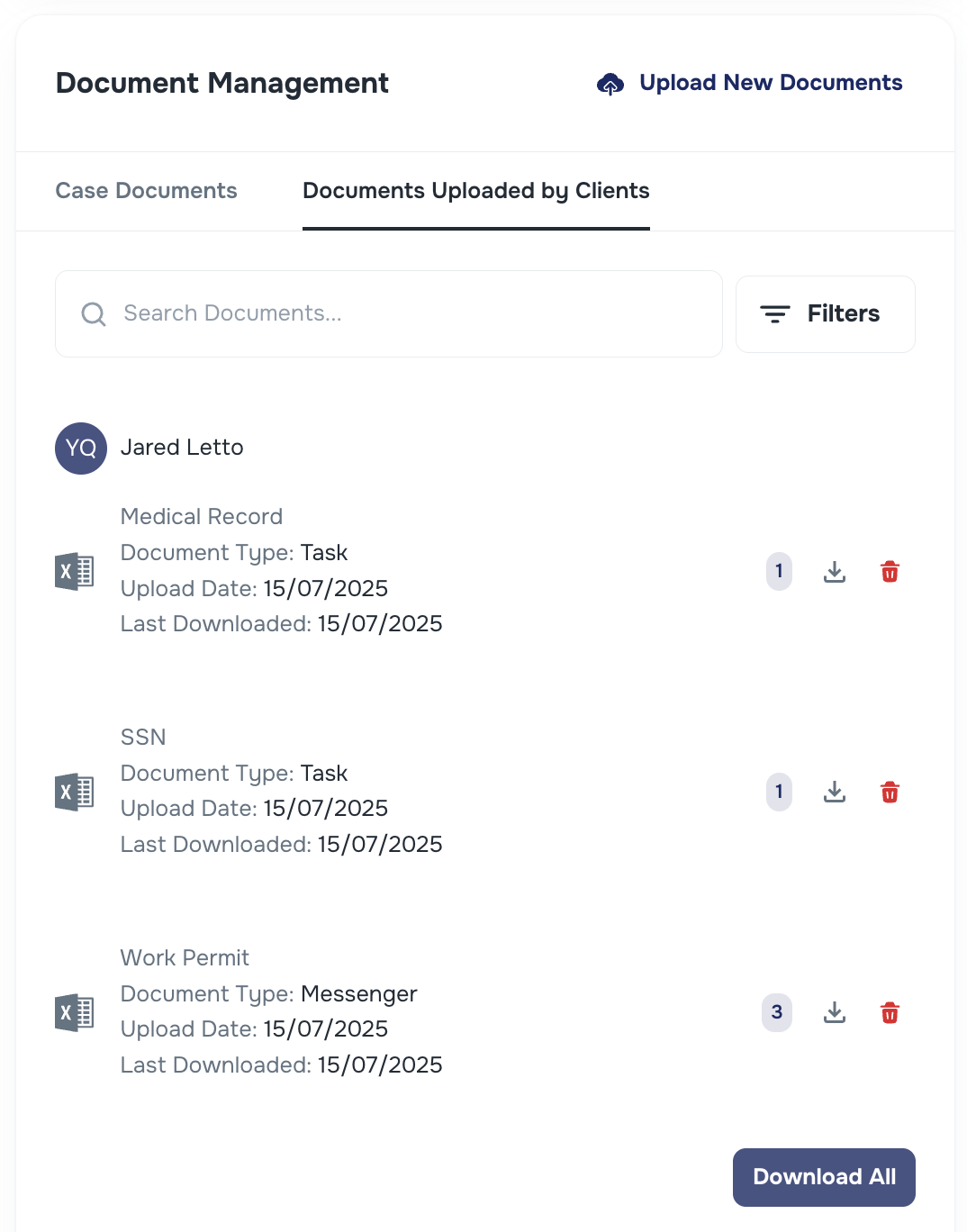
📂File Upload Insights
The Uploaded Files section has been updated to show:
- Upload date
- How many times the file was downloaded (by user)
These additions provide greater visibility for file activity.
🔹 Message Logs in System Logs
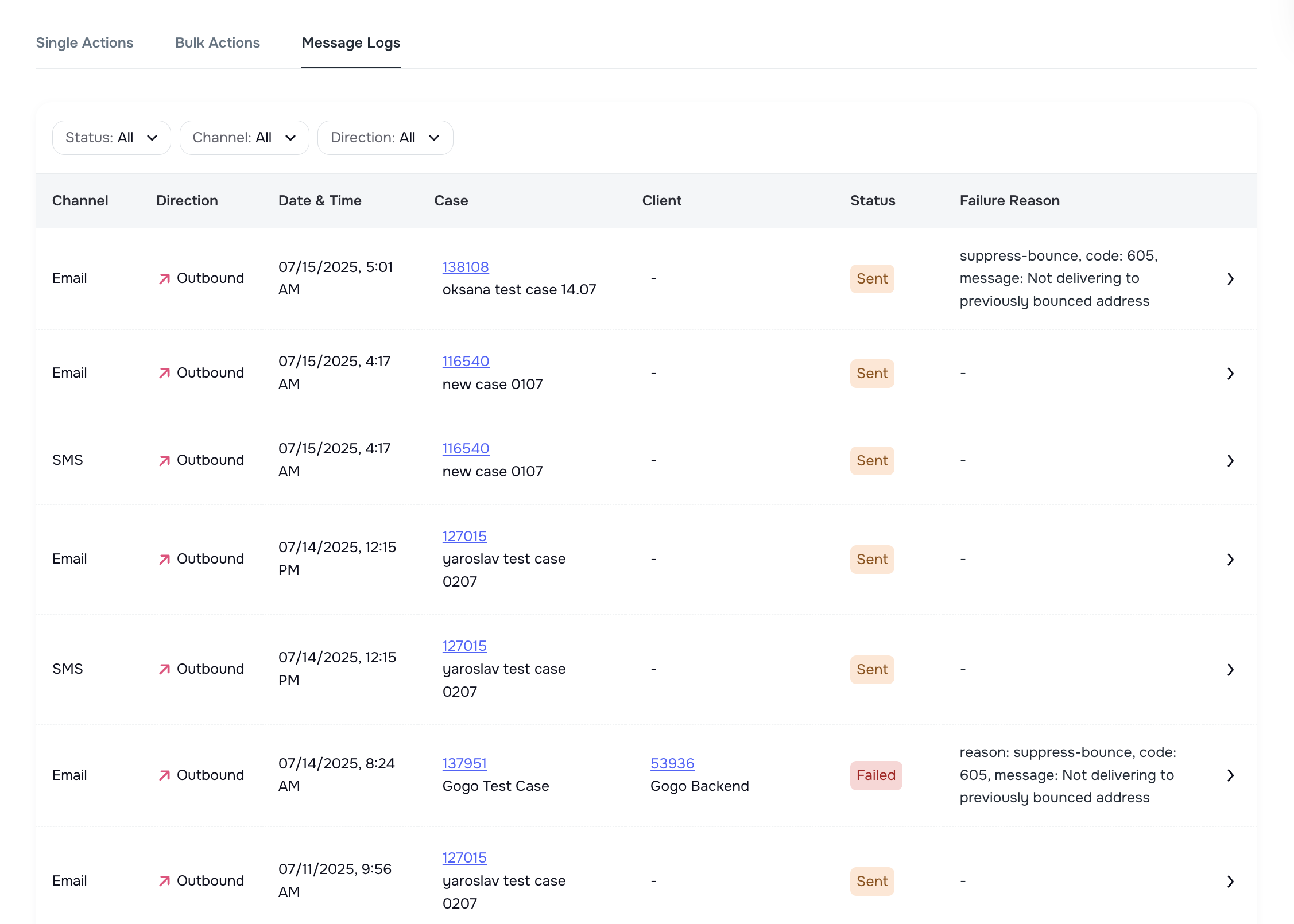
We added a new Message Logs section under System Logs.
It works similarly to the Bulk Messaging Logs released earlier but focuses on single messages (not bulk actions). You can:
- View all sent messages with delivery statuses (SMS, Email)
- Filter by status, channel, direction
- Check failure reasons for individual messages
This helps teams trace communication activity at a granular level.
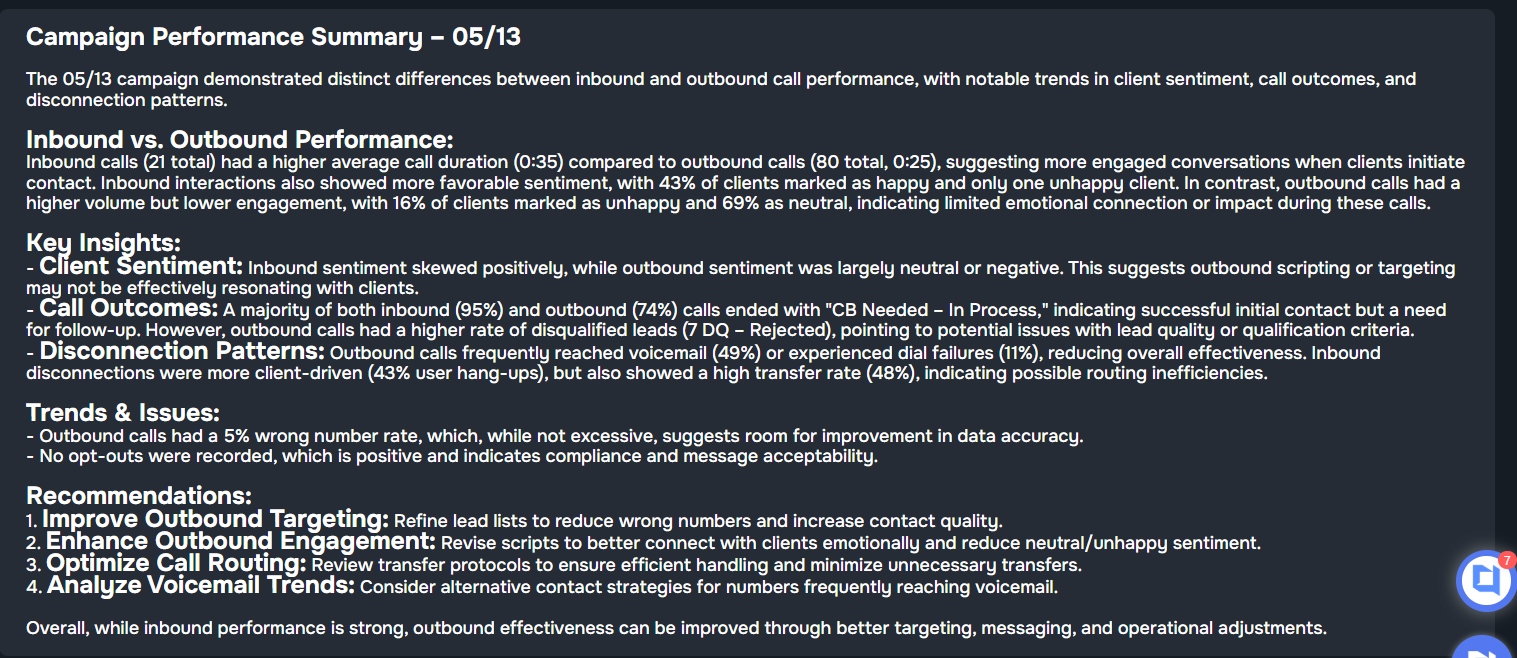
🌟 AI Summaries in AI Campaign
Once a voice AI campaign hits 10+ calls, Kayse generates a short AI Summary that includes:
- Whether calls were successful
- Reasons for failure (e.g., unreachable)
- Overall sentiment (e.g., Very Unhappy)
Summaries appear directly in the campaign list for quick context. 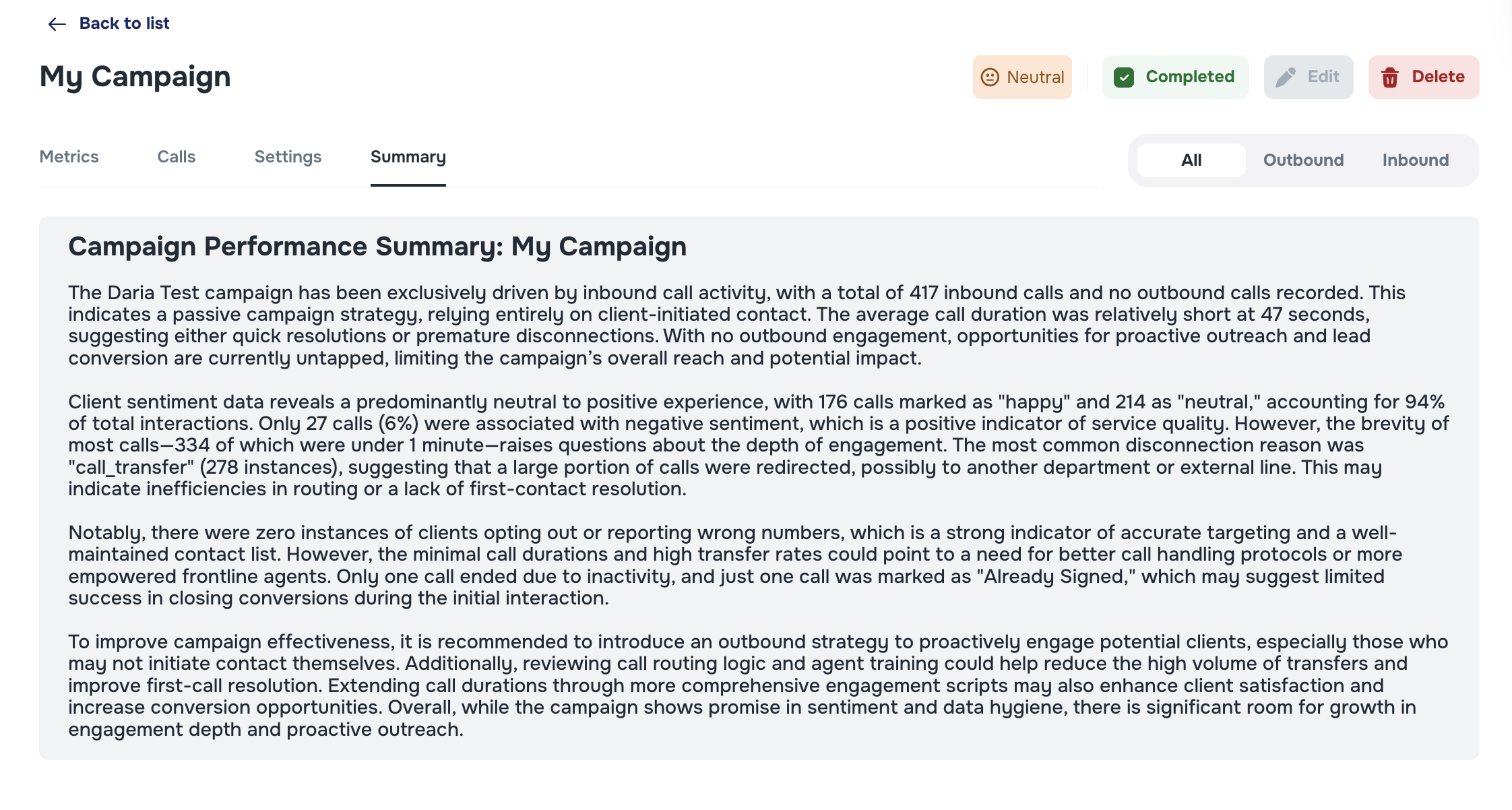
💾📱Upload Docs via Case View in the Mobile application
Clients can now upload documents directly inside the case in the mobile app:
- Previously, uploads were limited to Chat or Tasks
- Now available directly in the Case screen
- Uploads trigger notifications via bell icon and email for admins
This streamlines document submission for firms where clients don’t use chat. 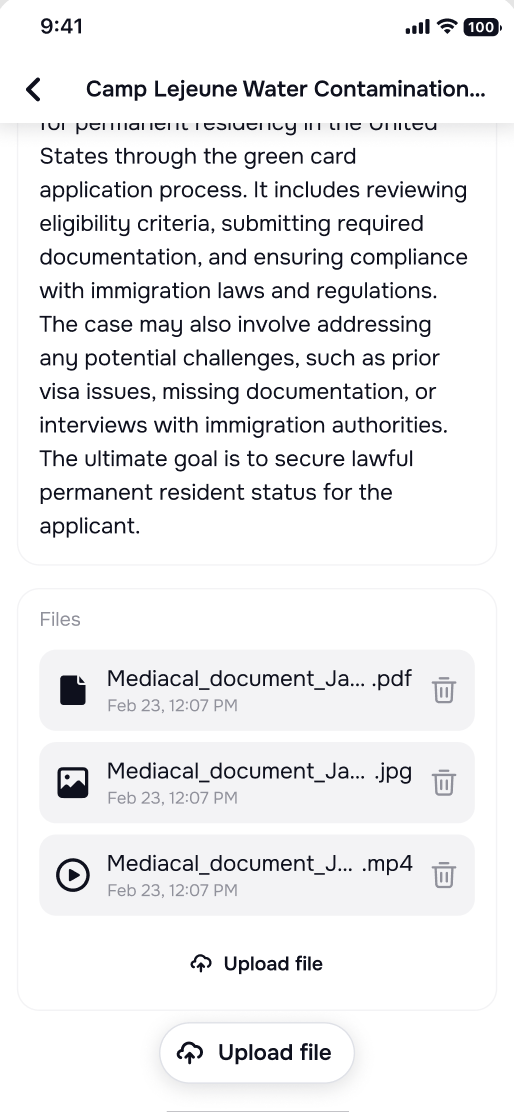
🧹 Additional Improvements
We’ve also addressed various UI/UX inconsistencies across the web and mobile apps to ensure a smoother, more polished experience.
Let us know if you have feedback or questions! 🚀